Work
Edtech / Assessment design / Complex interactions

Eight ways to answer. One assessment experience.

I designed assessment authoring and learner-response workflows in Kolibri, connecting expressive question types with quiz editing and the pre- and post-tests that sit inside a course.

Role
Senior Product Designer
Timeline
Aug 2022 — May 2026
Company
Learning Equality
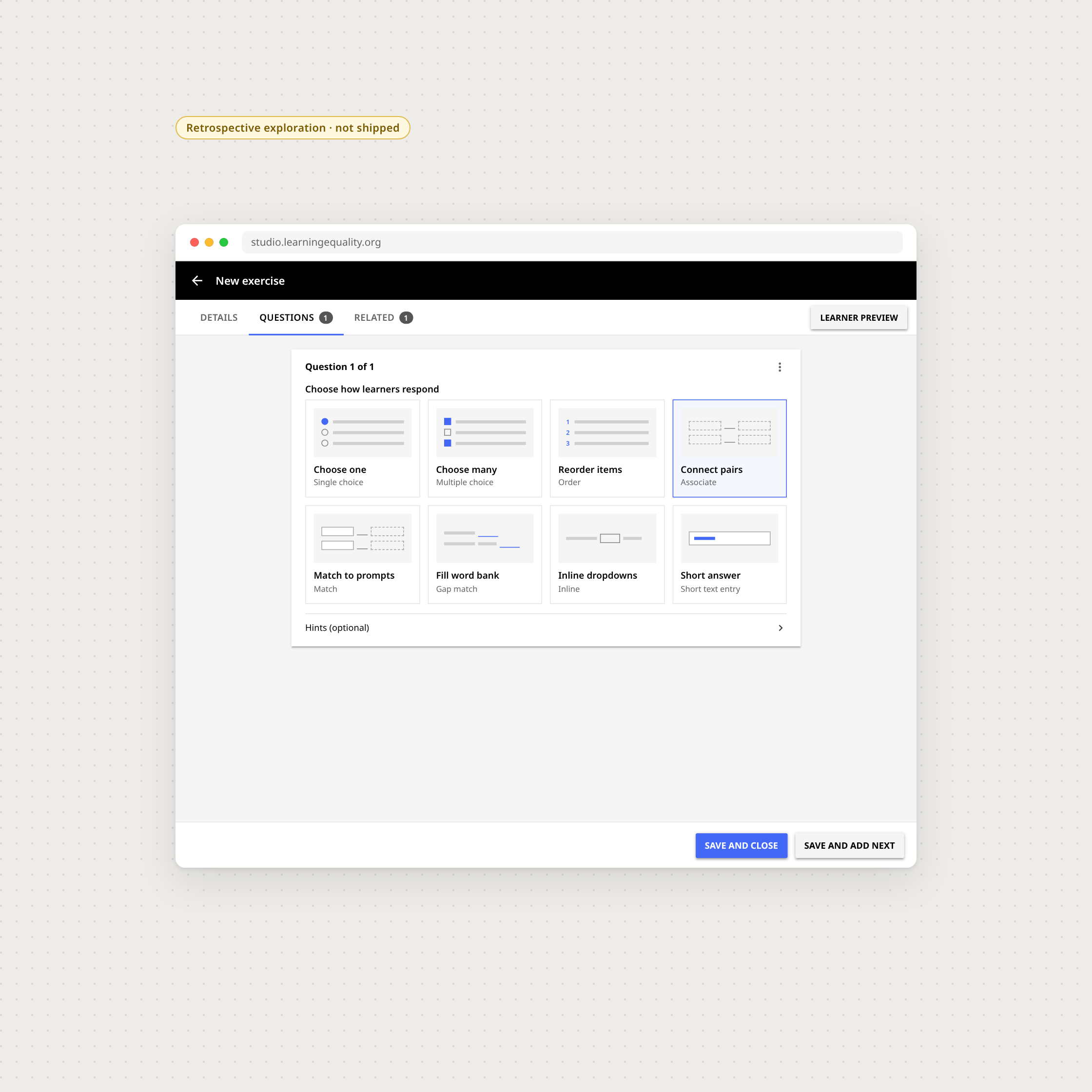
Eight response types, one editor. The combined type menu is a presentation reconstruction.
01

Design the answer, then test the experience

The authoring interface supports different ways to answer. Previewing the learner state is part of creating the question, not a separate afterthought.
Author to learner preview. Motion between original Figma states is illustrative.
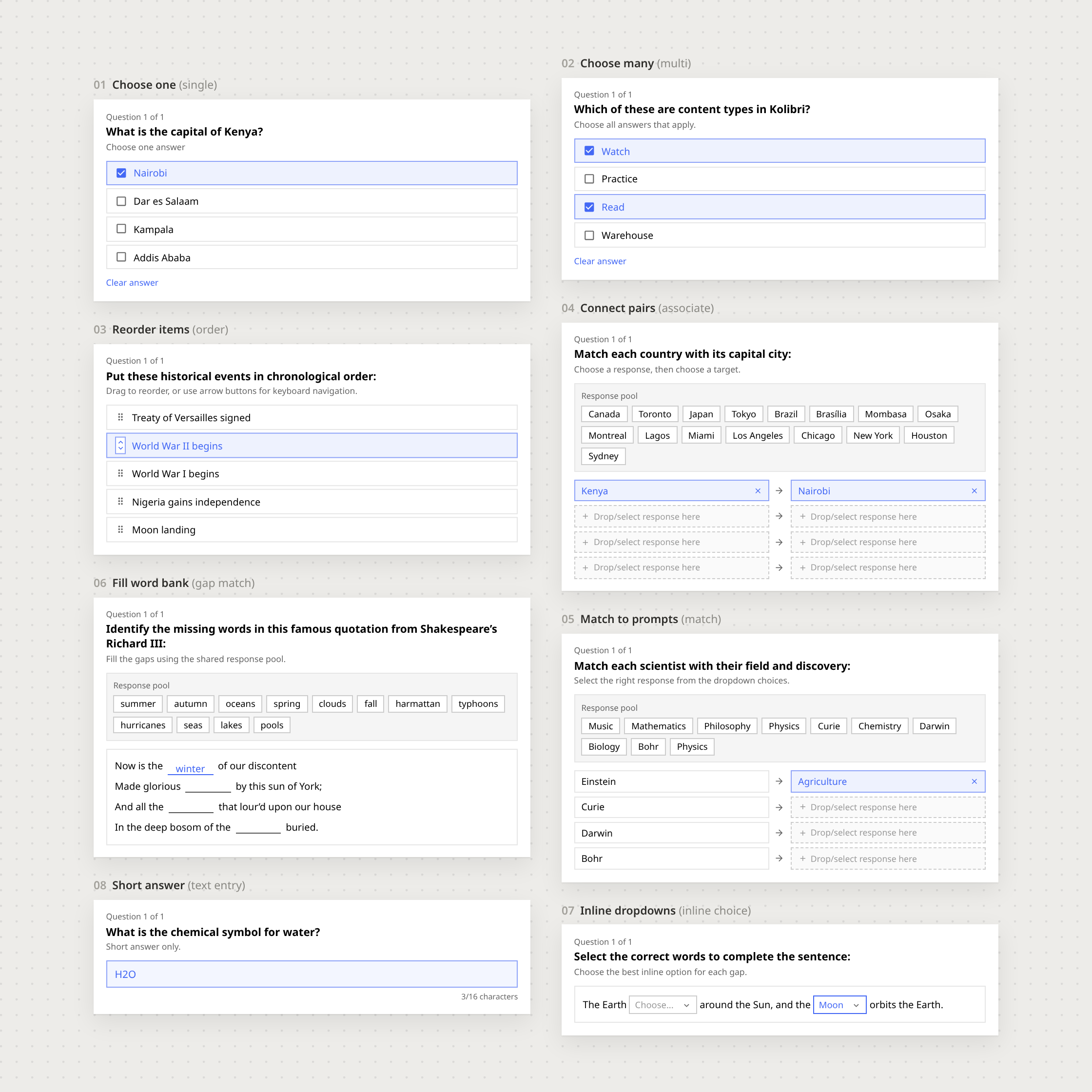
QTI response type vocabulary and sample authored questions
QTI response formats. The shared word-bank sample is corrected to ‘winter’.
02

The detail is in the response

Reordering, connecting pairs and choosing inline answers need distinct behaviours. Short loops make those choices visible without recreating a complete assessment engine.

Reorder interaction · illustrative scripted demonstration.
Connect-pairs interaction · illustrative scripted demonstration.
Inline choice · a short interaction detail.
Word bank · corrected response loop; illustrative question content.
03

One question, two perspectives

The same question must read clearly to the person authoring it and to the learner answering it.
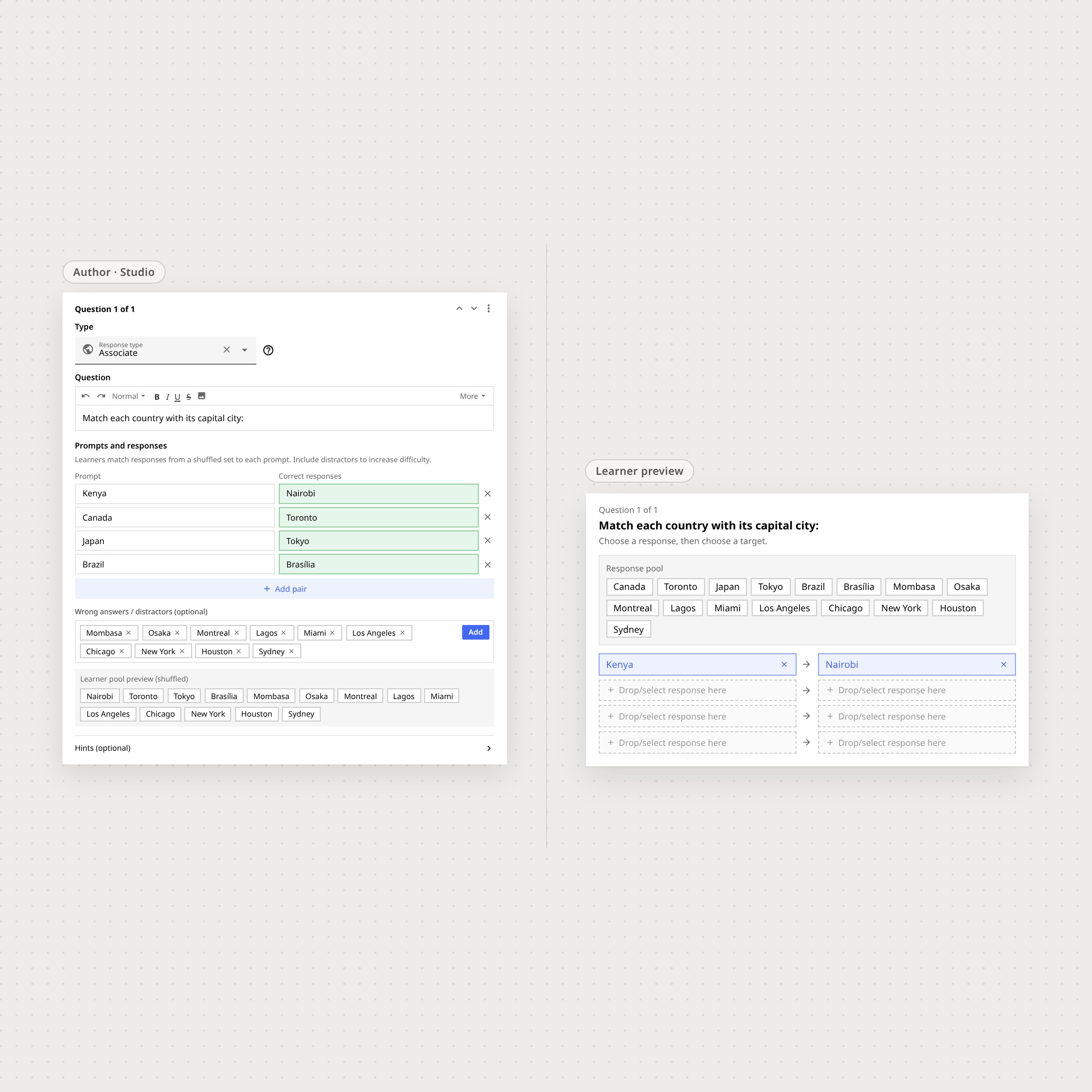
Side-by-side comparison of a QTI question in the authoring interface and the learner interface
The authored question and the learner-facing response.
Editing in context. The temporary answer change in this demonstration is illustrative.
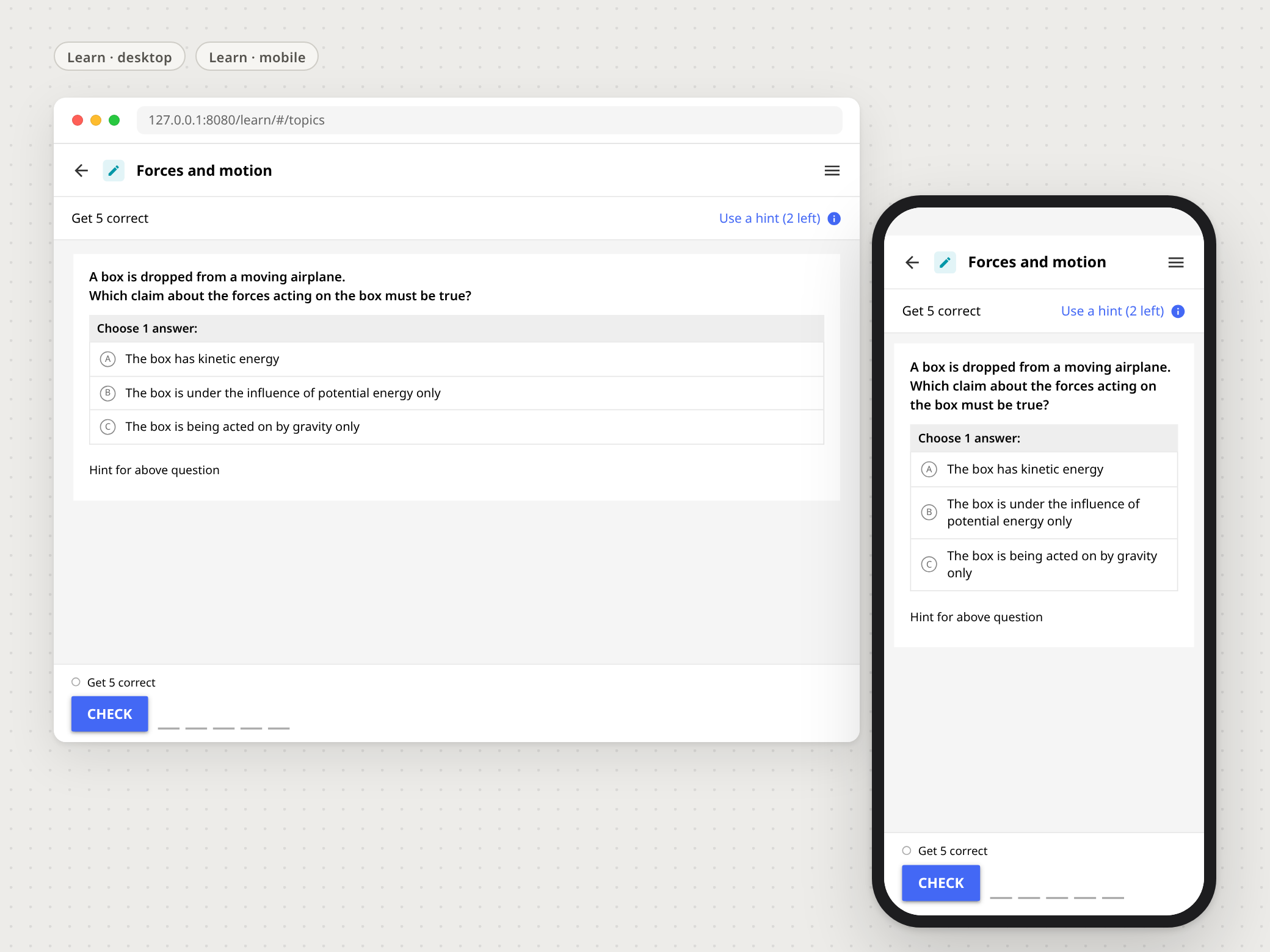
Revised QTI single-choice question shown in learner desktop and mobile designs.
One coherent question across screen sizes. Copy is representative.
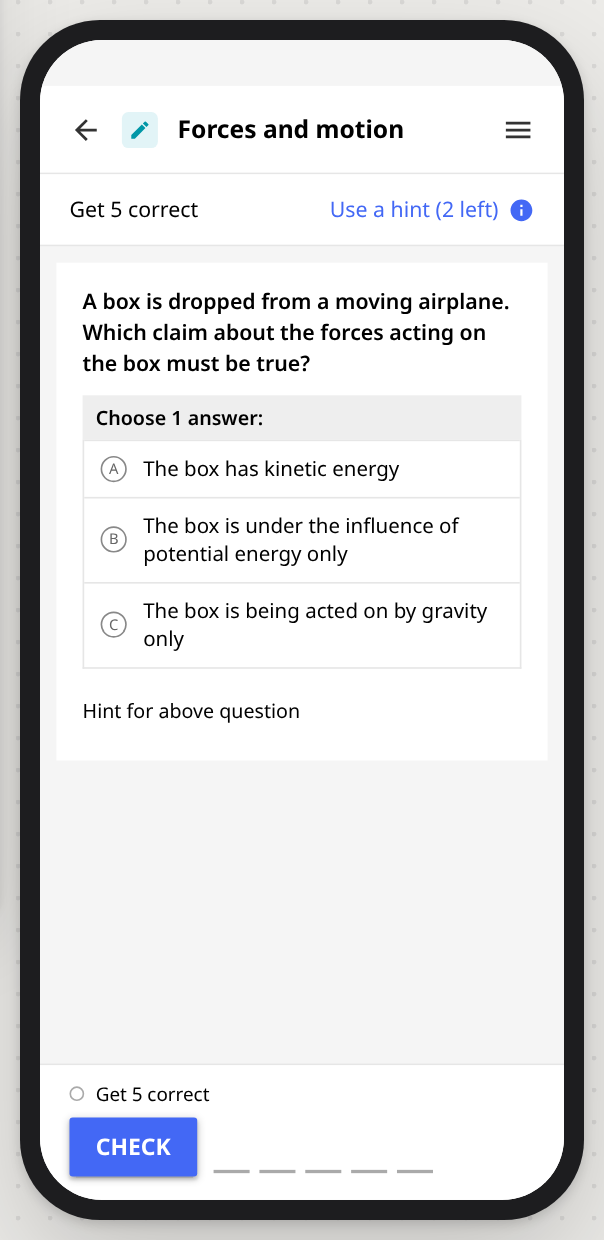
The same single-choice question on a portrait mobile screen.
Mobile reading composition at native proportions.
04

Assessment belongs to the course

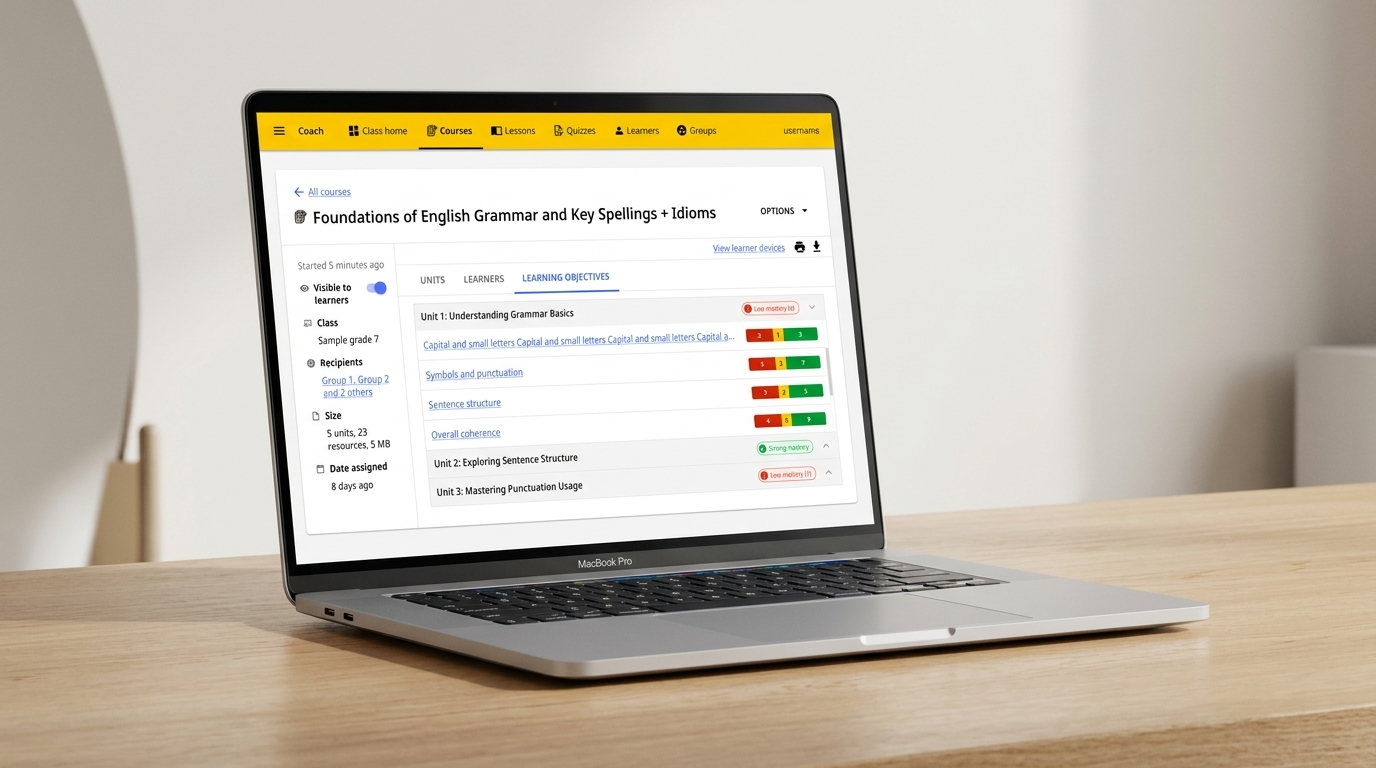
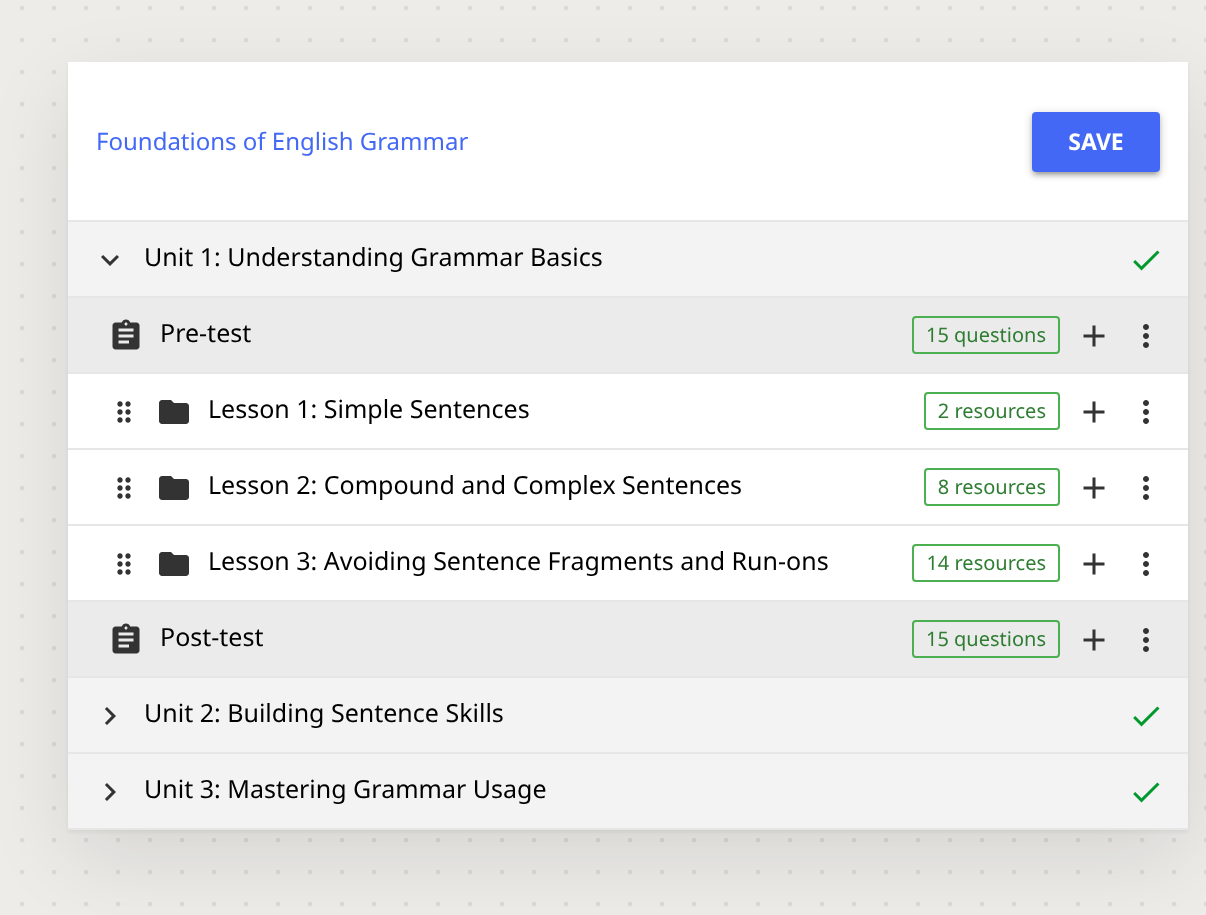
Pre- and post-tests sit within the learning sequence. The design connects question reuse, test timing and confirmation to the coach's course workflow.
Linked assessment flow. The clip stops at confirmation; no post-sync state is claimed.
Full redesigned Kolibri course structure showing the pre-test, lessons and post-test in sequence
Pre/post-tests in the course structure.
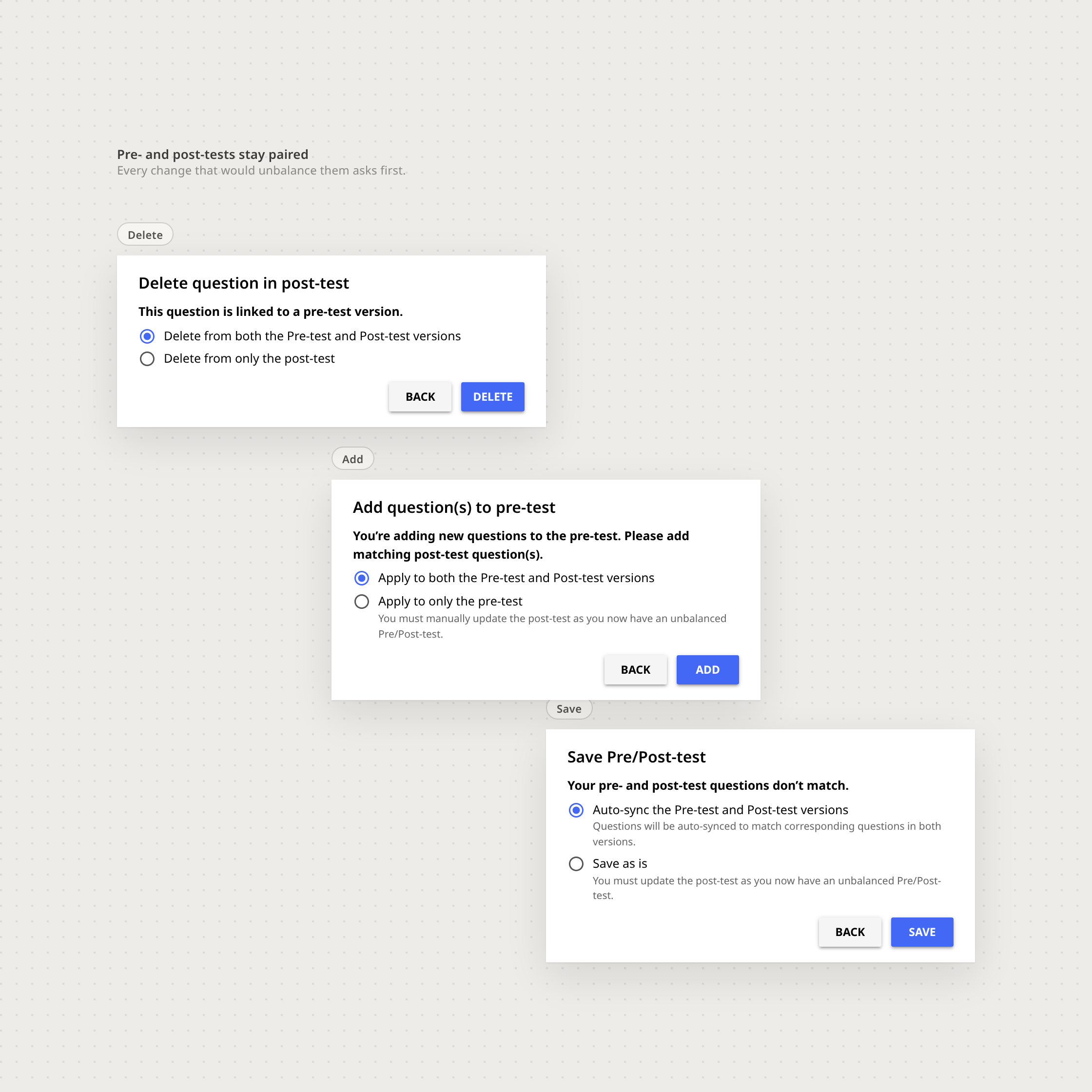
Confirmation dialogs governing adding, deleting and saving pre- and post-tests
Guard states make consequential test changes explicit.
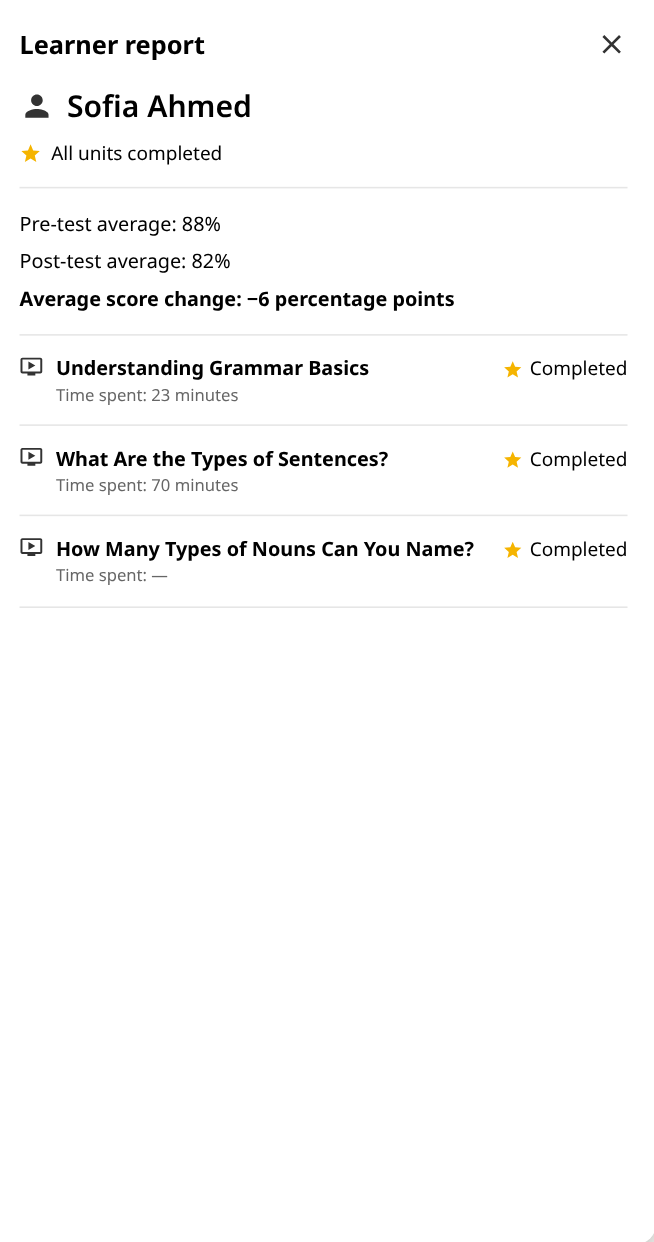
Illustrative sample data, not measured learner outcomes.
Portrait detail of the corrected Kolibri learner report with consistent sample values.
Readable report detail for narrow screens; values are illustrative.
05

Where I would take the system next

Two retrospective explorations built from the original design language. These were not implemented, shipped or tested.
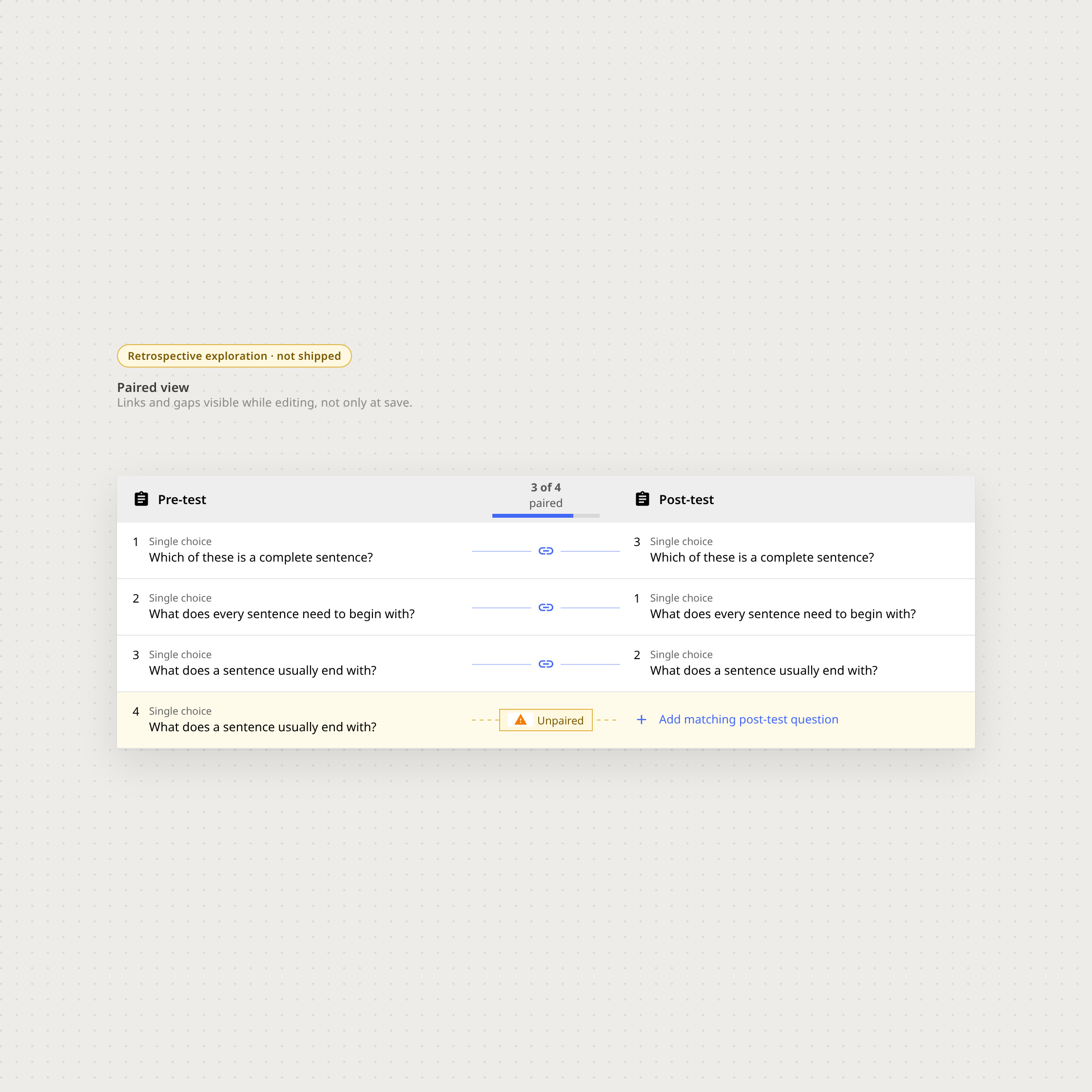
Retrospective side-by-side pre/post assessment exploration
Paired view · retrospective exploration, not shipped or tested.
Retrospective visual question-type picker exploration
Question-type picker · retrospective exploration, not shipped or tested.
learningcomplex-systems
Next case study
From learner progress to the next teaching decision.