Making learner progress useful without reliable internet.
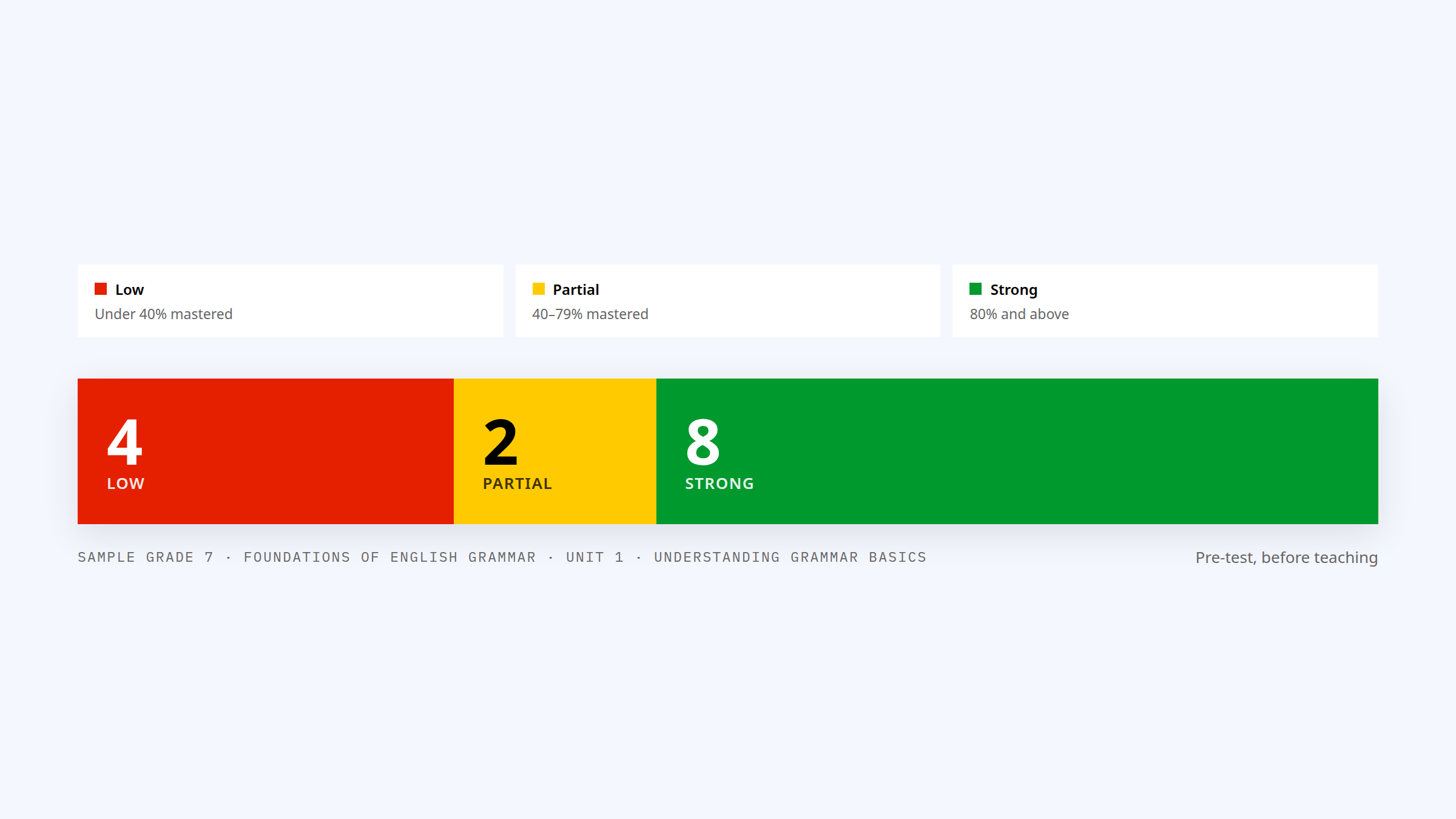
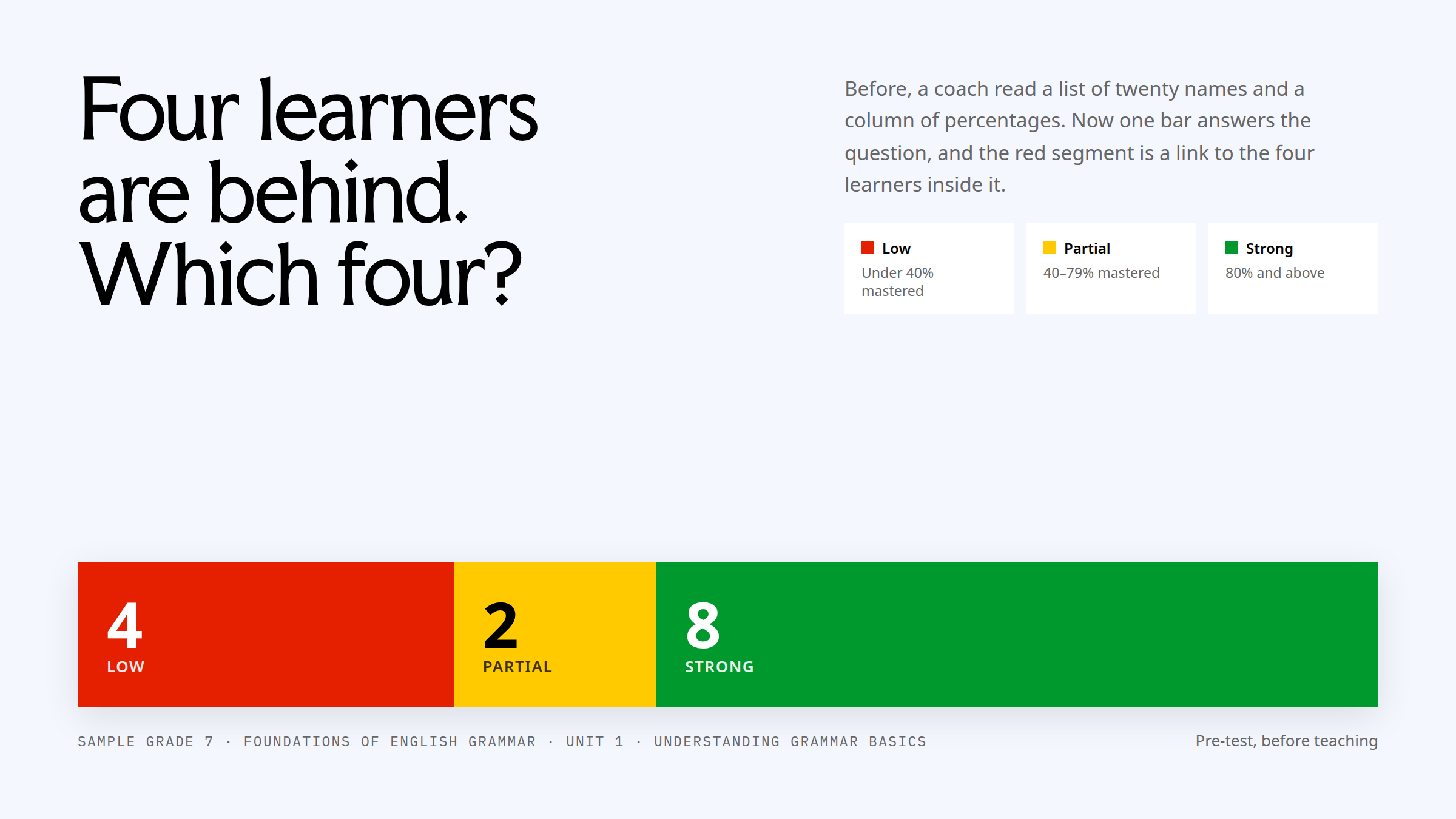
A coach has one minute between lessons. Before, that minute went on a list of twenty names and a column of percentages. Now one bar answers the question, and the red segment is a link to the learners inside it.
The minute between lessons
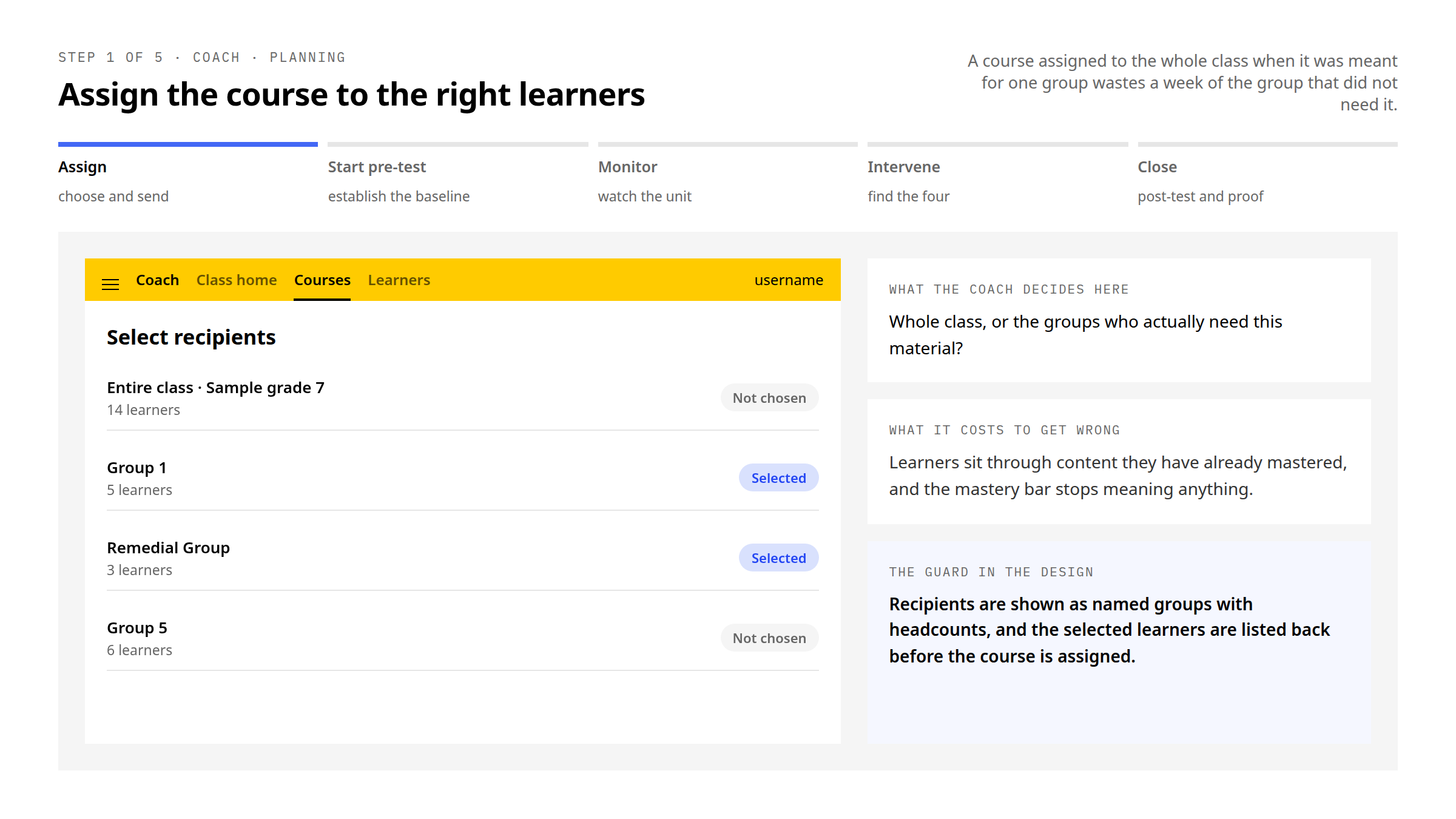
Kolibri serves learners from rural India to refugee camps to remote Pacific islands, on shared devices, with the server often running on a laptop in the corner of the room. The coach checks progress between lessons, on whatever device is nearby, and has to leave that check with a decision: who needs help, on what, and what to do next.
That framed the brief. Not a reporting surface for educators with limited time and mixed technical confidence, but a decision chain — progress, attention, action — that fits in the gap between two lessons and degrades gracefully when the connection, the device or the minute is smaller than planned.
My role
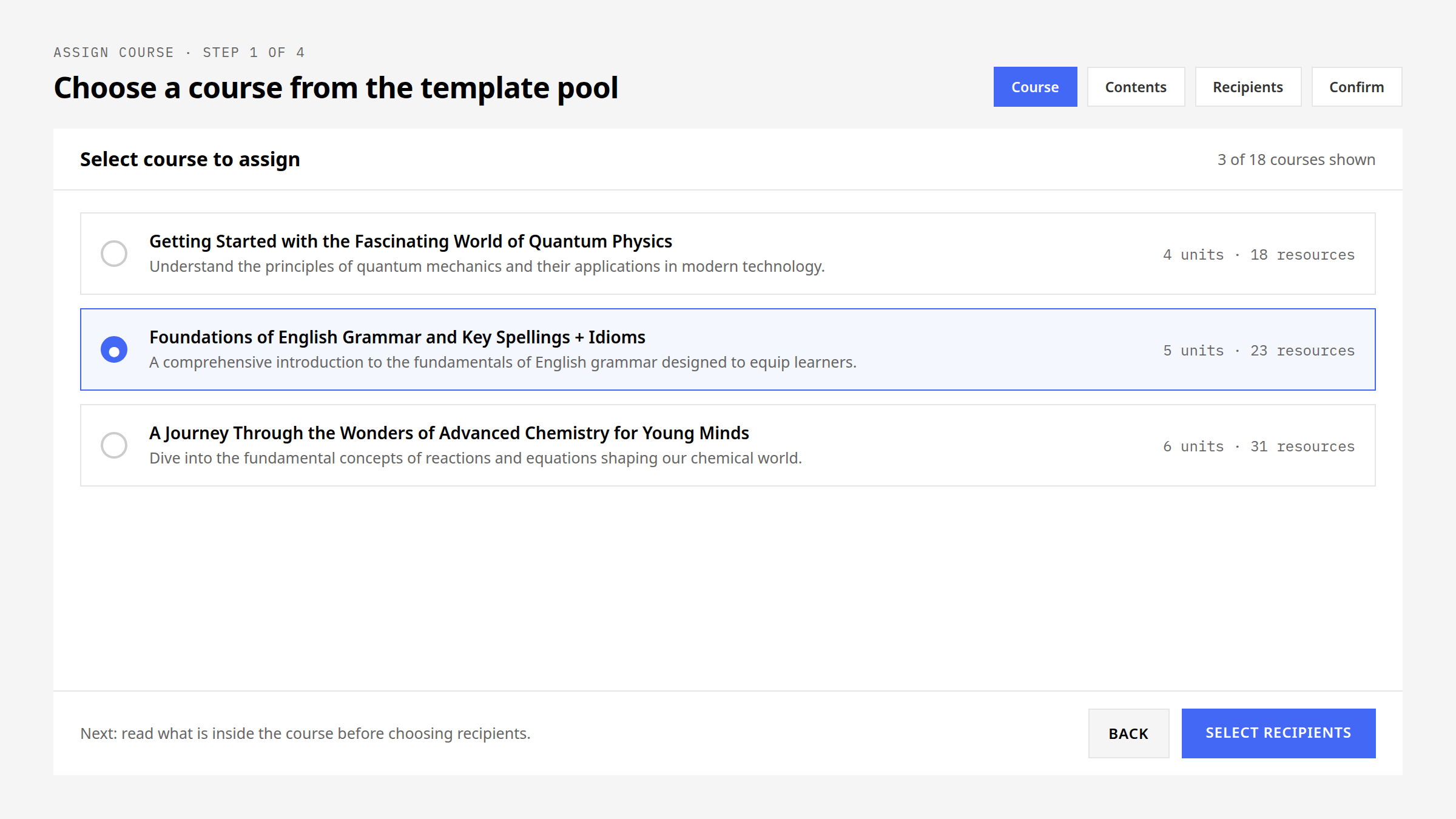
As Senior Product Designer I led the coach dashboard end to end: research and usability testing with educators across several countries, wireframes and interaction design for the progress visualisations, high-fidelity prototyping inside the Kolibri Design System, and developer handoff and design QA through release.
What the research found
Usability testing with educators surfaced the coach-side problem plainly: mastery tracking was confusing, and there was no way to identify struggling learners at a glance. A coach could see that a class was behind; finding the four learners who were behind meant reading every row.
The same rounds surfaced the content-import findings covered in the content-acquisition case study. This study is the coach half of that work.
One bar, four jobs
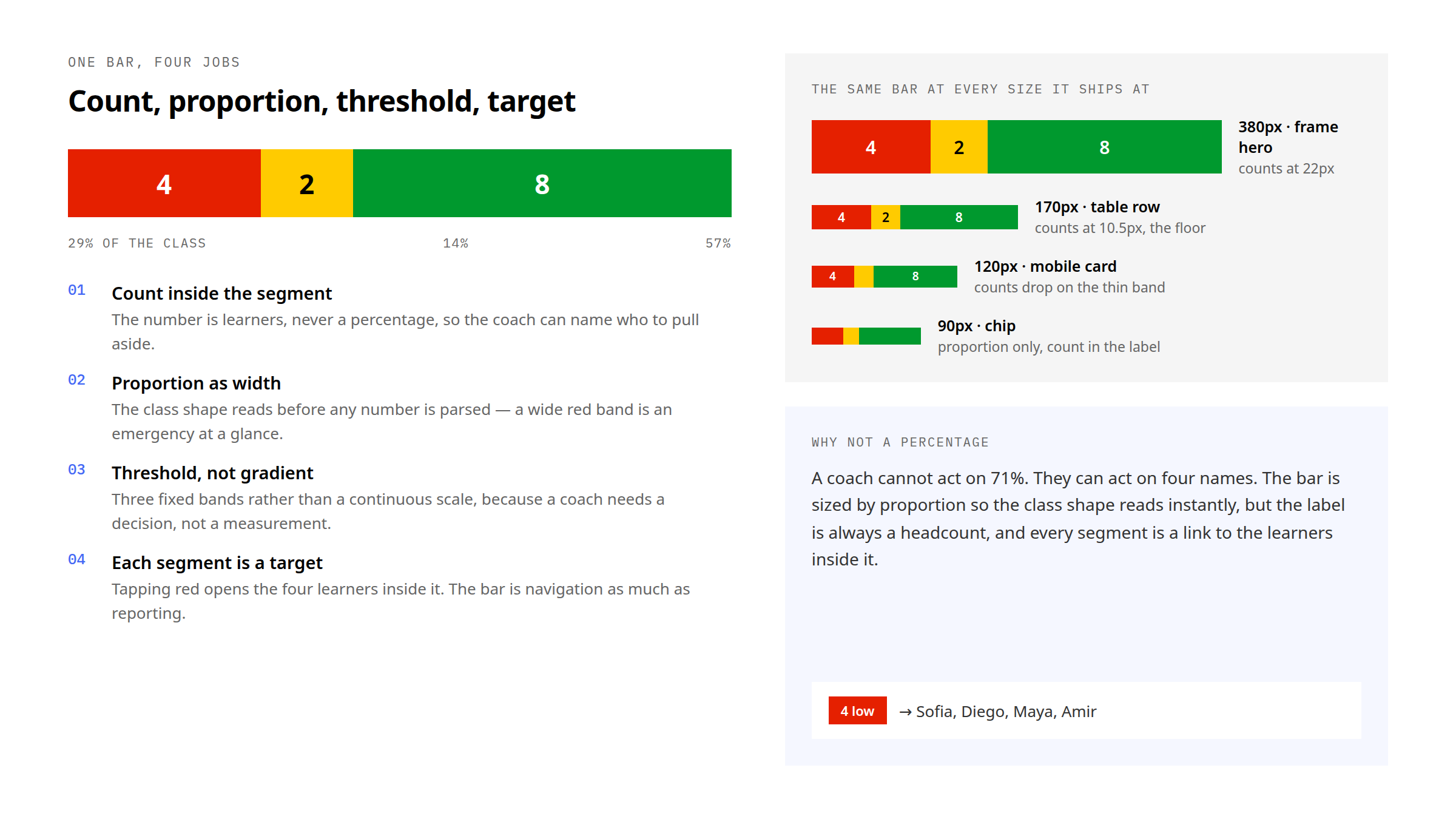
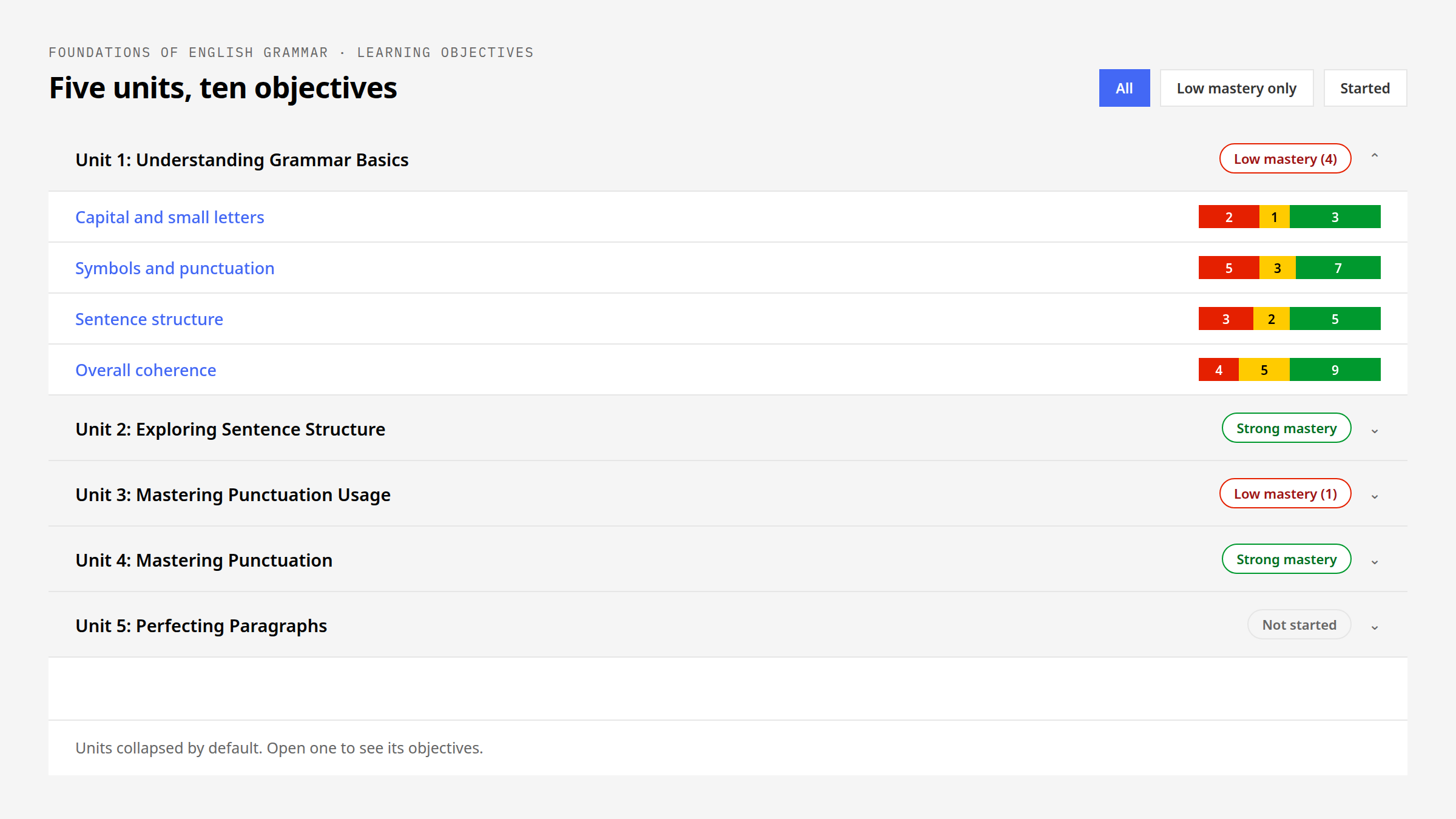
The mastery bar is the whole dashboard compressed. Red, yellow and green carry low, partial and strong mastery against fixed thresholds; the learner count is printed inside each segment so the bar survives colour blindness and a grey print-out; the segment is a link, so tapping red opens the learners inside it. At a glance an educator can see which learners need intervention, and in one tap they can get to them.
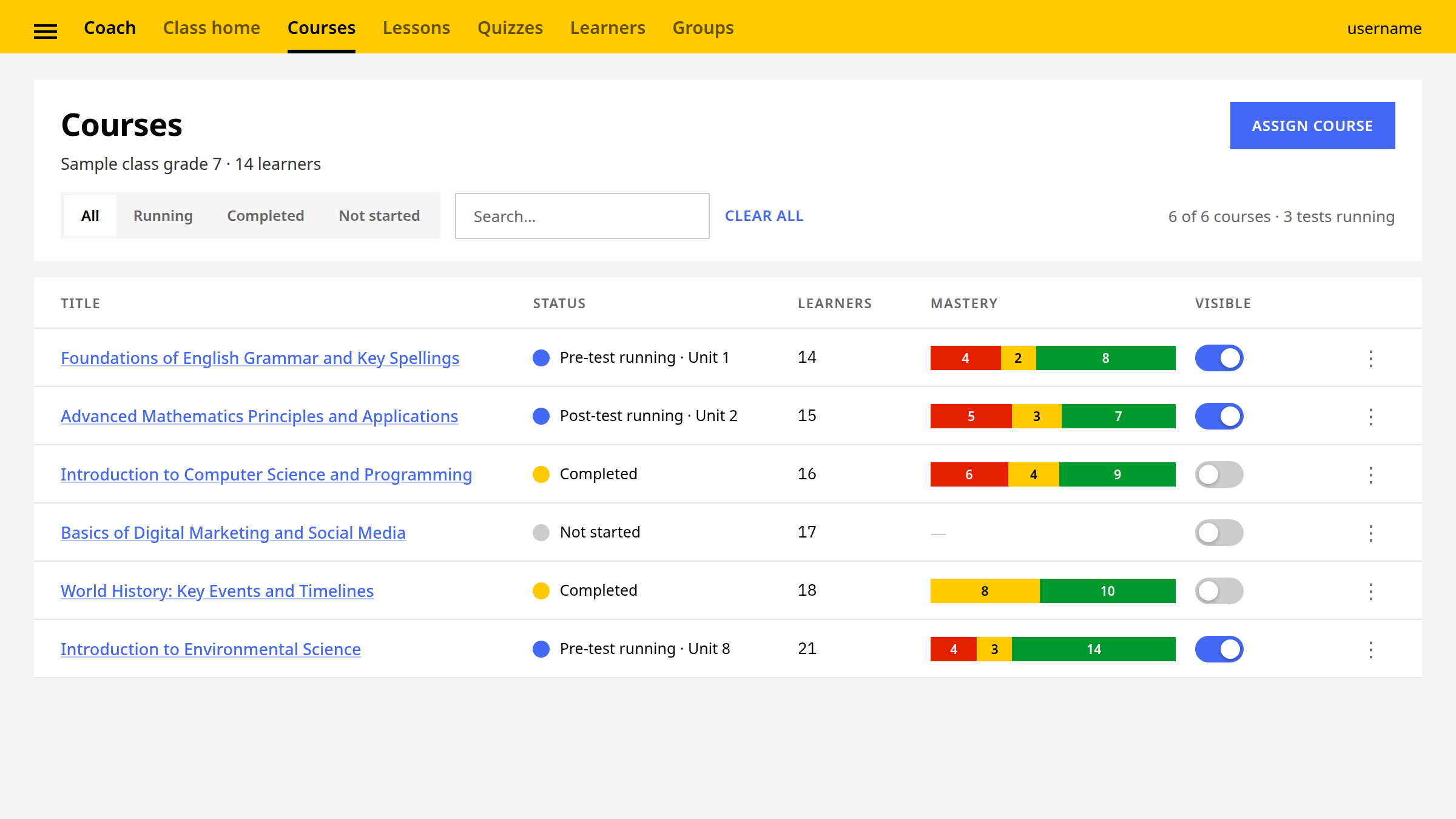
Because it is a shape and a headcount at the same time, the same bar works at every size: full width on the course page, a table-row strip on the courses list, a chip beside a unit title. Nothing about it is a gradient, an estimate or a percentage the coach has to convert.
Timing is irreversible
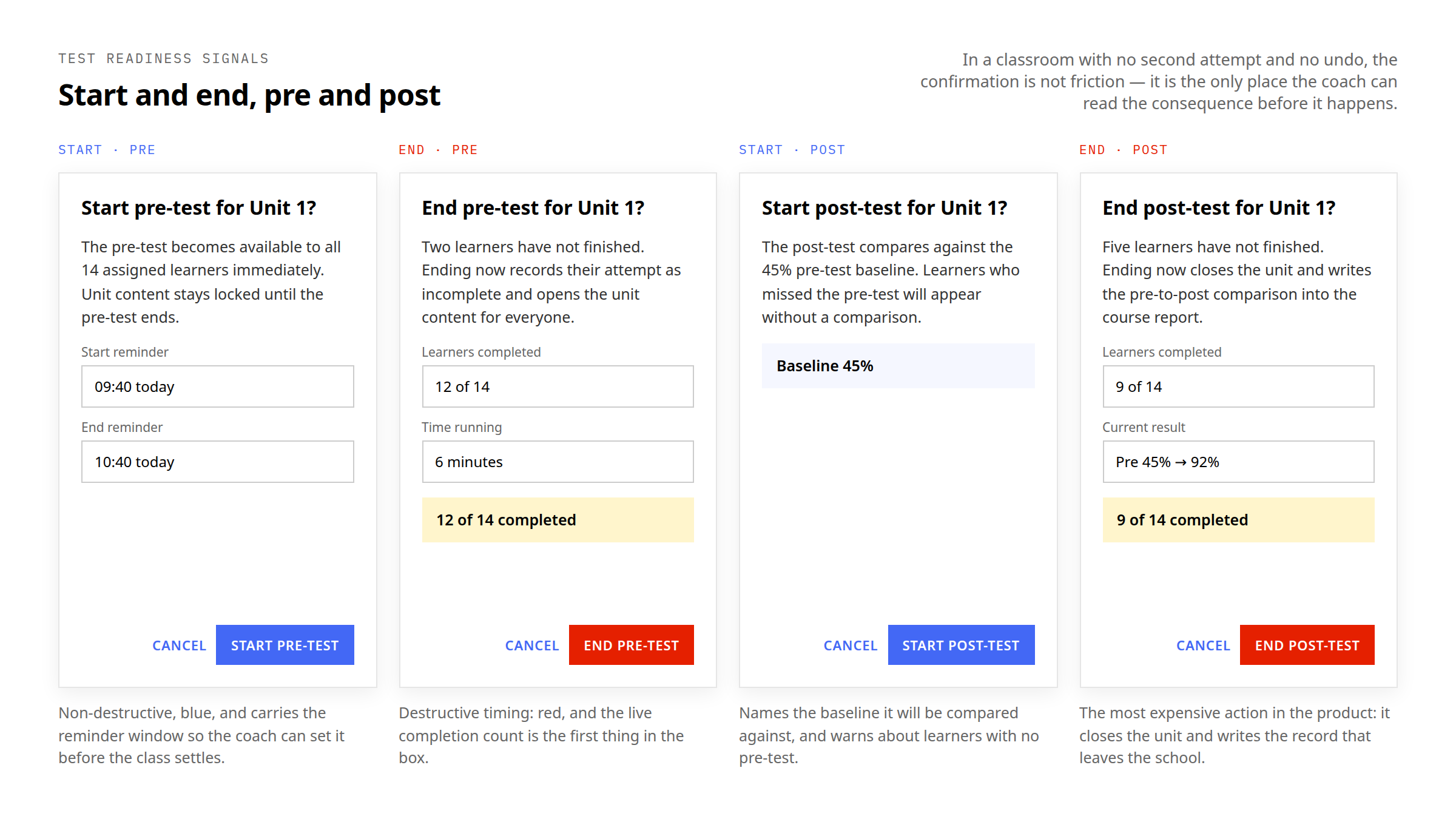
Starting or ending a test is the one action on the dashboard a coach cannot take back. A pre-test started at the wrong moment is taken by half the class and the baseline is useless; a post-test ended early throws away the only comparison that proves the unit did something. In an offline-first classroom that mistake cannot be corrected from a support desk.
So the four timing actions got readiness signals and confirmations built as one set. Start is blue and non-destructive; end is red and carries the live completion count; the copy always names the unit rather than saying “this test”; and the reminder fields let the coach set the window before anything opens.
Drill down without drowning
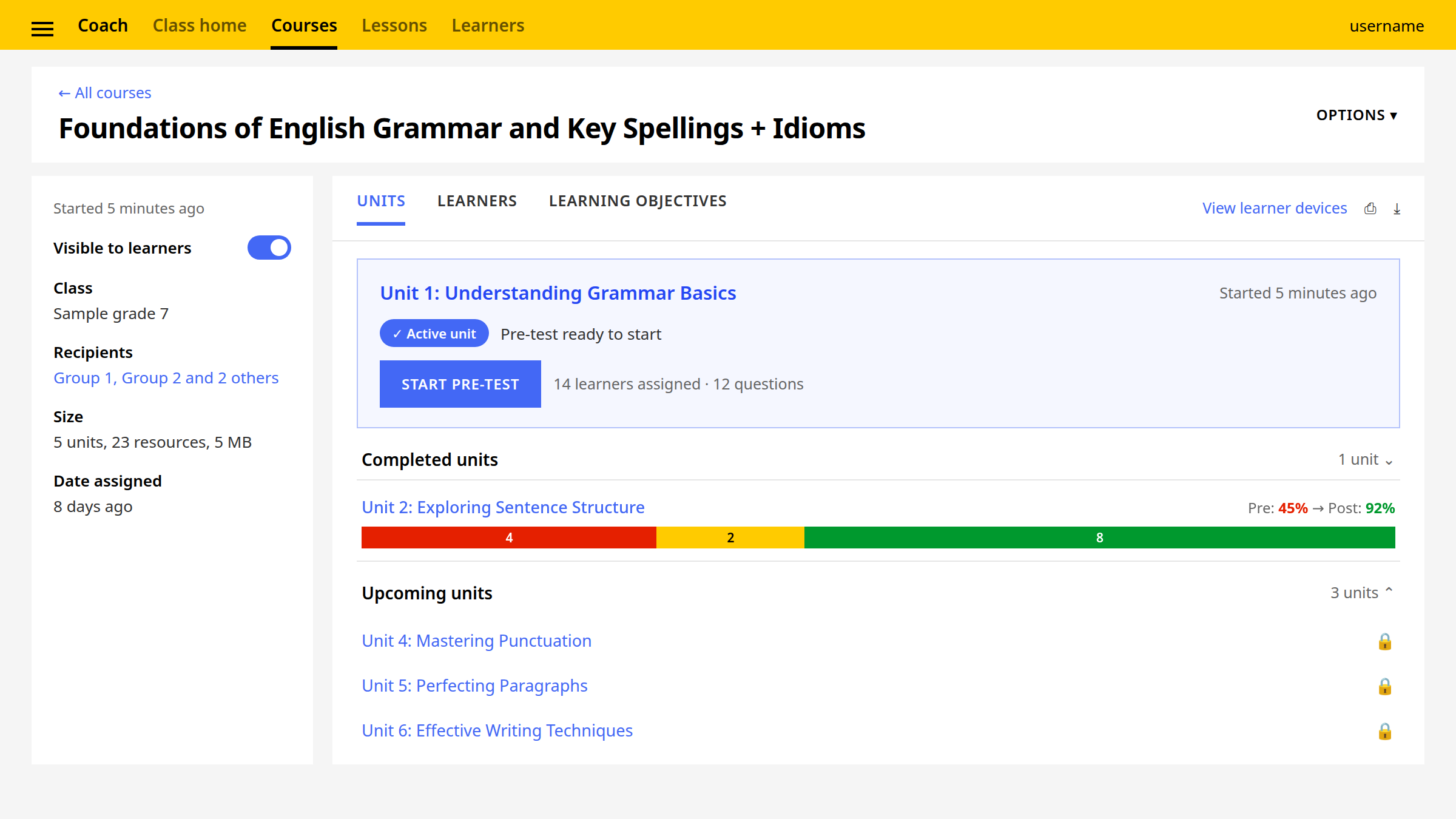
Detail is where dashboards usually lose the coach. The rule here was that nothing opens unless asked: units collapse to a single mastery verdict with a headcount, the filter chips hide everything that is already fine — which on a normal week is most of the course — and only the objectives below threshold expand by default.
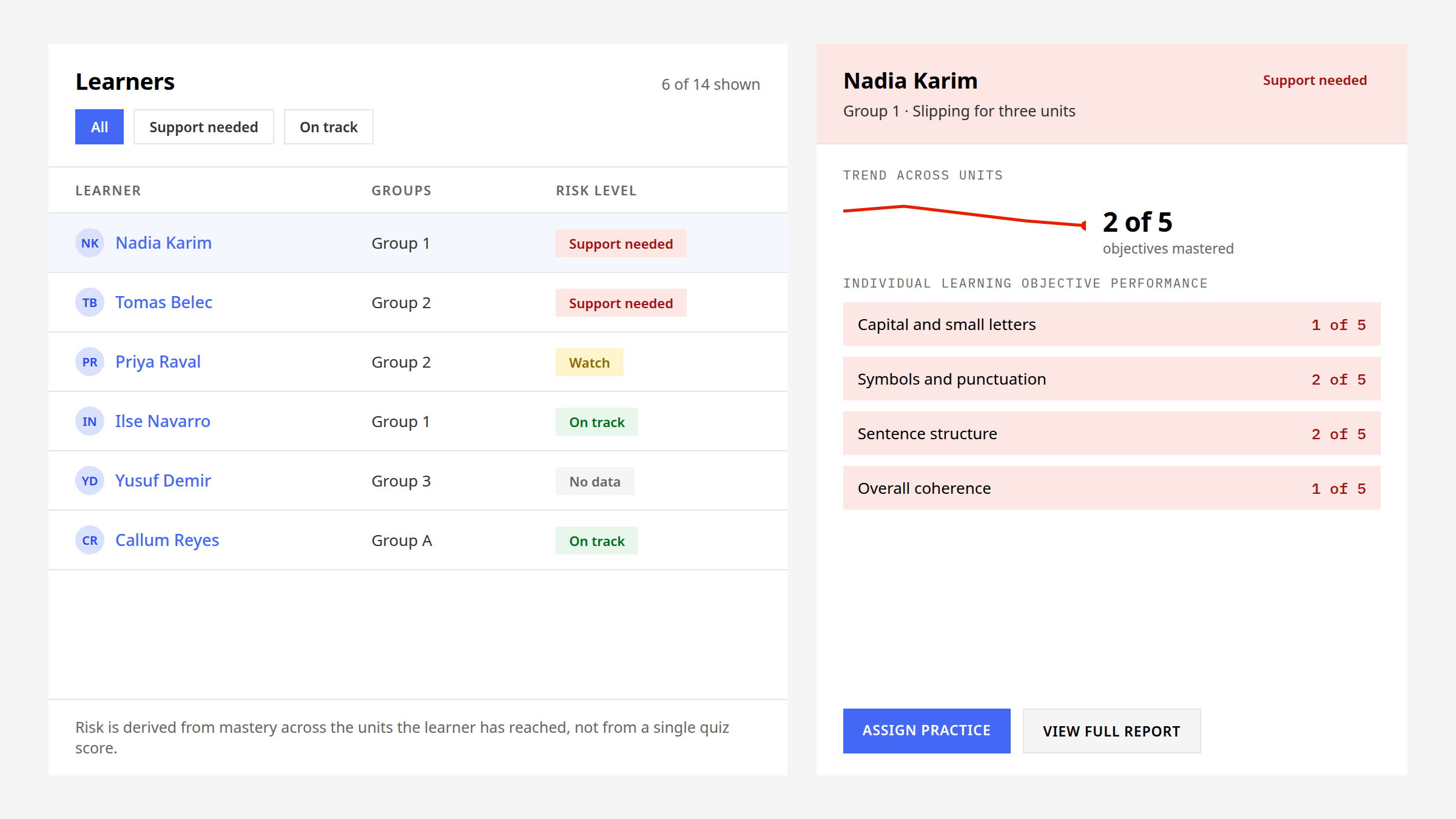
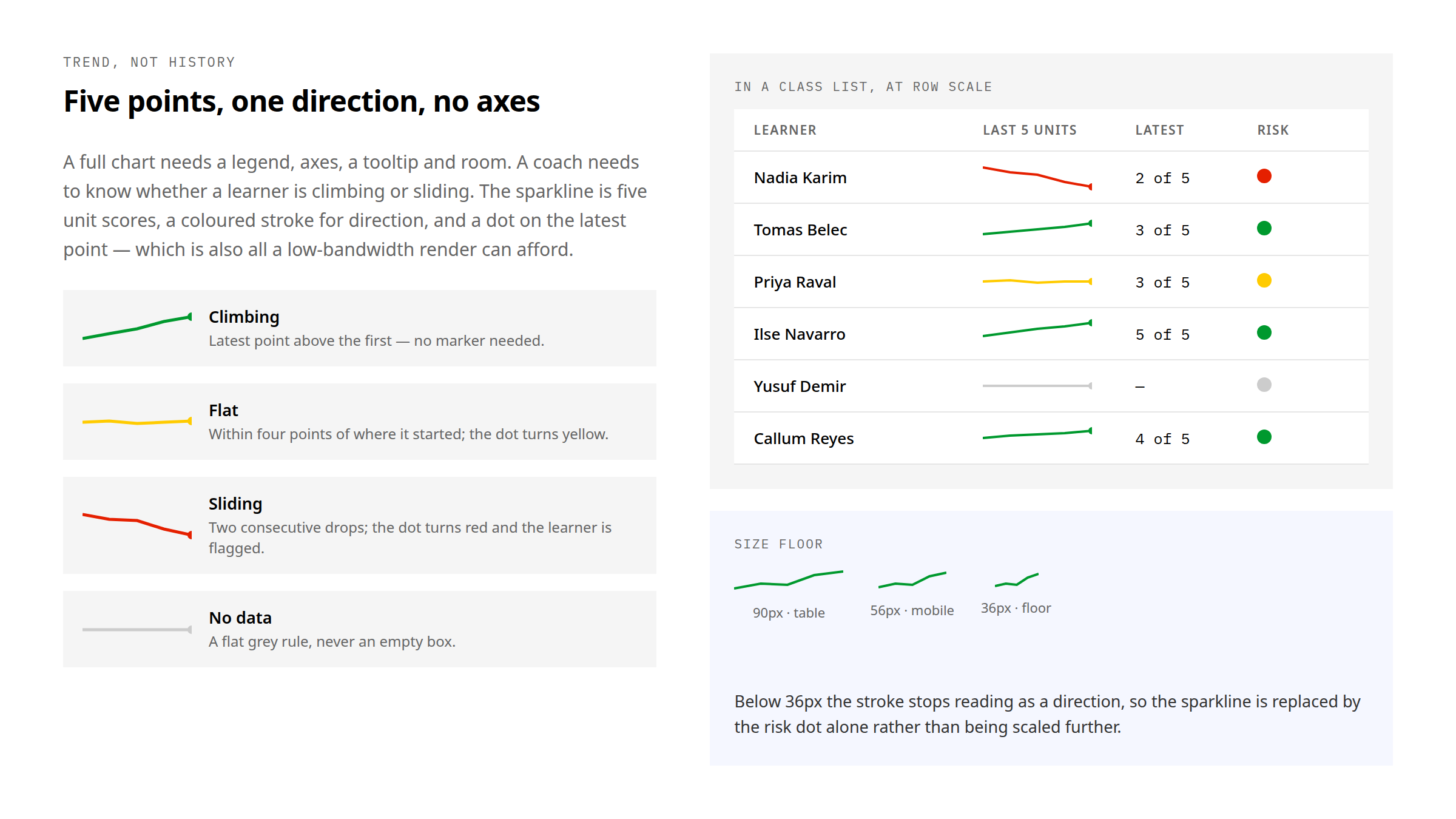
The learners list answers “who”; the panel beside it answers “why”. Richard, our product lead, proposed exploring a sparkline as a compact way to show progress over time; I designed and specified the pattern, then we refined it together. The final panel uses a five-point sparkline of recent units beside a per-objective breakdown. Stroke colour means direction, the dot marks the latest unit, and below a fixed width the line is abandoned for a single dot rather than shrunk into noise.
Reports that turn into lesson plans
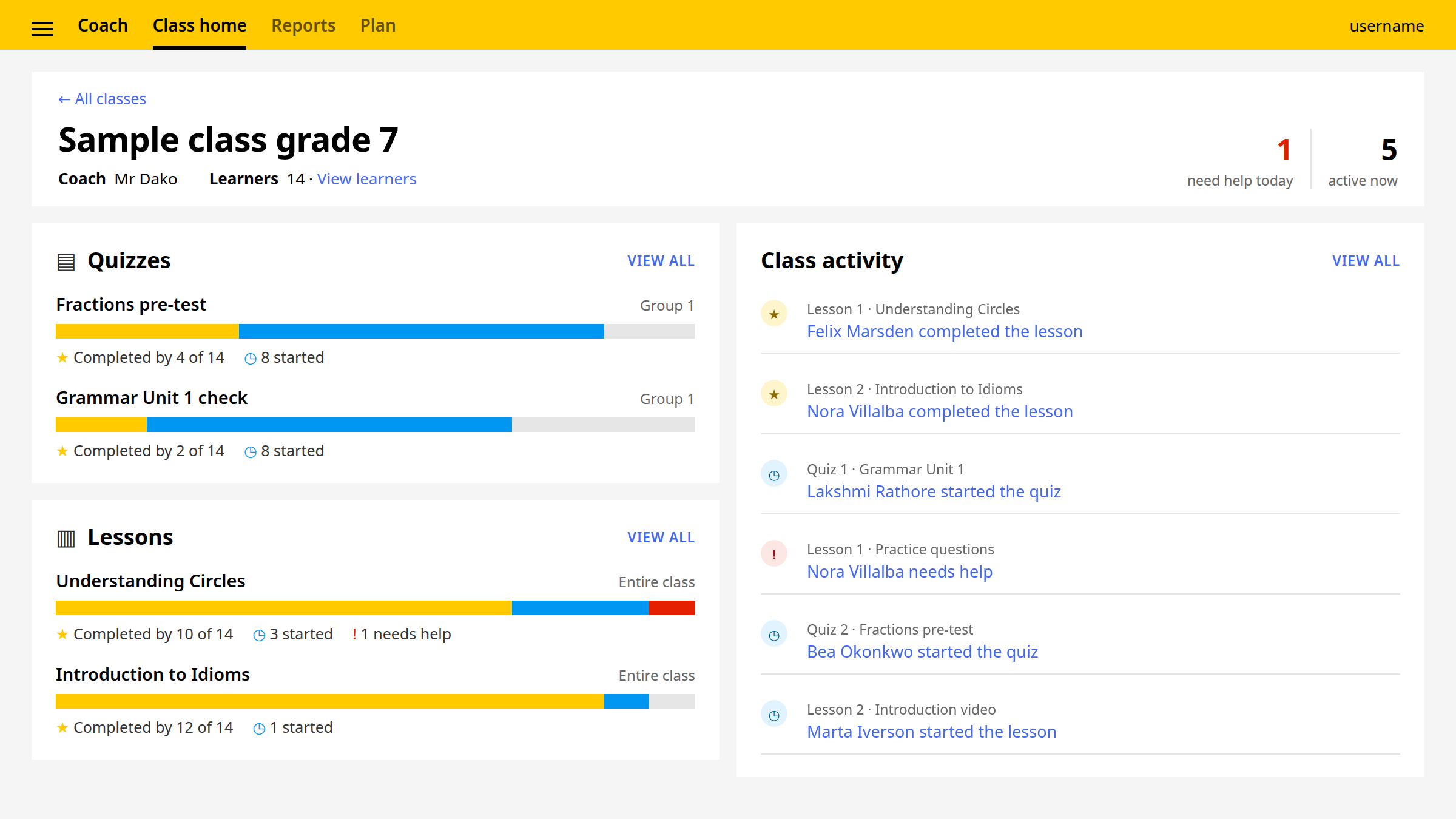
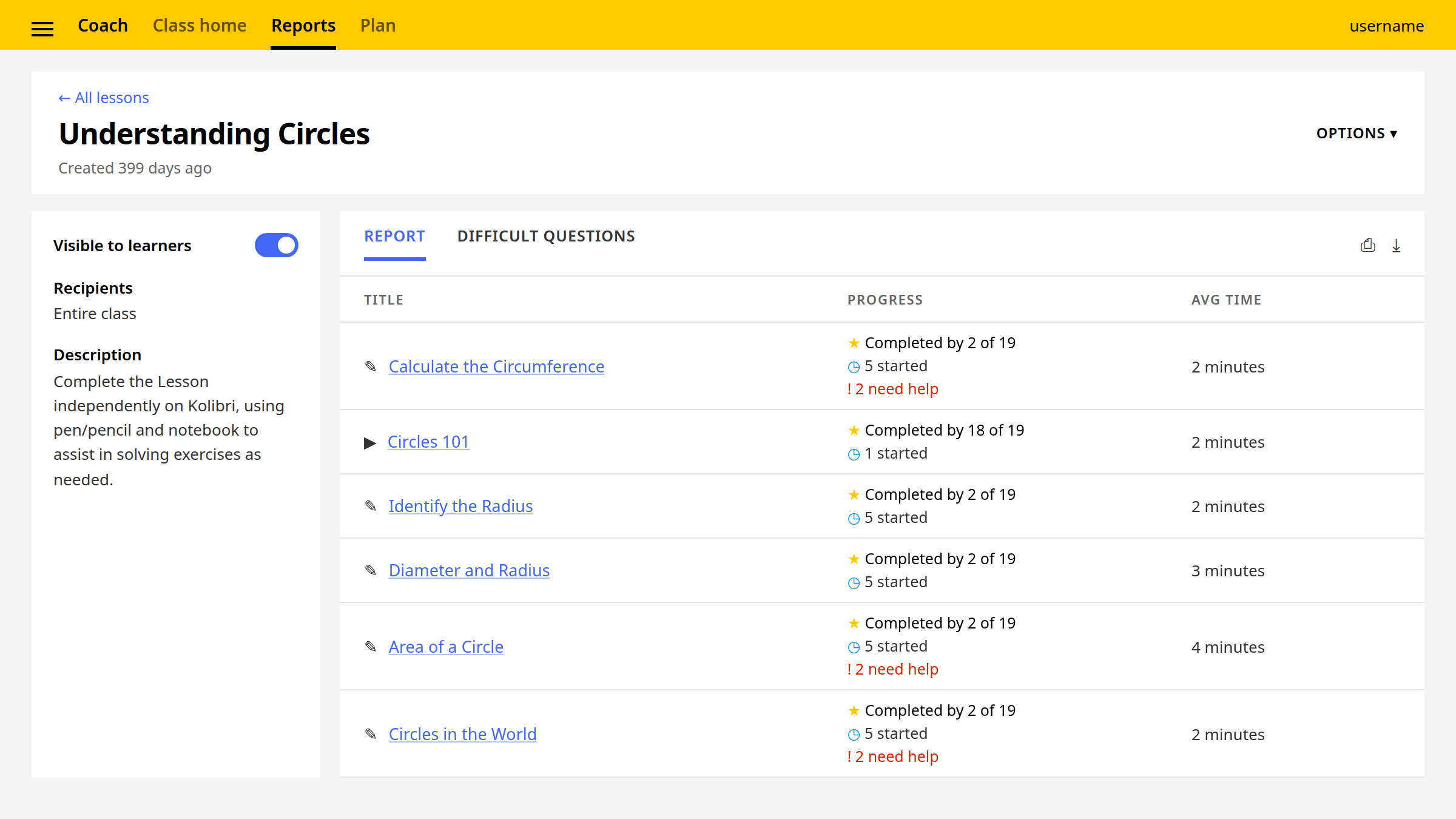
The class home promotes the two numbers a coach checks first — how many learners need help, how many activities are live — into the header, and keeps the activity feed underneath it. “Needs help” is the only event that gets a red marker, so the feed can be scanned rather than read.
The assignment report gained a second tab: difficult questions, ranked by first-attempt failures. That is the view that turns a report into the next lesson — the coach sees not just that the class struggled but which question, and whether it was the material or the question.
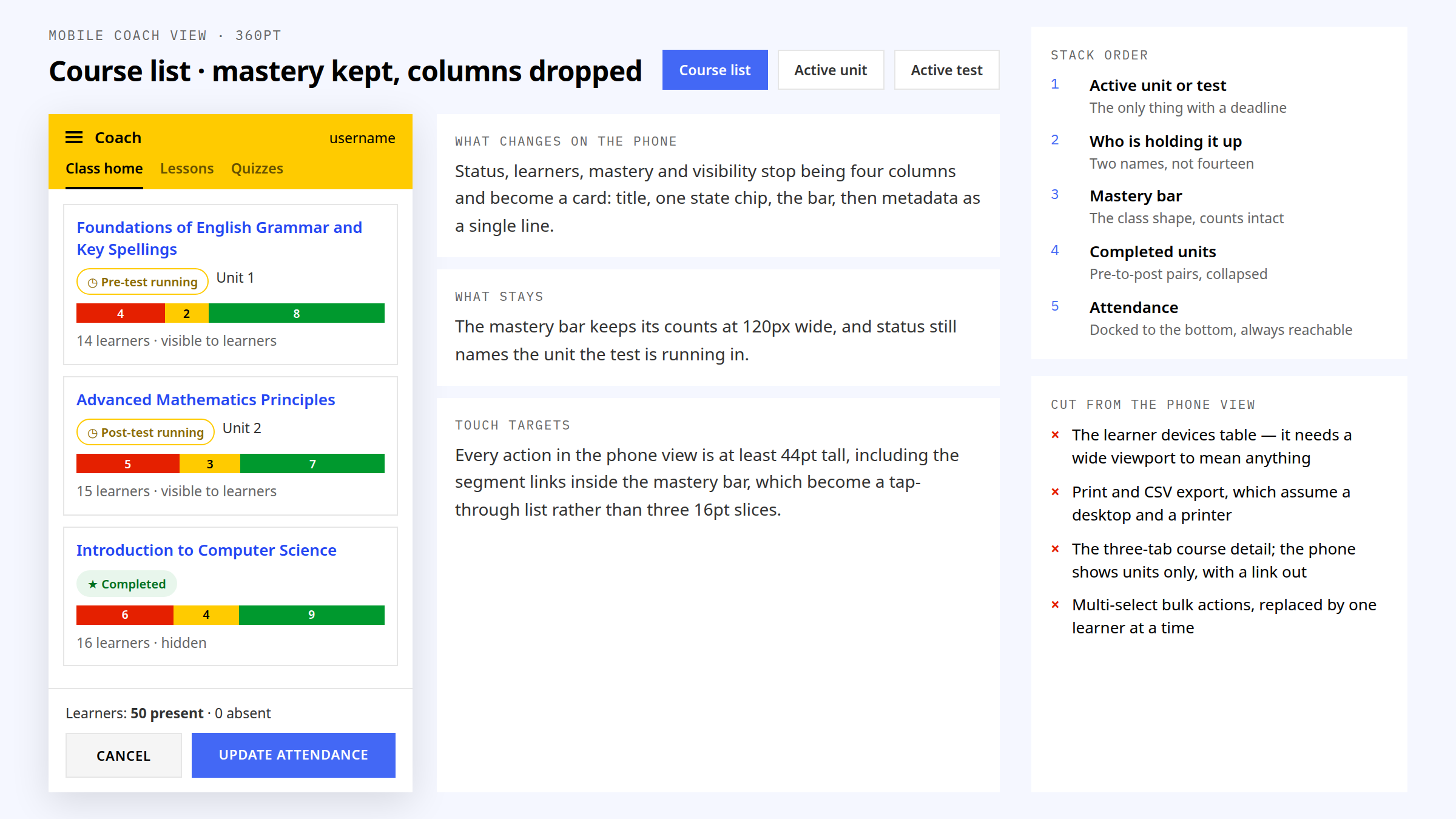
The same dashboard on the phone in the coach’s pocket
Coaches reach the dashboard from phones in low-connectivity areas as often as from the classroom laptop, so the mobile view was designed as the same dashboard, not a summary of it. The course list becomes a card stack; the attendance control docks to the bottom where a thumb can reach it; and the mastery bar keeps its counts, because it is the one element that cannot be simplified further.
What the phone drops is deliberate: the learner-devices table, which needs a wide viewport to mean anything; print and CSV export, which assume a desktop and a printer; the three-tab course detail, replaced by units only with a link out; and multi-select bulk actions, replaced by one learner at a time. Ending a test is still red, still confirmed, and still shows the live count first.
Built inside the Kolibri Design System
Every component uses Kolibri Design System tokens — Noto Sans, the primary blue, the fine line, the four-pixel radius — and the dashboard added five coach-specific atoms on top of them: the tri-colour mastery bar, the risk pill, the active-unit and active-test chips, and the test-readiness confirmation. The triad is the only place three colours sit together in the system.
What breaks at 128 learners
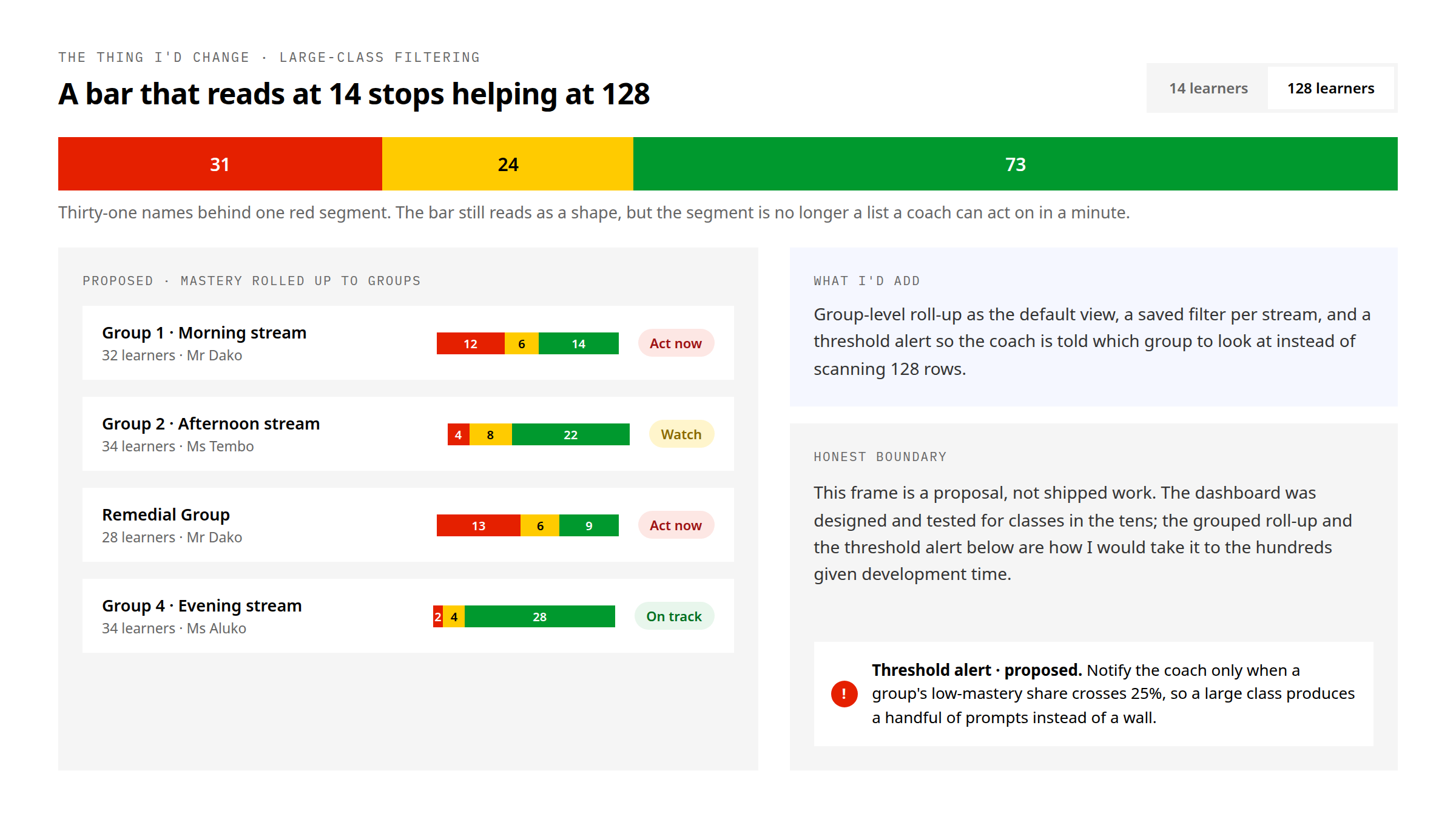
The dashboard was designed and tested for classes in the tens. At fourteen learners the red segment is a list a coach can read out loud; at 128 it is a statistic, and the bar still reads as a shape but stops being something a coach can act on in a minute.
Given development time I would take it to the hundreds with three changes: a group-level roll-up as the default view, a saved filter per stream, and a threshold alert that tells the coach which group to look at instead of scanning every row. This is a proposal, not shipped work, and the frame says so.


Outcome
The at-a-glance mastery visualisation exposes which learners need attention and provides a direct route to the next teaching action. Test-readiness signals and confirmation flows were designed to prevent costly timing mistakes in offline-first settings. The interaction and its intended benefit are visible in the shipped screens; a measured time-saving or error-rate reduction has not been established for this dashboard.
Kolibri runs in 220+ countries and territories; this is the coach surface in all of them. The figure describes the platform I designed within, not adoption I am claiming for one dashboard.
- Every roster, score and completion count shown in these frames is representative data drawn for the frame. None of it is a record, and none of it is a metric.
- Designed during my Learning Equality tenure, 2023 to May 2026, alongside the content-acquisition, assessment-lifecycle and school-operations work covered in the content-import case study.