Figma Bridge: why is moving a layout still so much work?
I got tired of paying for plugins or rebuilding a layout just because I wanted to move it between a browser and Figma. So I built a bridge.
The expensive little annoyance
A layout can look exactly right in the browser. Then you move to Figma to refine it, and half the work starts again. Or you get a polished PDF that looks like a design but has nothing editable inside it.
I wanted a workflow that let me take more of that design work with me.
What I built
Figma Bridge imports browser HTML into editable Figma design layers, supports reconstructing selected PDF primitives, and includes a Figma-to-HTML export path. It uses the open-source @figit/dom-to-figma engine for part of the HTML conversion.
It is a visual/document translation tool. Unsupported PDF elements can fall back to raster images, and none of this reproduces arbitrary application logic. A screenshot of a website isn't a working website.
Where it earns its keep
I've used the workflow on Lion Hospitality Partners, Neustack client work and the Flex Academy design exercise.
I verified the public HTML input and preview in a browser on 14 October 2026. A matching source-to-Figma-to-HTML fixture is still needed to prove editability and visual fidelity on the Figma side.
Scroll the frame sideways to read the full width.
Scroll the frame sideways to read the full width.
Scroll the frame sideways to read the full width.
How the browser work returns to Figma
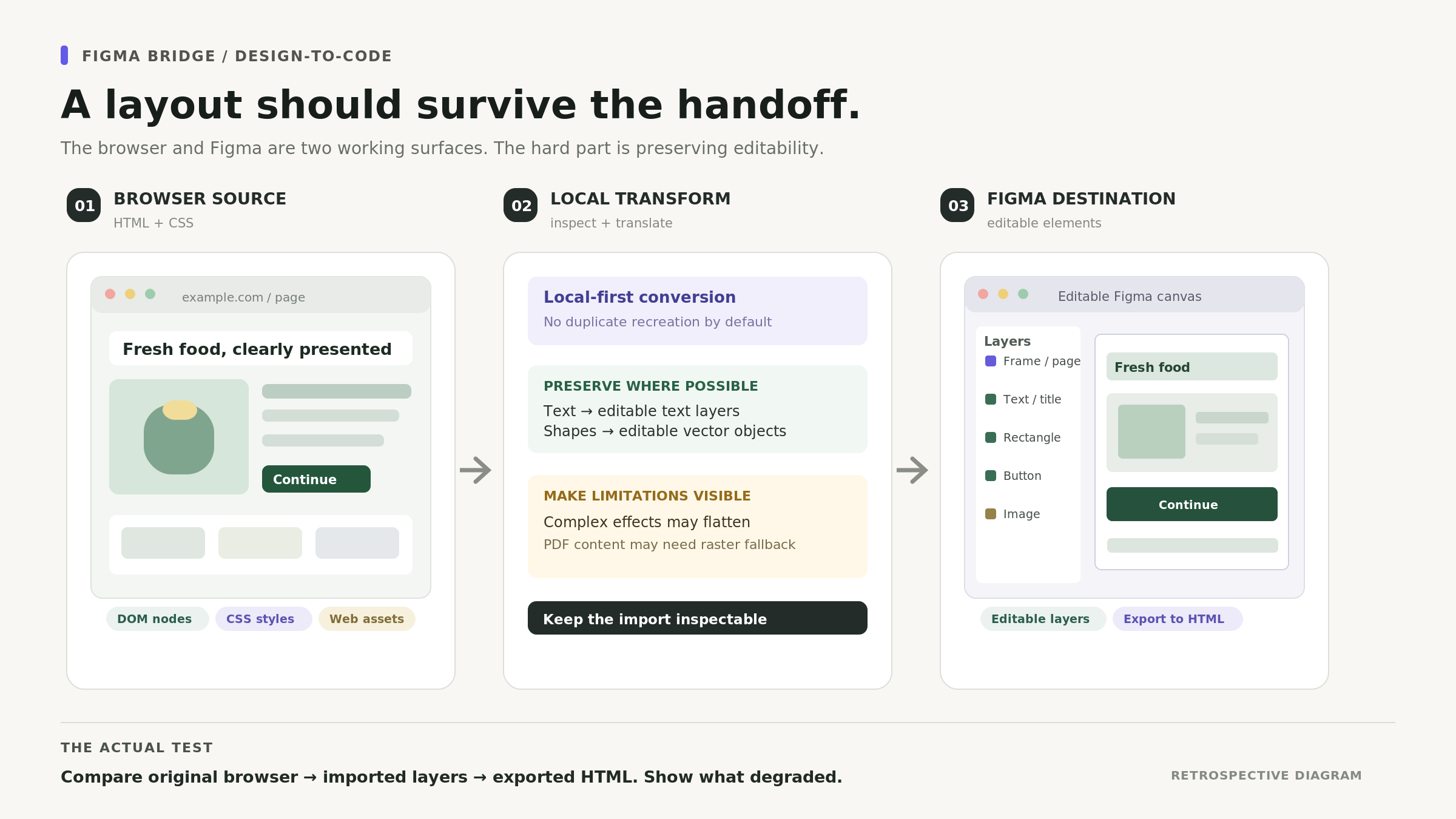
Figma Bridge is a local-first tool for moving browser layouts into Figma for further design work, and carrying that work back into HTML. The distinction that matters is what remains editable: text and shapes should survive where the importer can represent them, while unsupported content must be identified as a raster fallback.
I built this for my Neustack design-and-code loop. The forward input and browser preview are now exercised with a known fixture. Pasting editable layers into Figma and exporting them back into HTML remains a distinct verification step. The diagram above explains the tool, and no pixel-perfect round trip is claimed.
What I verified in the actual converter
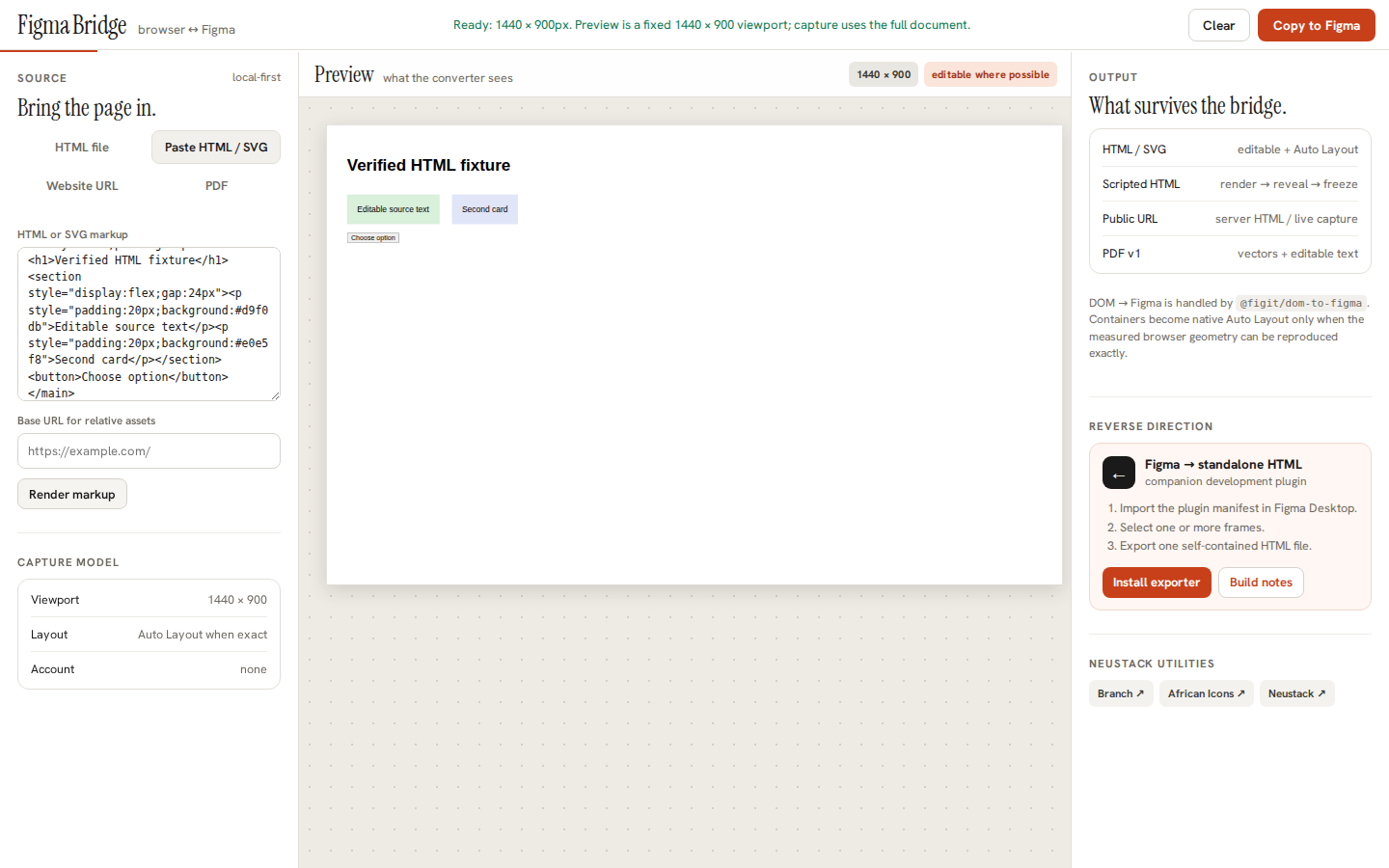
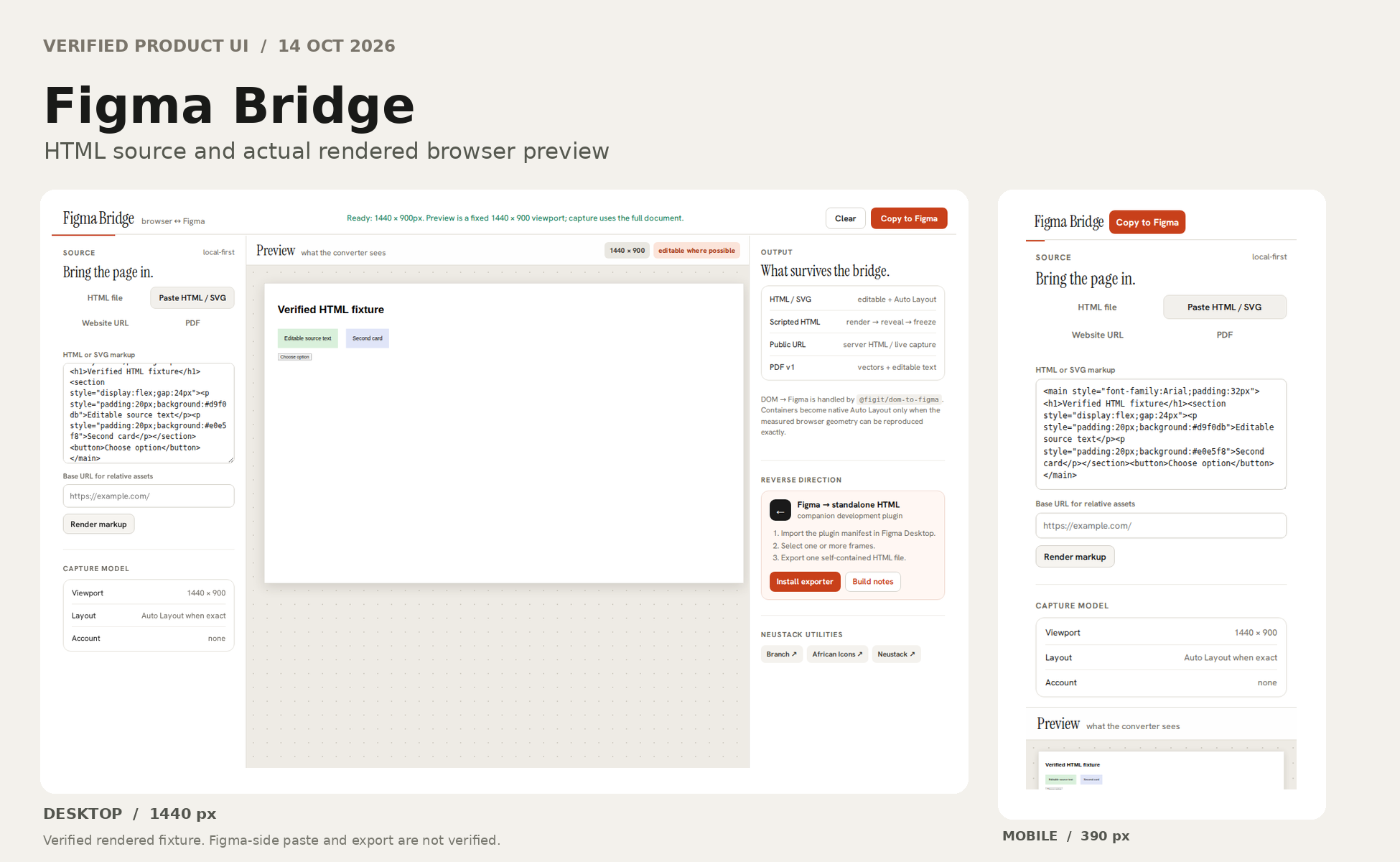
Live browser acceptance on 14 October 2026, at bridge.neustackstudio.com. I selected Paste HTML / SVG, entered a disposable fixture with a heading, two coloured cards and a dark action button, then pressed Render Markup. All four elements appeared in the fixed 1440 × 900 preview, with text legible and the layout intact.
The Copy to Figma control was enabled and started loading the conversion engine. The tool explained that native Auto Layout is inferred only when the original browser geometry can be reproduced, and that some elements need raster fallbacks. The browser test did not paste into a Figma document or test reverse HTML export, so it does not establish native editability or exact round-trip fidelity.
Open the actual working interface: https://bridge.neustackstudio.com/ . Source and implementation notes: https://github.com/neustackdesign/figma-bridge . This is a genuine observed HTML-to-preview result; the artwork on the page is a retrospective diagram.
The clipboard conversion, exercised end to end in the browser
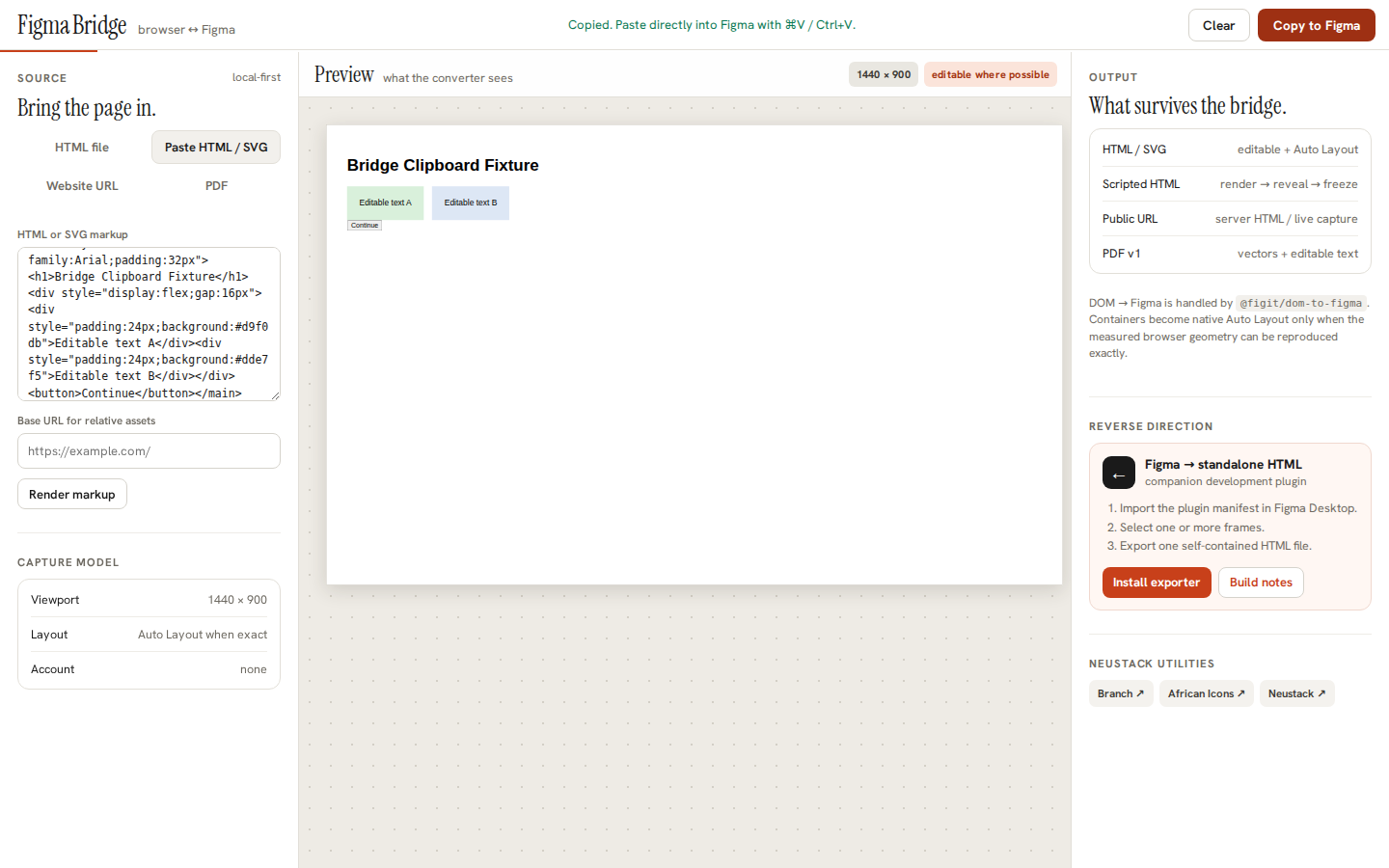
The same disposable fixture used in the earlier browser preview was passed through the actual Copy to Figma action. A Playwright acceptance test intercepted the clipboard write and inspected the resulting item. The browser wrote a 48,583-byte text/html payload and displayed its successful copy state.
This establishes that the live converter generated a non-empty clipboard item from HTML source, beyond rendering the preview. The test did not paste those bytes into a Figma design file, verify native editable layers, or run the companion plugin's Figma-to-HTML exporter. Those checks require an actual editor and a same-fixture comparison.
Reproducible conversion test and artifact: https://github.com/neustackdesign/figma-bridge/actions/runs/38614436426 . The screenshot below is the actual fixture and successful copy state.
Scroll the frame sideways to read the full width.
Reverse export, tested against the real plugin serializer
I separately exercised the actual companion plugin's HTML exporter with a synthetic Figma frame through a mocked Plugin API. It wrote a 2,060-byte standalone HTML document. The test checked native text with escaped characters, rectangle styles, SVG vector geometry, an unsupported raster fallback and the error shown when nothing was selected.
That is a verified code-level output from the real plugin serializer. I still need a native Figma Desktop acceptance session to confirm that pasted layers remain editable and to compare a Figma-to-HTML export against the same source fixture for visual fidelity.
Reproducible tests and downloadable HTML fixture: https://github.com/neustackdesign/figma-bridge/actions/runs/38617447949