Prediction is useless until a teacher knows what to do next.
An AI-assisted teacher dashboard turning learning diagnostics into daily classroom decisions for US K-12 educators.
Teachers were teaching and configuring software built for someone else
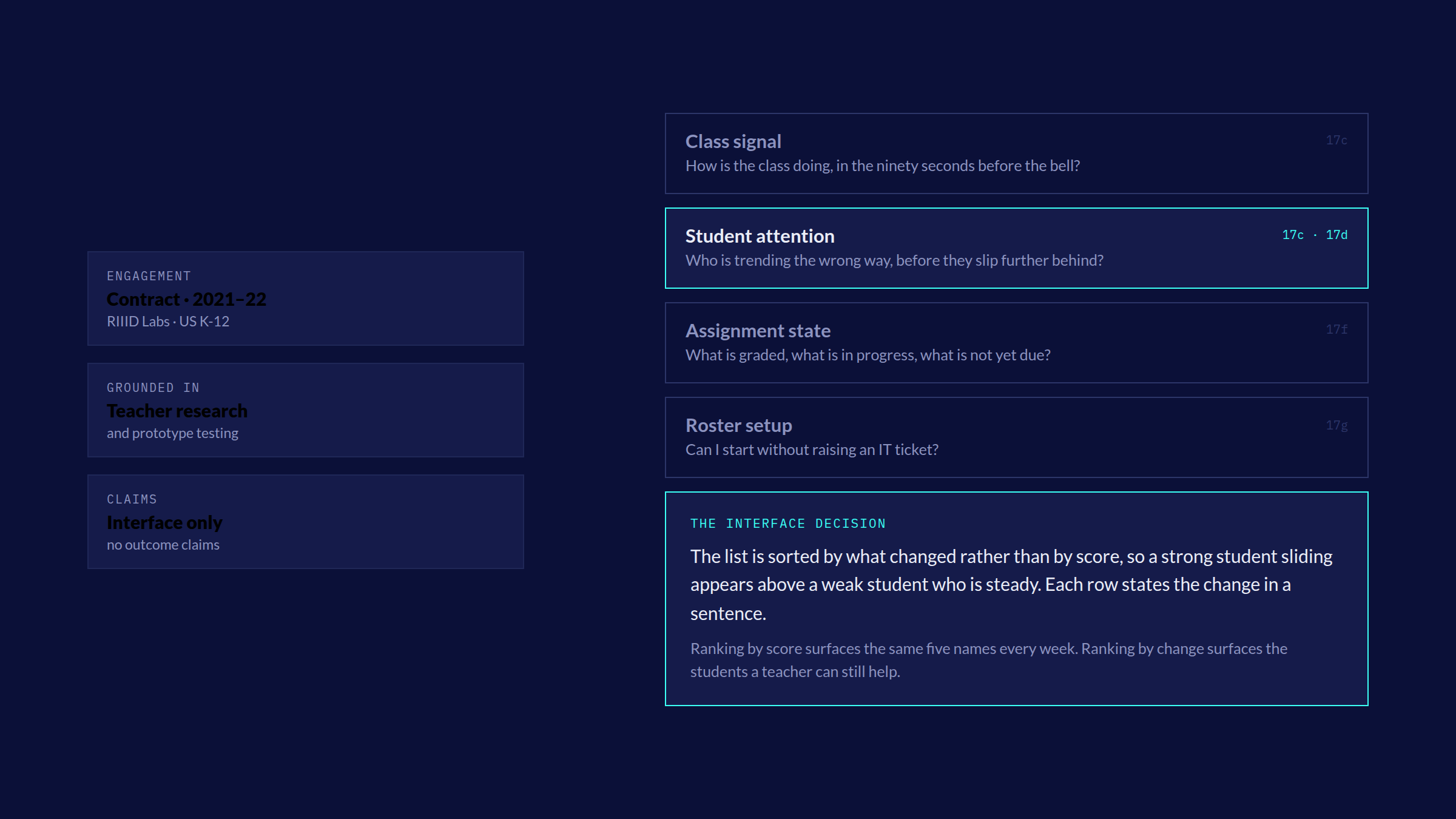
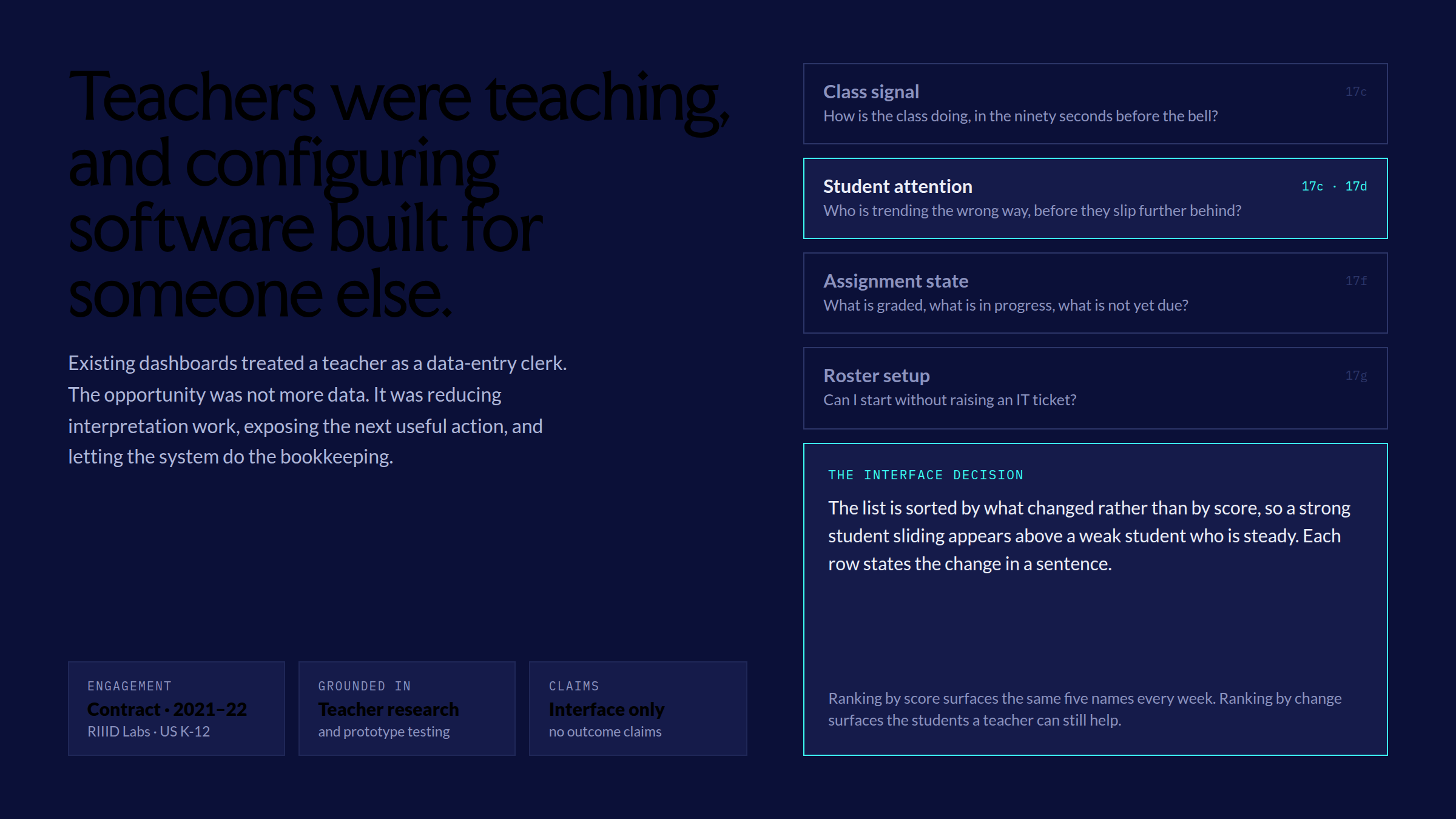
Existing LMS dashboards treated teachers as data-entry clerks. I reframed the opportunity around a dashboard a teacher would want to open in the morning: reduce interpretation work, expose the next useful action and keep the teacher in teaching mode while the system handles the bookkeeping.
Teacher and administrator research plus prototype testing shaped the prioritisation, states and intervention flows shown here.
The product had to answer more than one kind of urgency
- Class signal. A fast answer to how the class is doing without turning the morning into chart interpretation.
- Student attention. A way to spot students trending in the wrong direction before they slipped further behind.
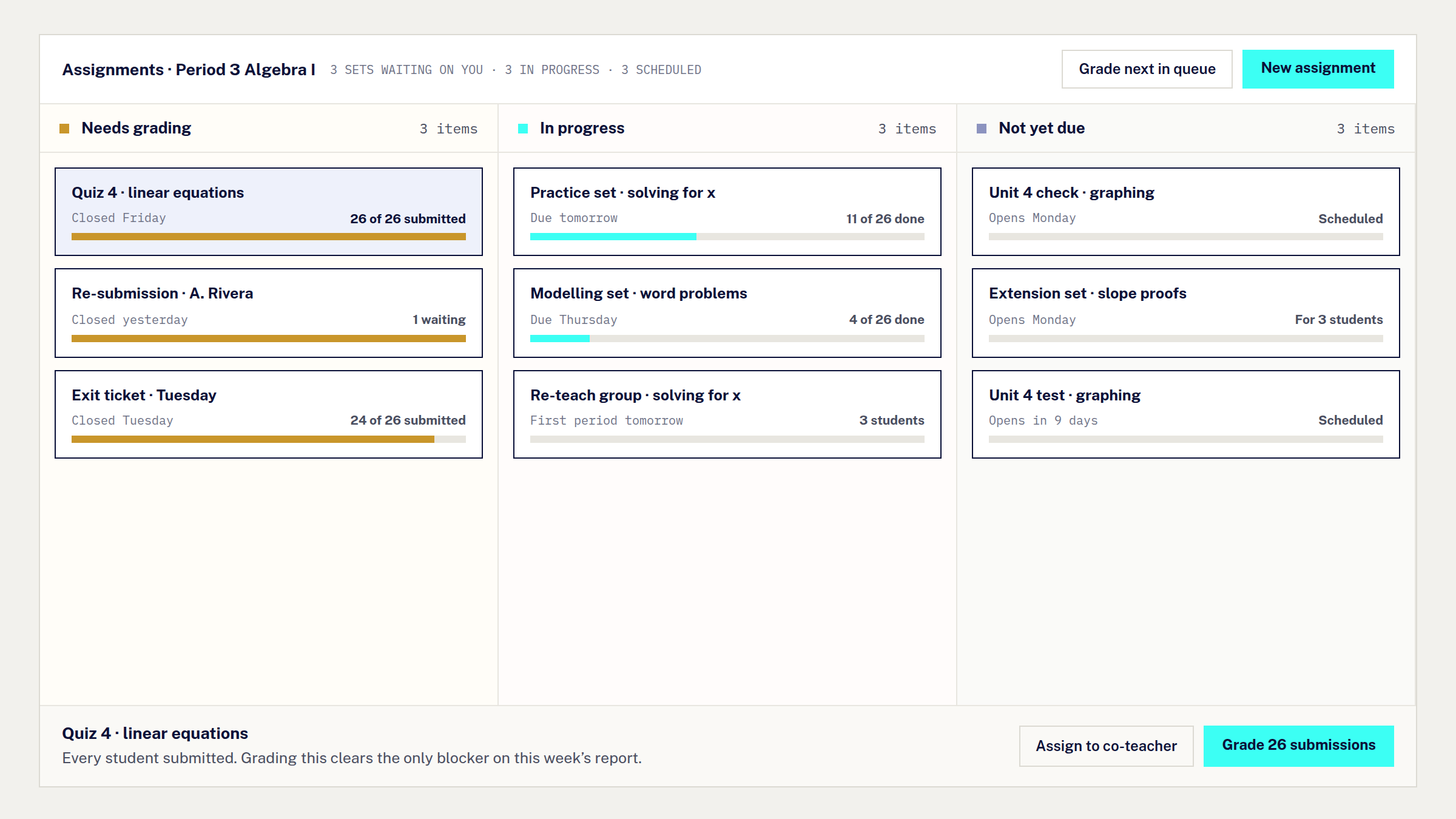
- Assignment state. A coherent picture of work across grading, submitted, and not-yet-due states.
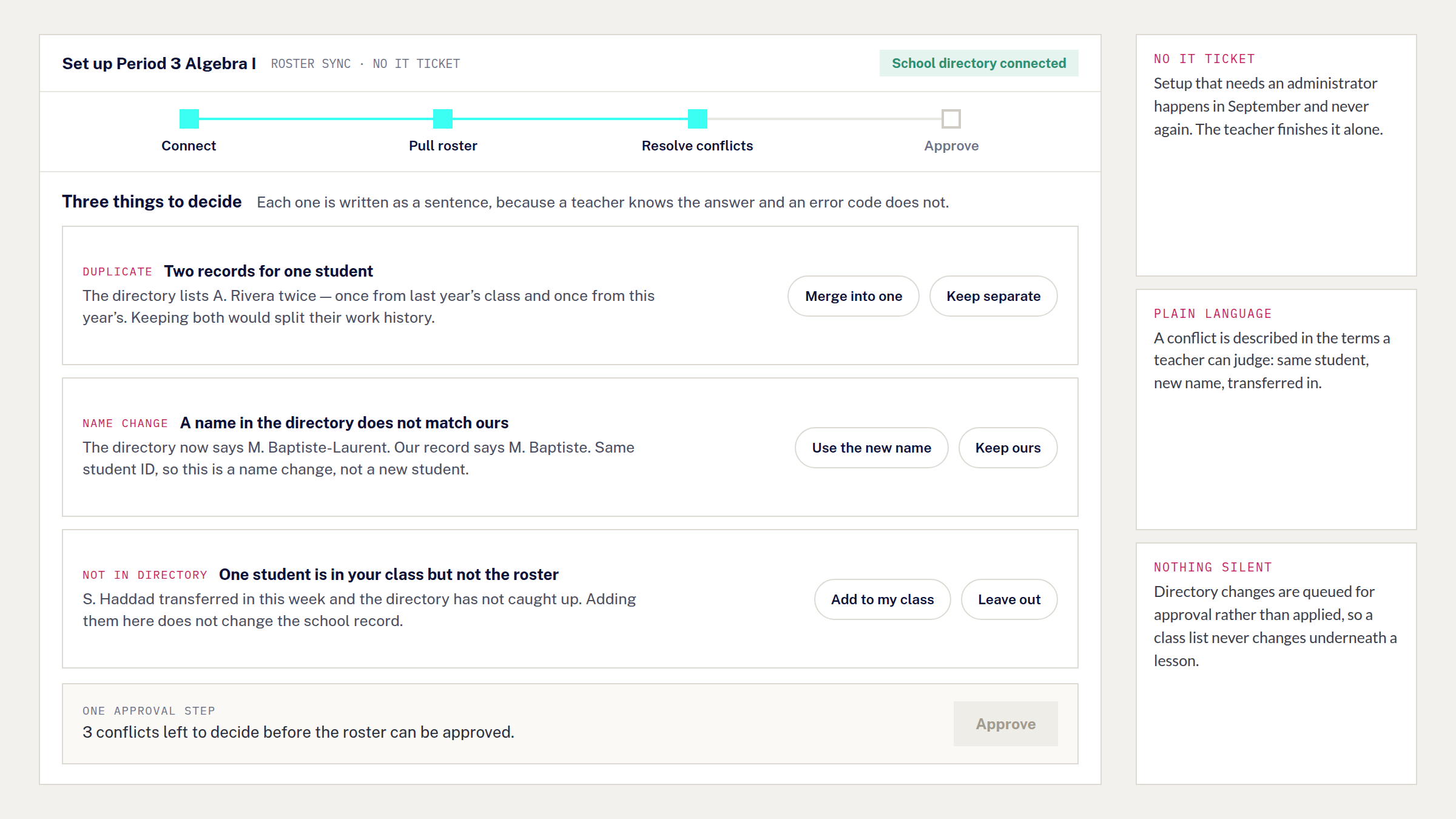
- Roster setup. An onboarding flow that did not require an IT ticket before a teacher could start.
They are not four features of equal weight. A class signal is glanced at, a student trend is watched over weeks, assignment state is cleared daily, and roster setup happens once and must not block the first morning. Designing to those tempos is what produced the sorting decision the rest of the product inherits.
The journey map ran from logistics back to teaching
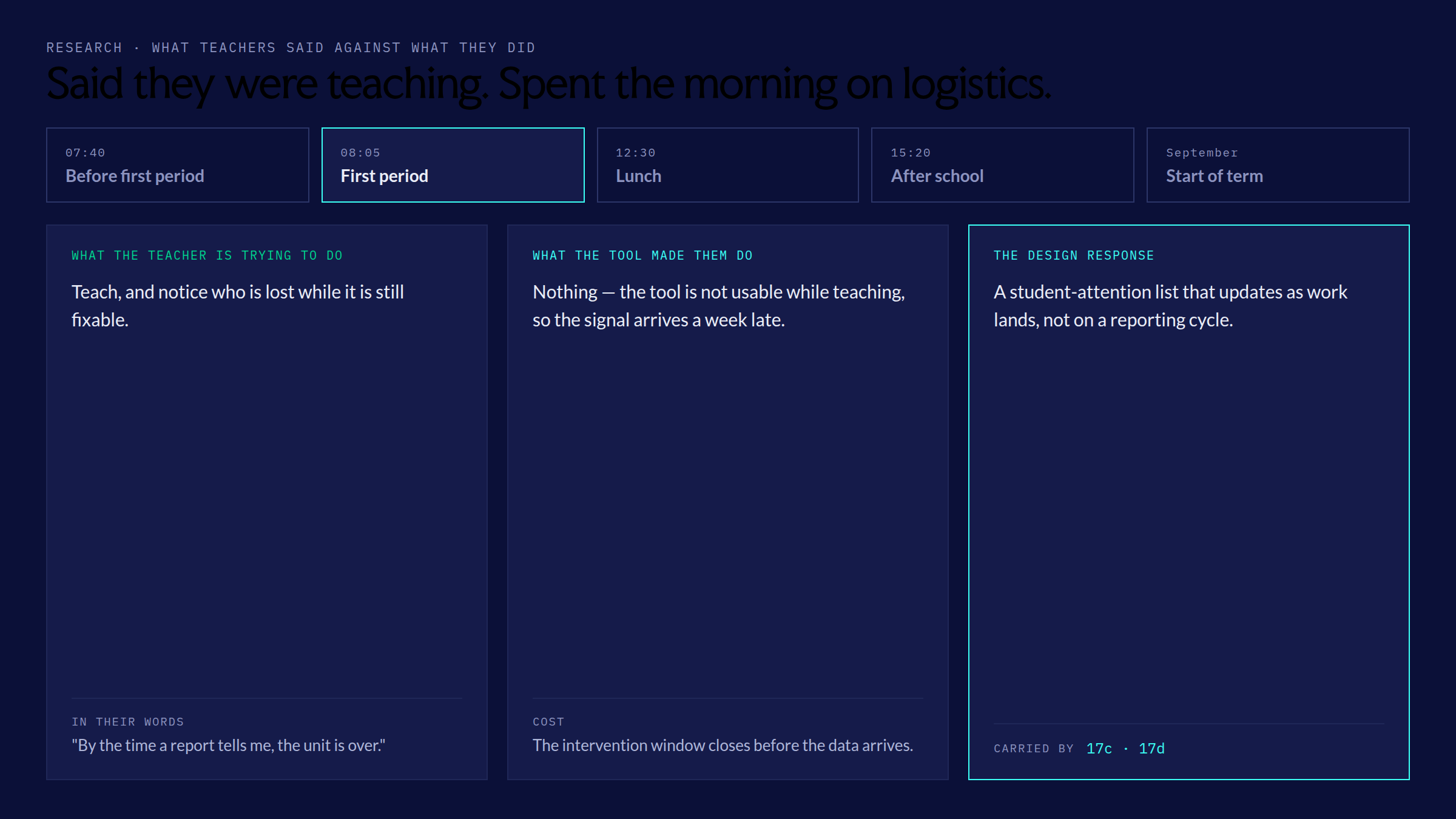
The research connected what teachers said they were trying to do with what they were actually doing, and where those two things conflicted. Teachers said they were trying to teach, but the tools kept pulling them into logistics. Dashboards surfaced information that did not lead anywhere; the design work was making information actionable so the same screen could answer what changed, who needs help, and what to do next.
The dashboard leads with the student, not the average
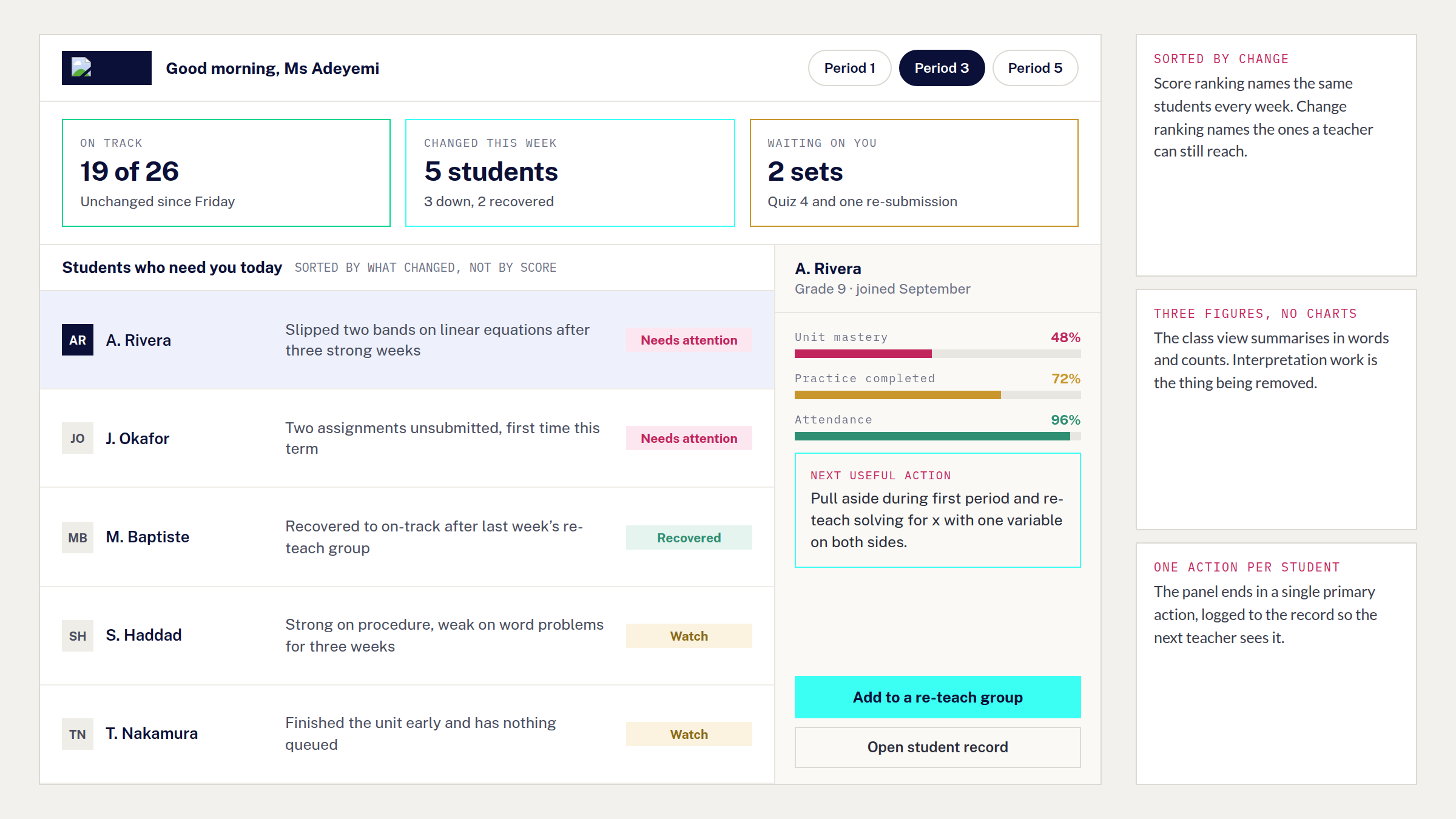
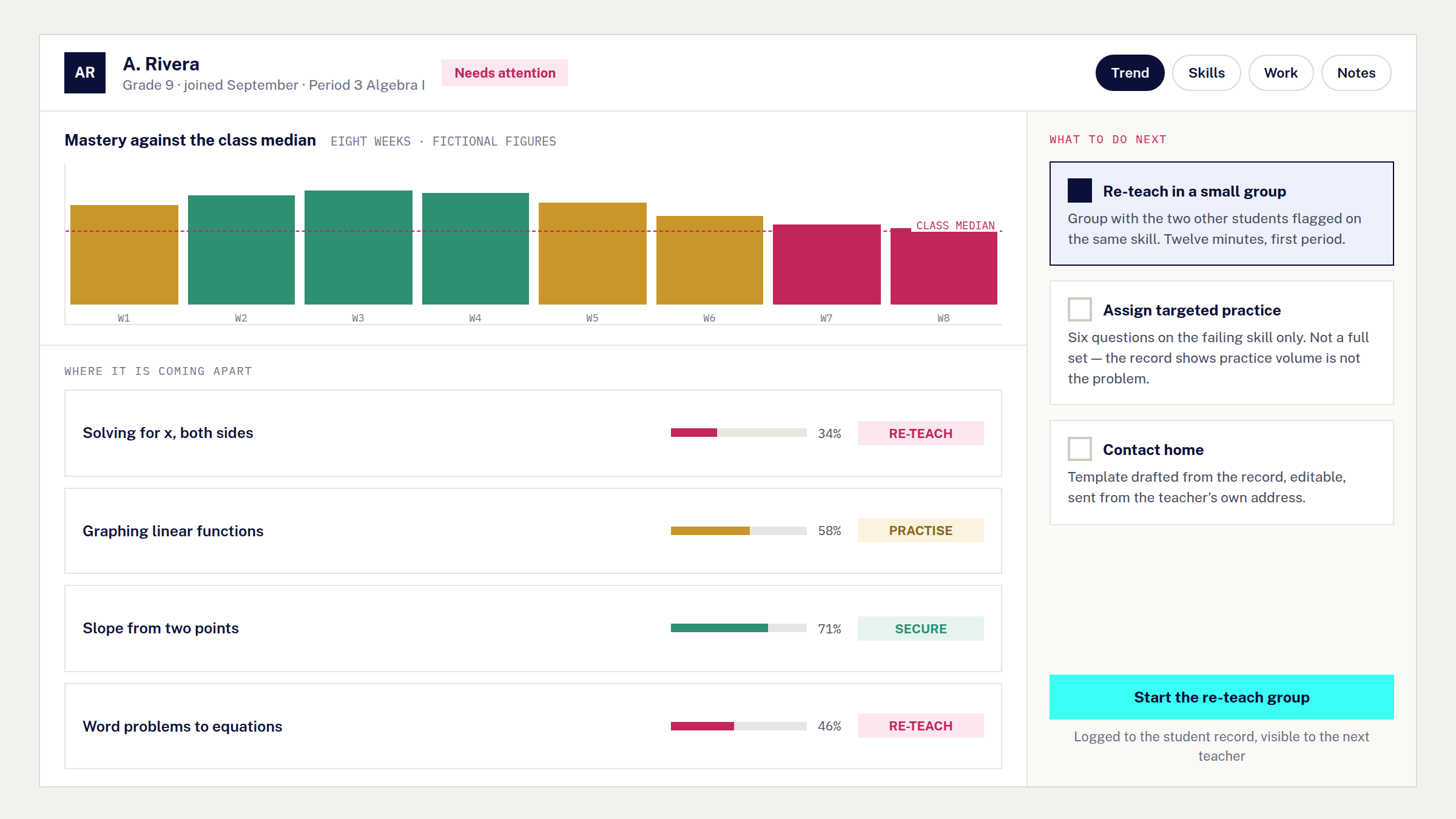
The design emphasis sat on per-student action rather than class-level charts: surface the next useful decision first, let the class view summarise, and let the student view lead.
Sorting is the decision underneath that. The morning list is ordered by what changed rather than by score, so a strong student sliding appears above a weak student who is steady — ranking by score surfaces the same five names every week, and those are rarely the students a teacher can still reach this term.
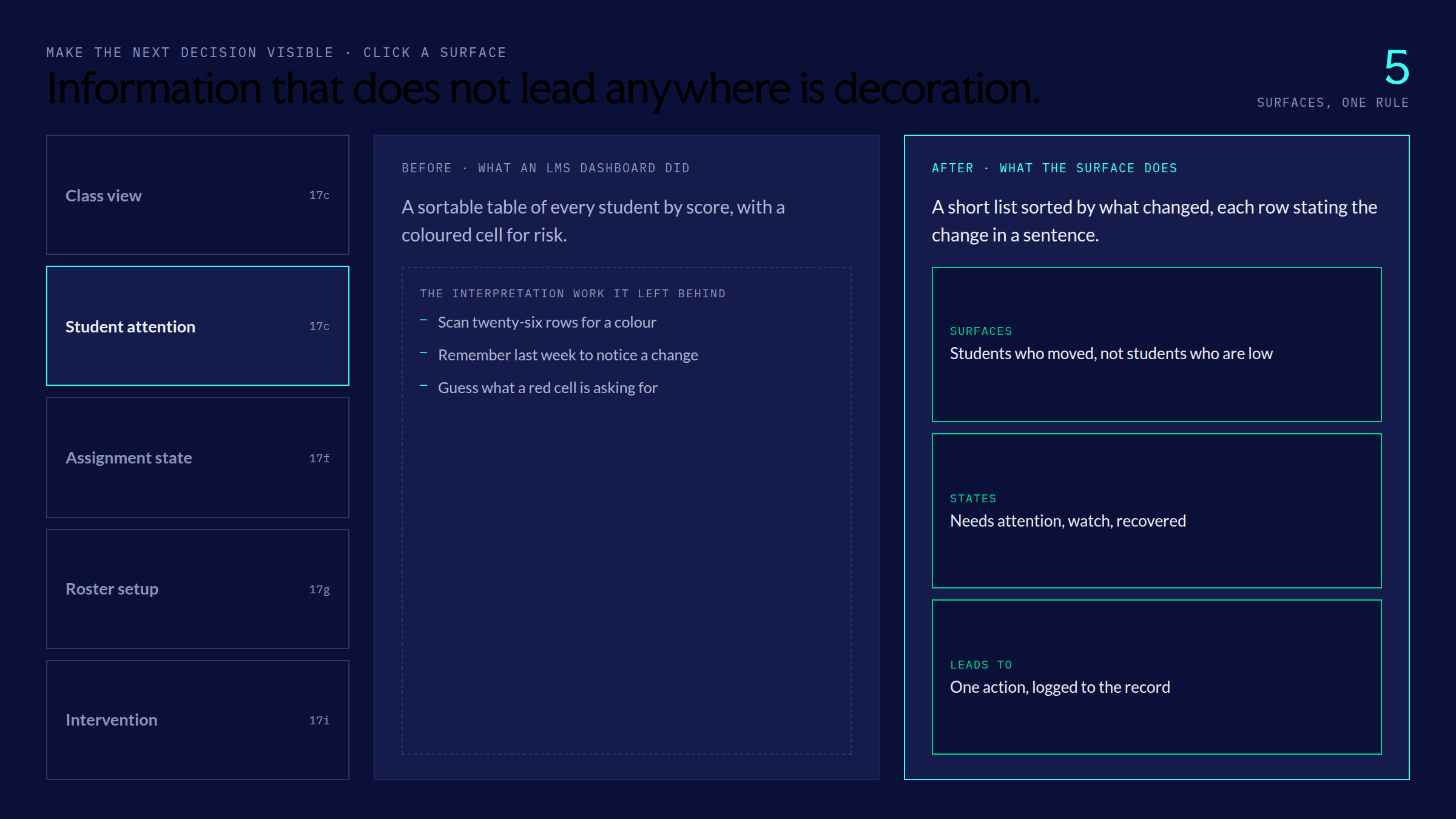
Every surface had one rule: make the next decision visible
Assignment management became a board with clear states (needs grading, in progress, not yet due). Classroom setup became a Clever roster sync: pull rosters automatically, surface reconciliation conflicts in plain language, give teachers a single approval step. The information architecture followed the work teachers were already trying to clear.
What was taken out, and why
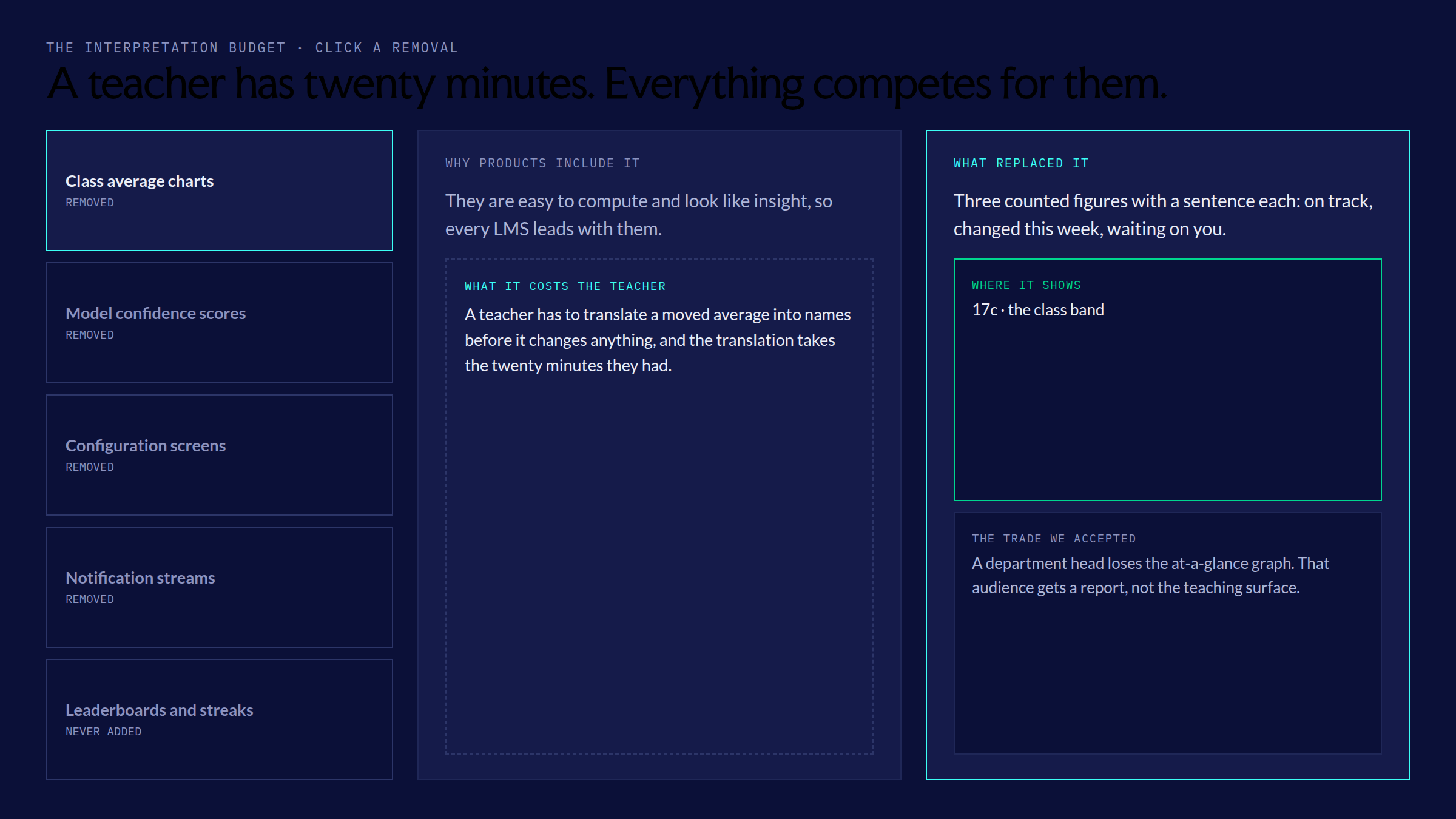
Reducing interpretation work meant removing things a dashboard would normally show — class average charts, model confidence scores, configuration screens, notification streams, leaderboards and streaks. Each removal is a trade rather than a simplification, and the frame names what it cost as well as what it bought.
From a flag to a session that exists
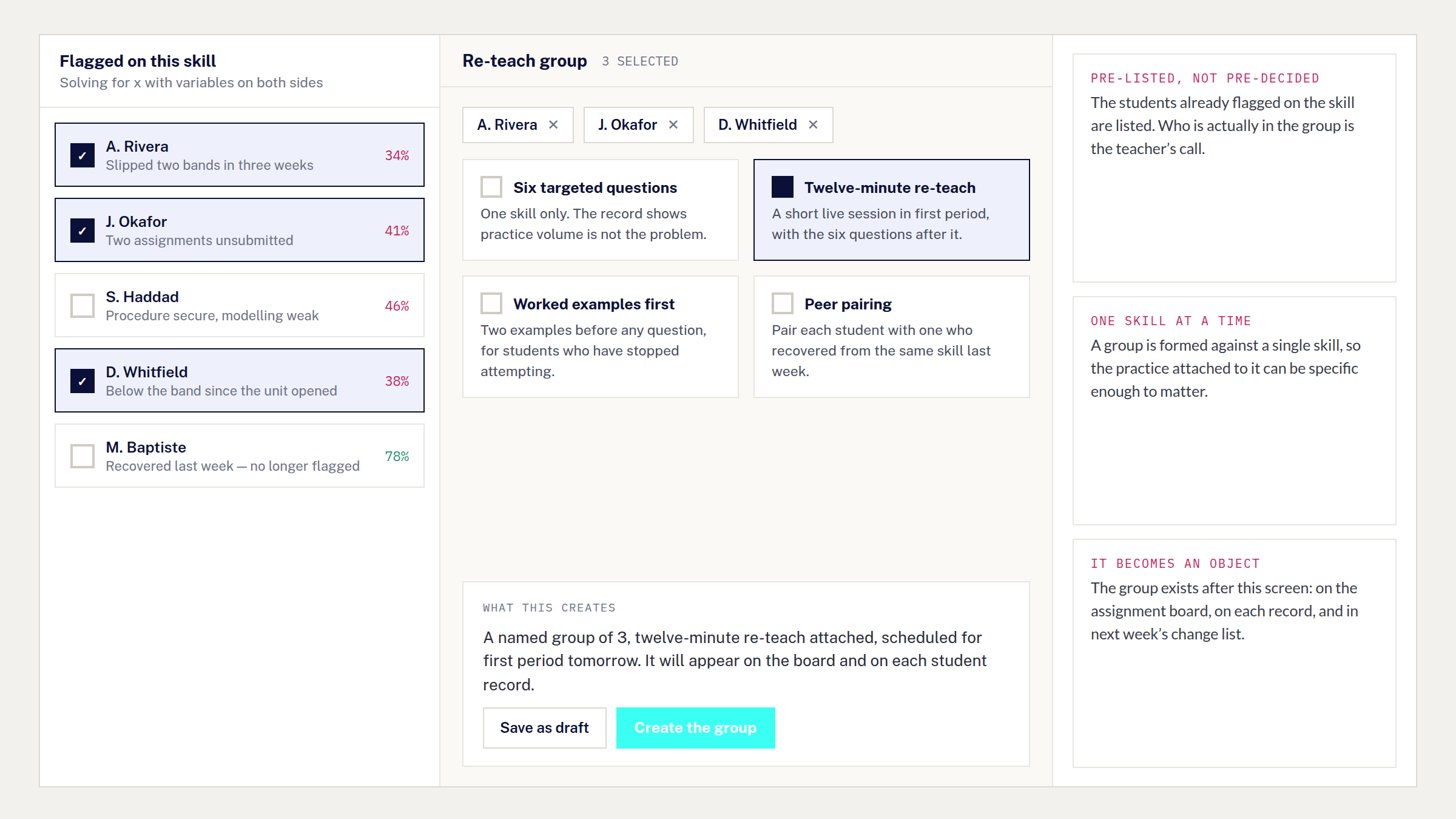
A flag is not an intervention. The step most dashboards leave out is the one that turns a list of struggling students into something that actually happens: a named group, a practice set attached to it, and a slot on next week’s timetable with the work already in place.
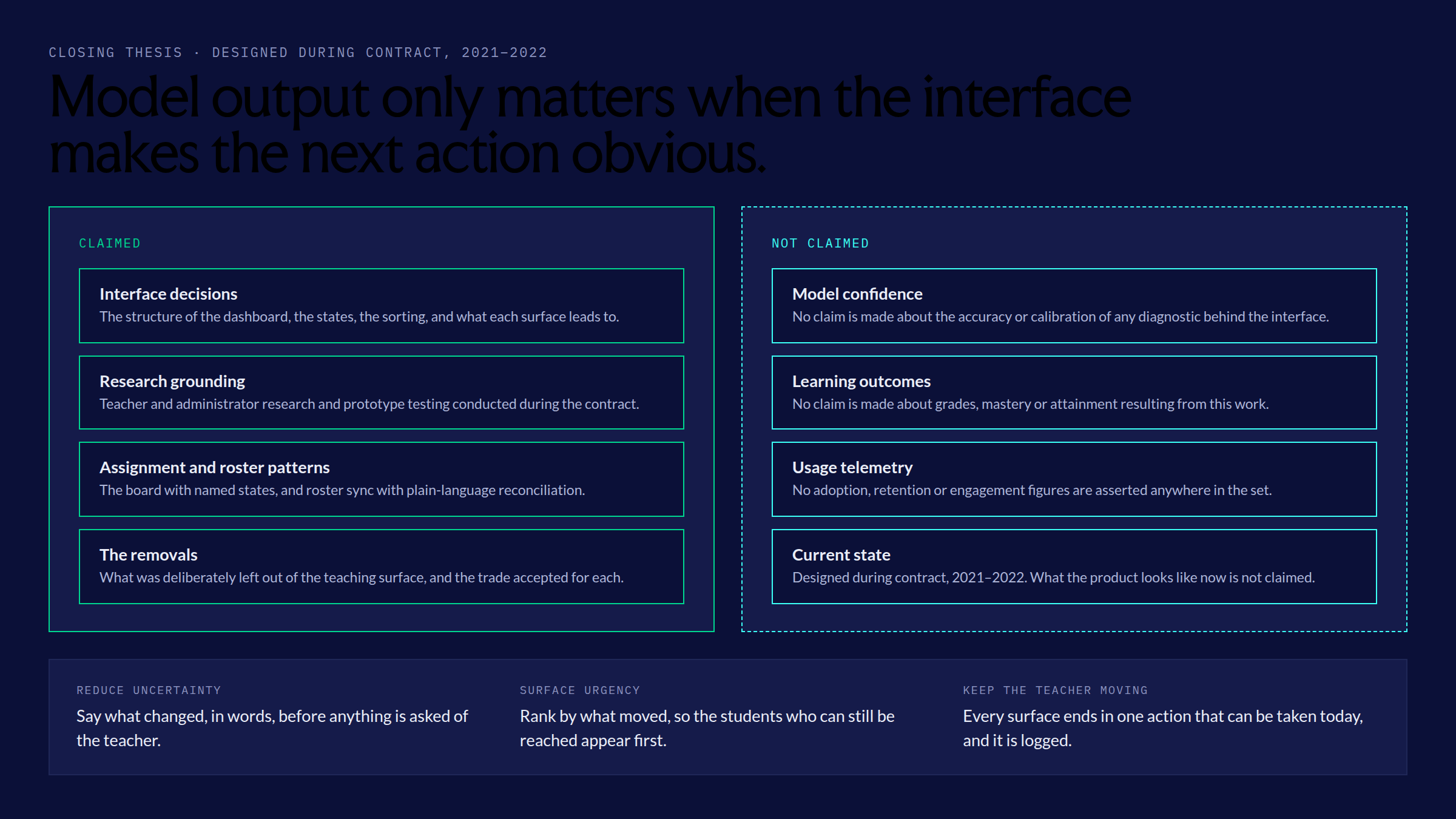
Closing thesis
Model output only matters when the interface makes the next action obvious. Reduce uncertainty, surface urgency, keep the teacher moving.