Where exactly is my money?
Mular is a stablecoin-to-Naira payments product for diaspora senders, merchants and small businesses. A transfer crosses a crypto asset, a changing rate, a Naira payout and a bank’s settlement state; the user should not have to understand those rails to know what is happening. I co-founded the product and designed the journey from quote through confirmation, payout state and recovery.
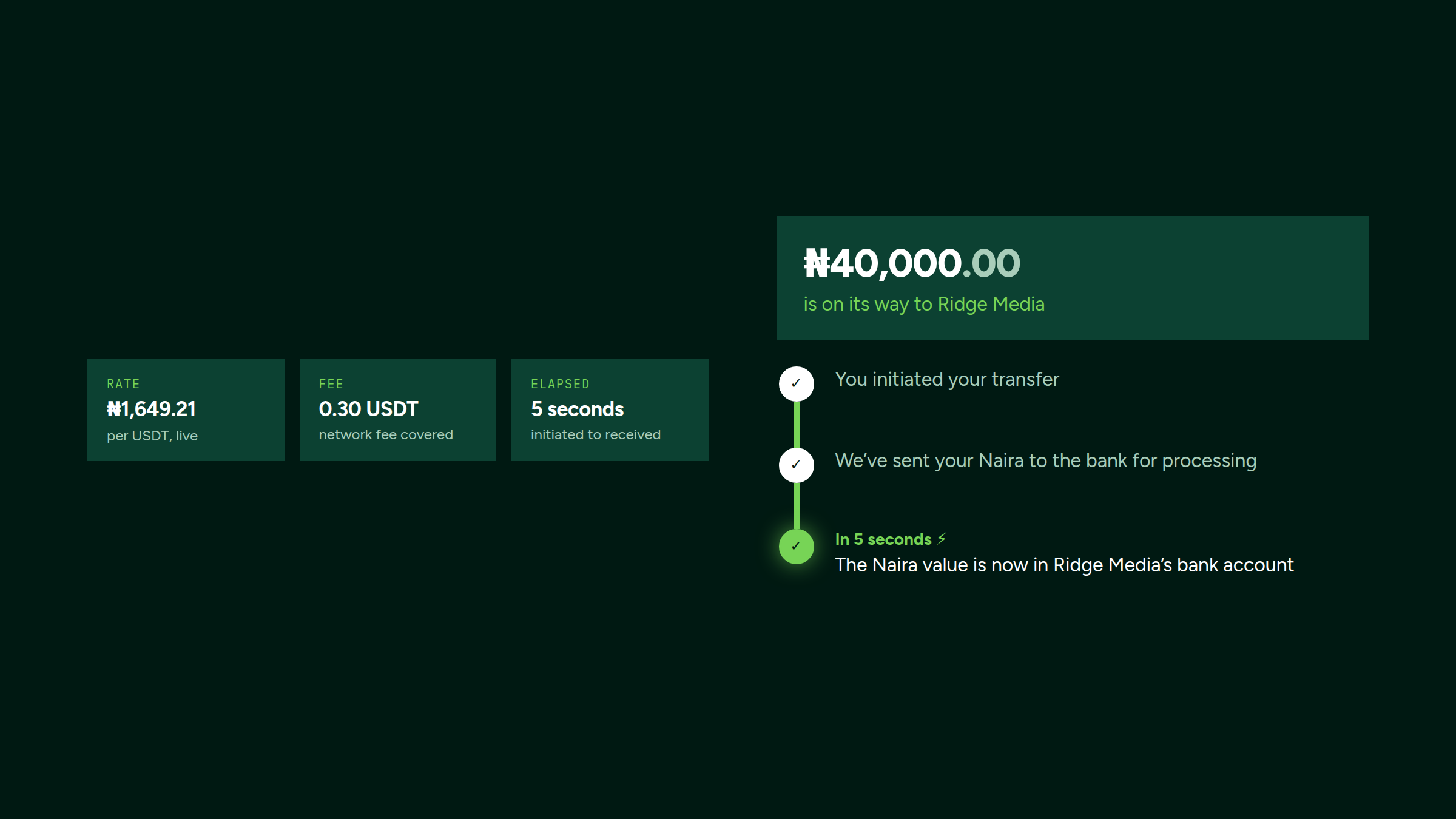
The problem
Mular set out to serve people and businesses moving value between crypto and Naira: diaspora Nigerians sending money home, merchants wanting Naira settlement, and small businesses holding stablecoins against currency volatility. The alternatives asked those users to understand blockchain, manage wallets, monitor rates, and navigate P2P marketplaces. Too much cognitive load, too much risk, too much friction.
Nobody asks about the blockchain. They ask where their money is. That question, and how quickly and plainly the product answers it, is what the whole design is organised around.
Design philosophy
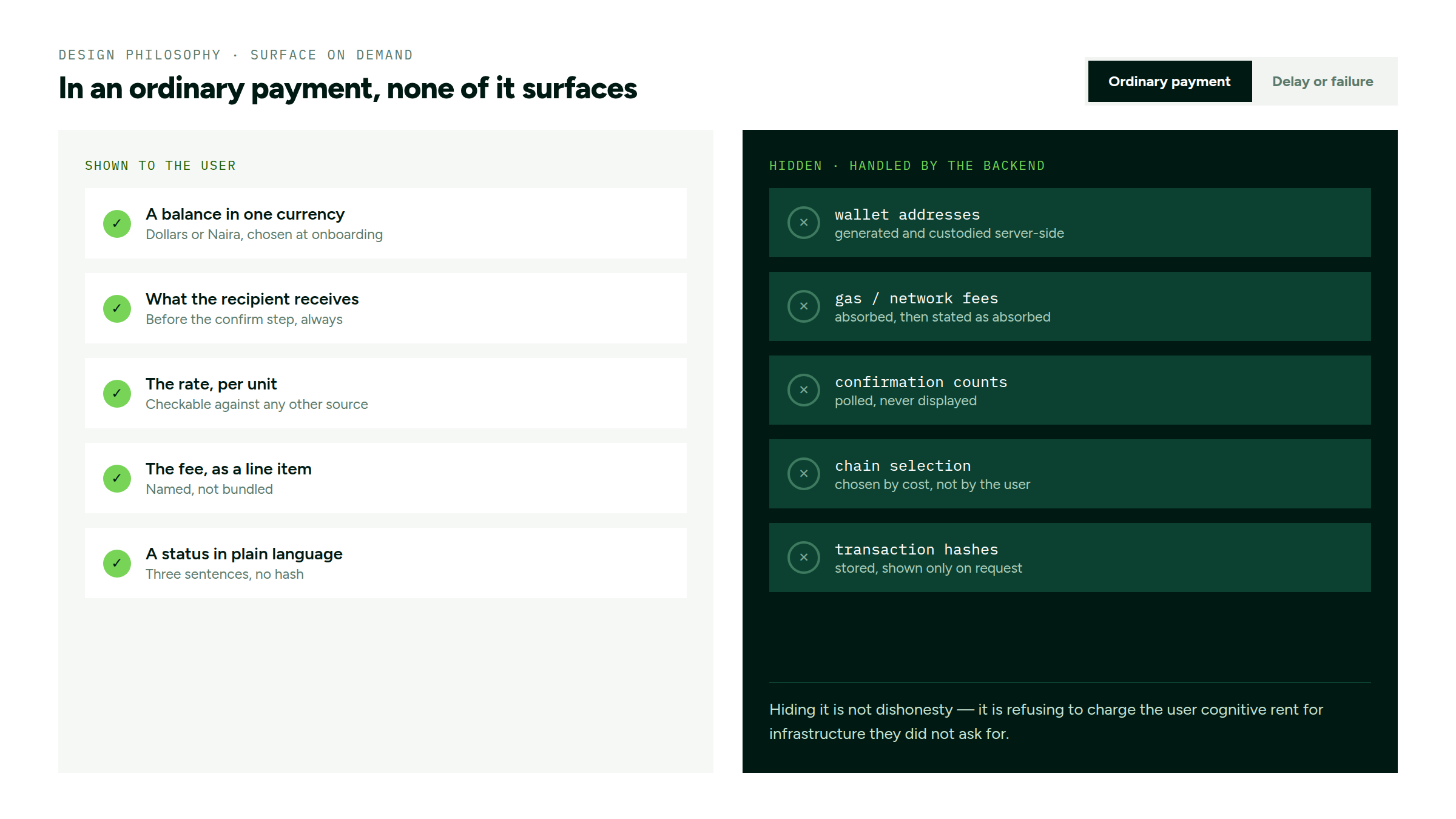
- Hide blockchain mechanics during ordinary payment flows. Surface them only when they are needed to explain a delay, failure or recovery step.
- Design for the outcome. People don’t want to “convert USDT to NGN”. They want “my family in Lagos receives ₦50,000 by tomorrow”.
- Trust through familiarity. Make it feel like a bank transfer, borrowing patterns from the Nigerian mobile banking apps users already trust.
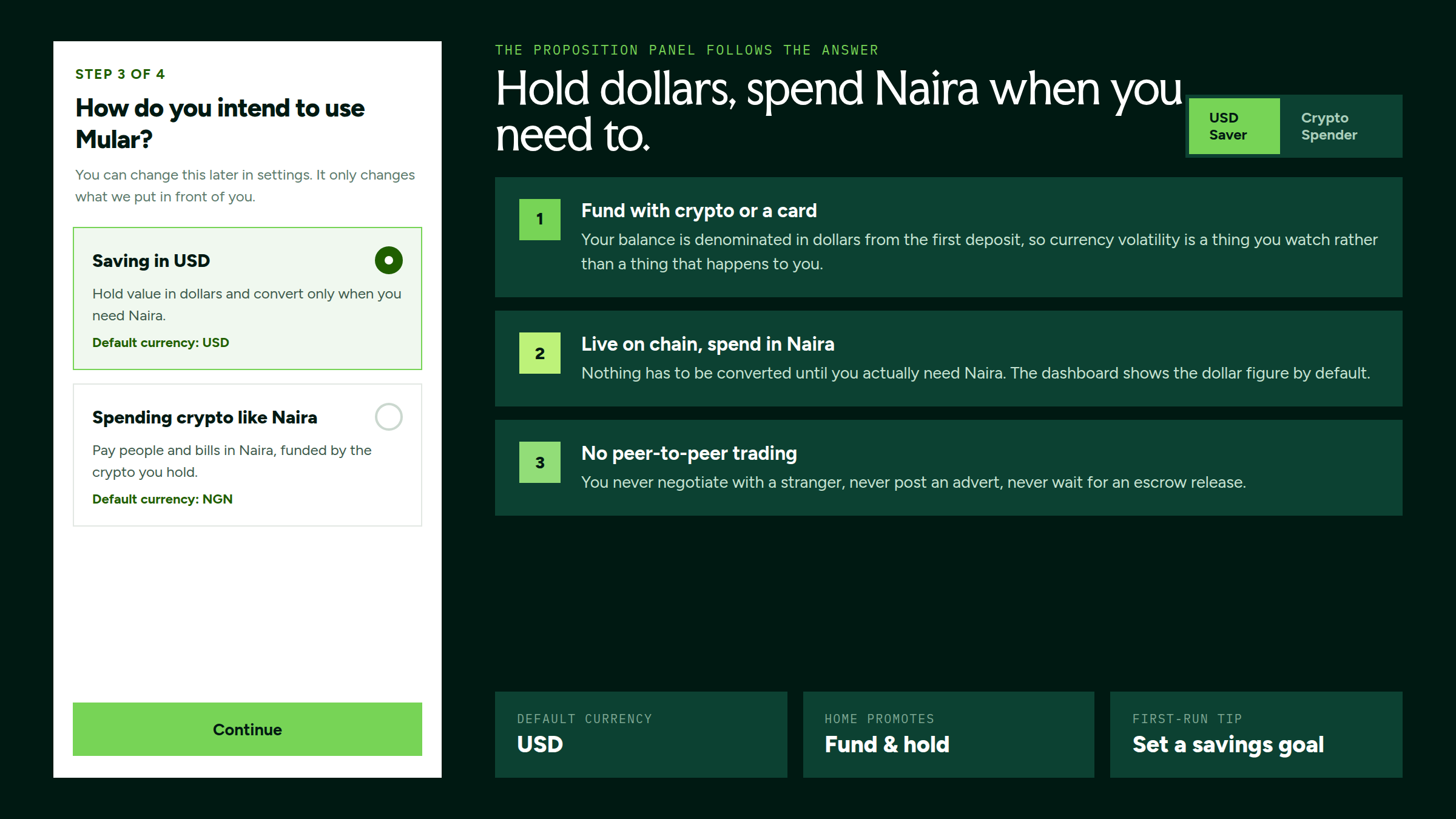
Onboarding asks one question and changes the pitch
Before any wallet exists, onboarding asks how the person intends to use Mular: saving in dollars, or spending crypto like Naira. The answer sets the default currency, what the home screen promotes and which first-run tip appears, and the proposition panel beside the question rewrites itself as the answer changes. It can be changed later in settings; it only changes what the product puts in front of you.
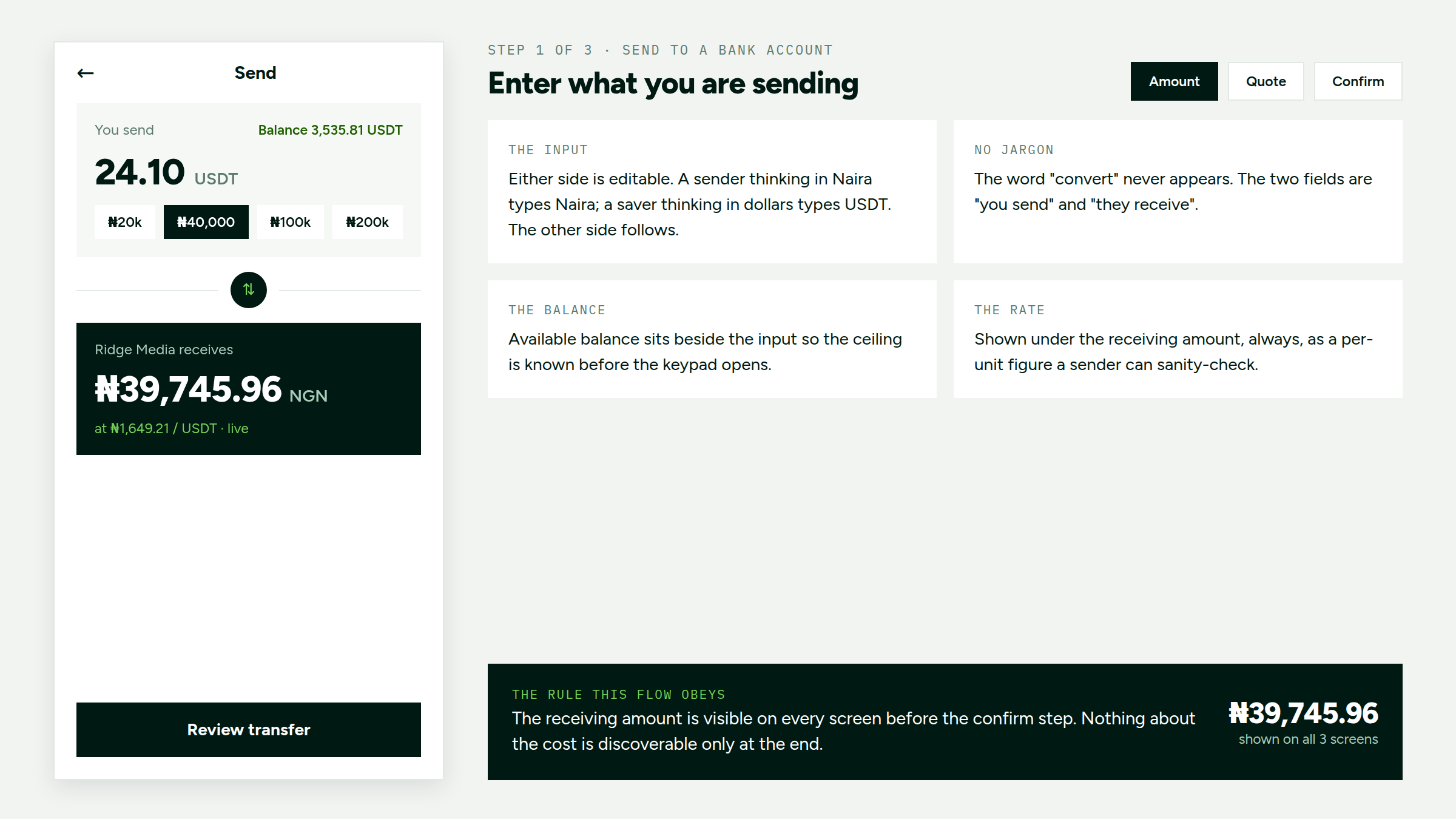
The send: amount, quote, confirm
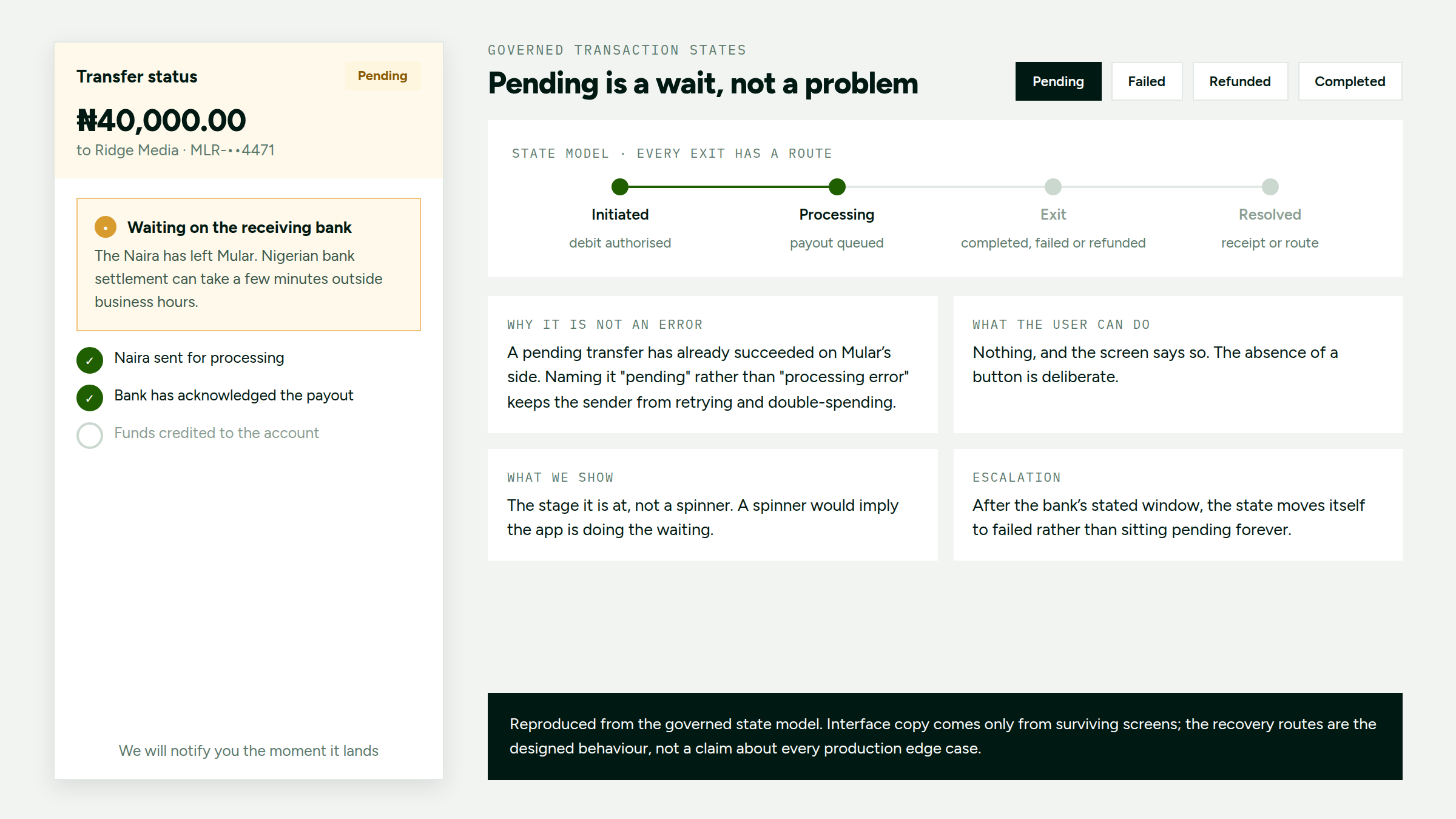
The send flow was designed so a user enters an amount in whichever currency they think in — a sender types Naira, a saver types USDT, and the other side follows — sees what the recipient gets before the confirm step, and then follows the transfer through plain-language status instead of hashes, gas, or network-versus-service fees. The word “convert” never appears; the two fields are “you send” and “they receive”.
The rule the flow obeys is that the receiving amount is visible on every screen before confirm, so nothing about the cost is discoverable only at the end. The quote separates the Mular fee from the network fee and says plainly that the rate is live rather than locked, instead of implying a countdown the product never had.
One balance, two currencies, six wallets
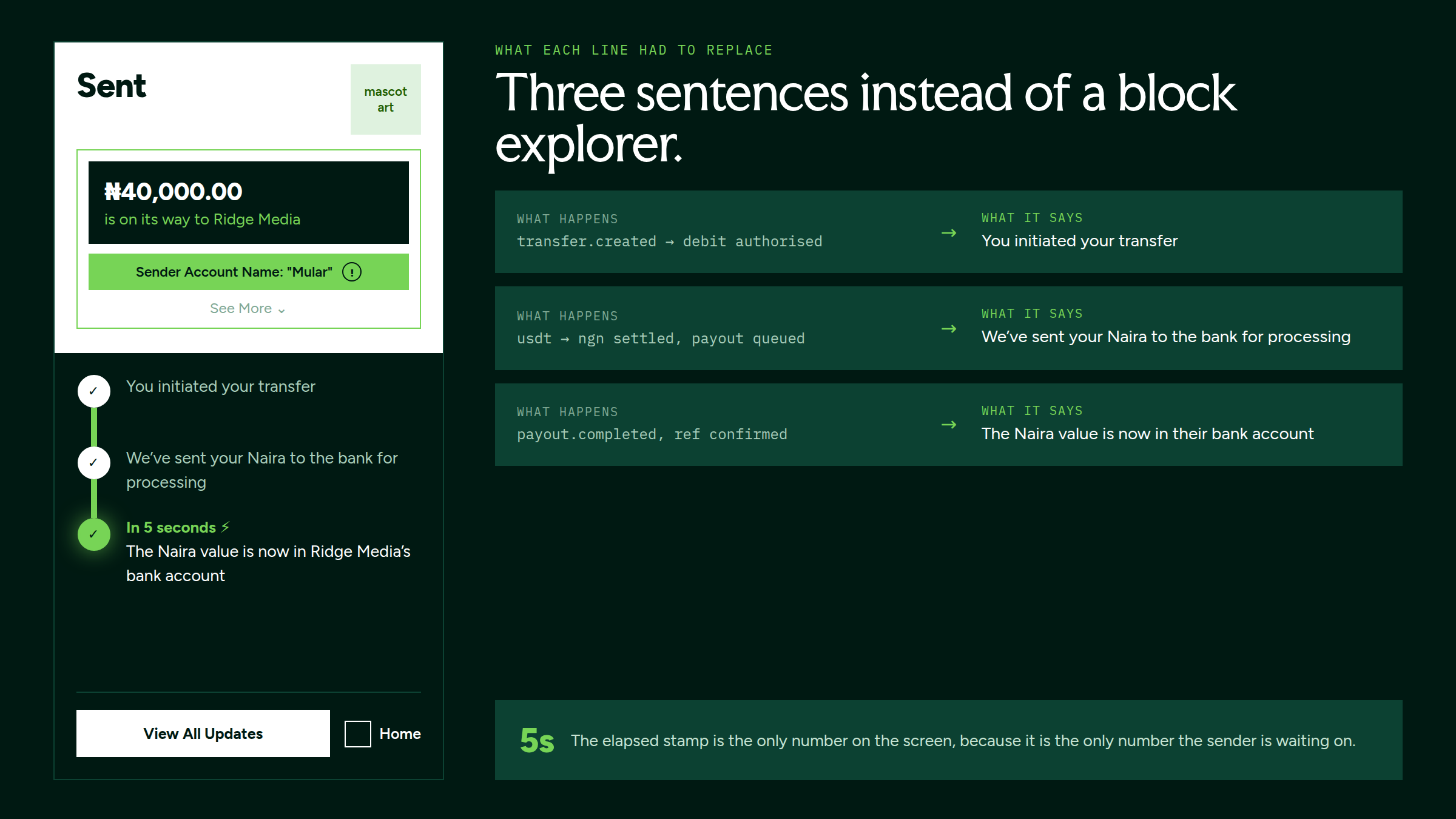
A crypto app shows token balances and lets the user work out what they are worth. A bank app shows one number in one currency. Mular shows one number, and a toggle decides whether it is denominated in dollars or Naira, so the same dashboard serves the diaspora sender thinking in dollars and the merchant thinking in what settles tonight. The six token wallets stay one tap away without occupying the fold, and rates are shown as a price, a day’s change and a holding. No candles: nobody trades here, they check.
Three destinations, one guard against the wrong one
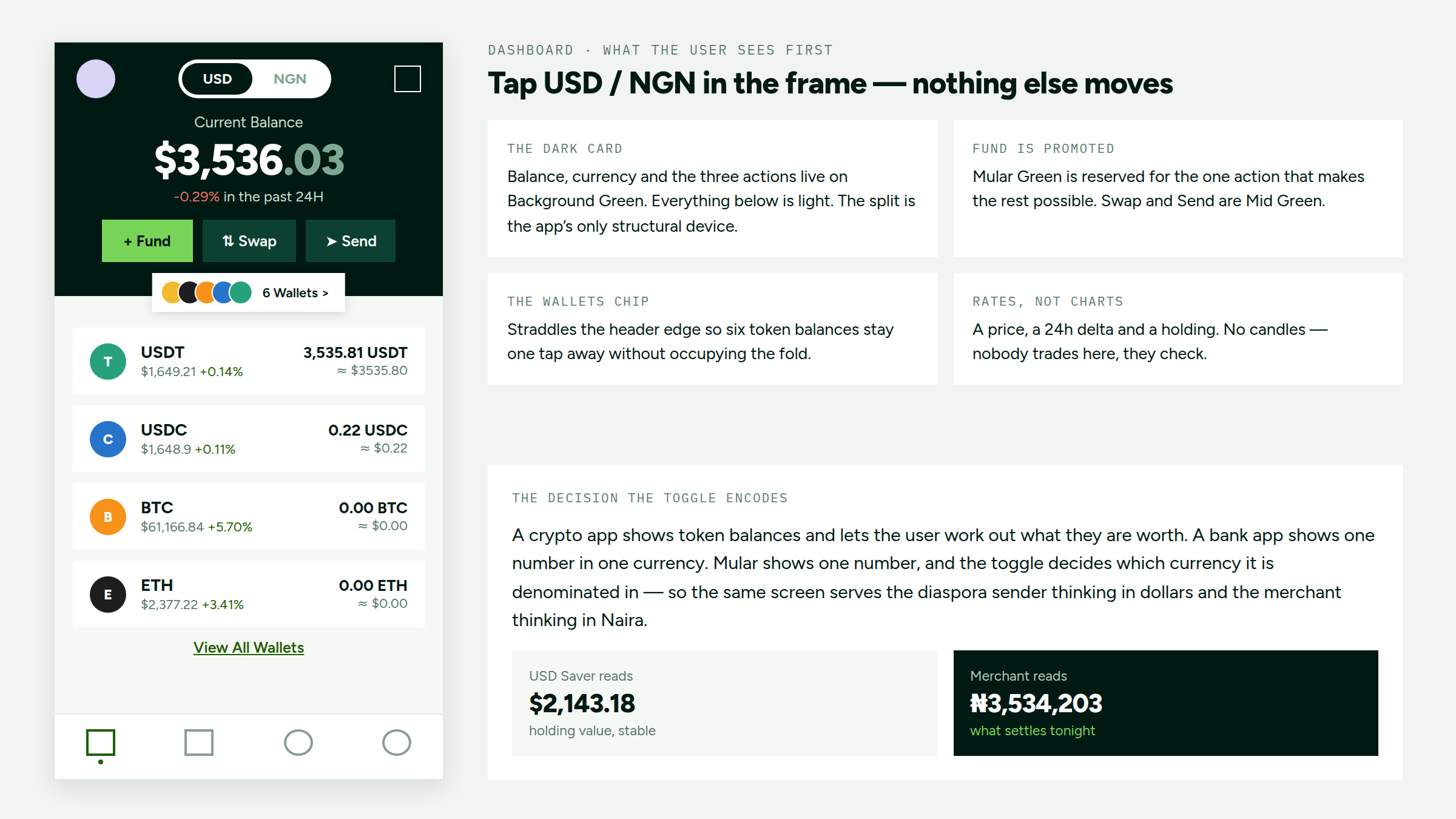
A send goes to one of three places: your own bank account or wallet, any Nigerian bank account, or another Mular account by ID. Sending to yourself is the most frequent transfer and the least risky, so it gets its own route that never passes through the beneficiary checks; the account details were already saved to the profile, and asking again would be theatre. Mular-to-Mular transfers are free and instant, and the fee is stated on the option rather than discovered in the quote.
The guard is for the irreversible case. A wrong account number resolves to a real stranger’s name, and a wrong Mular ID resolves to a real stranger’s account, so the name is always fetched and shown back before Continue is allowed, and the advisory sits between the field and the button rather than underneath it.
When a transfer does not complete
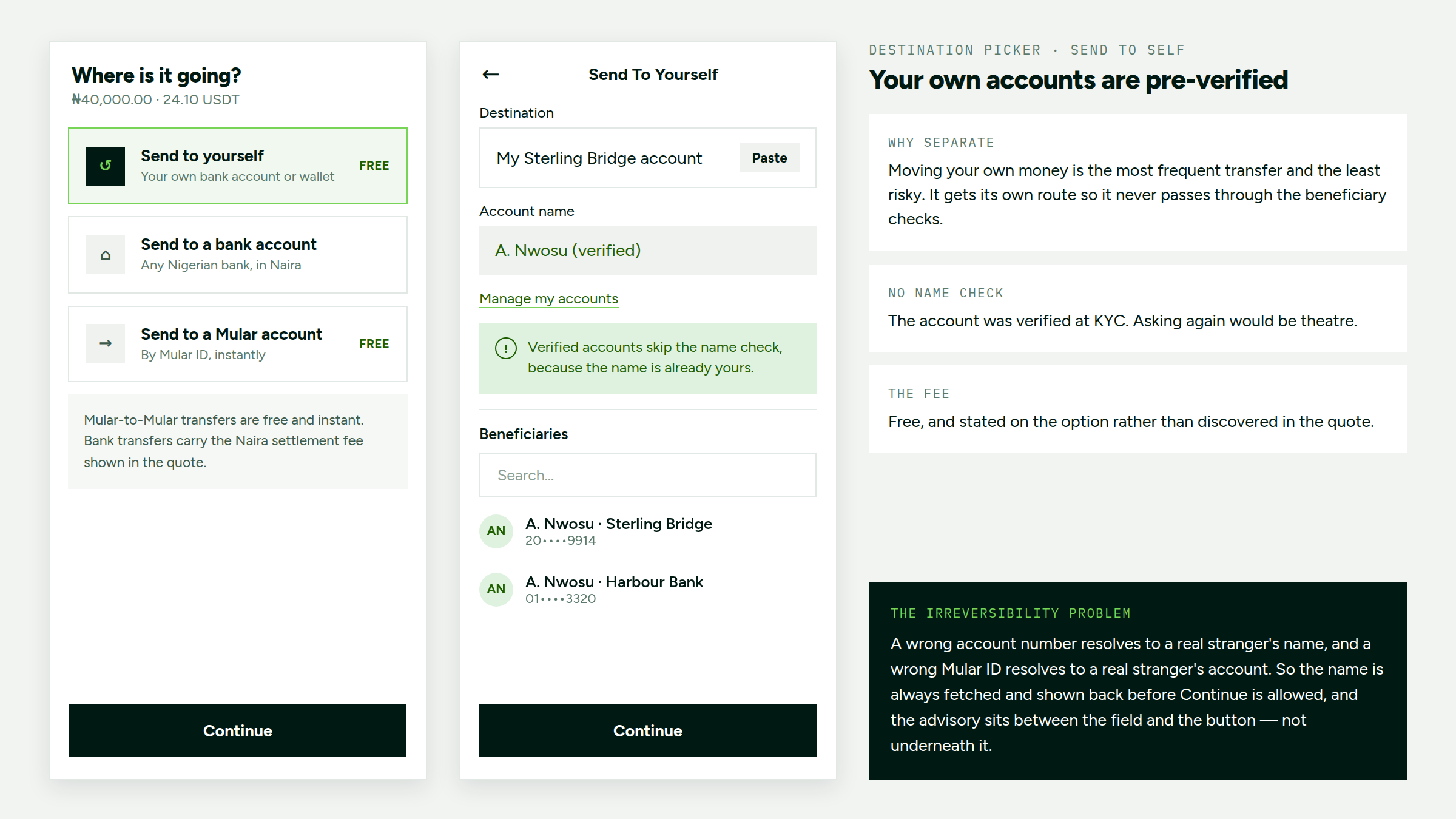
The transaction system distinguishes pending, failed, refunded and completed outcomes, and every exit has a route. Pending is a wait, not a problem: the transfer has already succeeded on Mular’s side, so naming it “pending” rather than “processing error” keeps the sender from retrying and double-spending, the screen shows the stage rather than a spinner, and it says plainly that there is nothing to do. After the bank’s stated window the state moves itself to failed rather than sitting pending forever, and a failed transfer carries a recovery route rather than a dead end.
Design decisions that removed friction
- Wallet management moved to the backend. Users see one balance in the currency they think in, not wallet addresses, token balances or blockchain confirmations. Addresses are generated and custodied server-side, the chain is chosen by cost, and hashes are stored and shown only on request.
- Fees shown before commitment, not at checkout. The quote states the full cost upfront, network fee named as absorbed, so there's nothing left to discover at the confirm step.

Impact
Figures cover live production use across send, swap and Naira settlement. They describe individuals converting stablecoins to Naira, and business accounts settling in Naira.
The trust problem started before the first transfer
Identity verification had to work for local and diaspora users with different documents. I designed individual and business KYC/AML journeys, including a BVN-only transaction tier up to ₦50,000 and an escalation route to re-verify when NIN checks failed. We also designed a separate crypto-funded payment route that did not open a Naira wallet, while the recipient still received a Naira payout.
I designed the quote and payout states so the rate, fees and receiving amount were clear before confirmation, with an actionable state if the bank delayed settlement. I also led our Zuba settlement partnership, reducing upfront stablecoin-to-fiat settlement costs to near zero. Mular has processed $2.1M+ across 19K+ transactions for 5,400+ users and 80+ business accounts.