Turning a video service into software its customers could run.
Designed AI-assisted creation workflows for enterprise video teams: asset management, brand-kit controls, versioning and export states.
Context
AdPipe had a real creative operation around video repurposing; the next step was productisation. Turning what a team could do manually into workflows an enterprise user could understand, repeat and trust inside software is harder than it looks: video tools bloat, asset libraries become dumping grounds, brand controls go vague, export states become an afterthought. The work was to structure messy creative production without stripping out the flexibility that made the service valuable.
The product problem
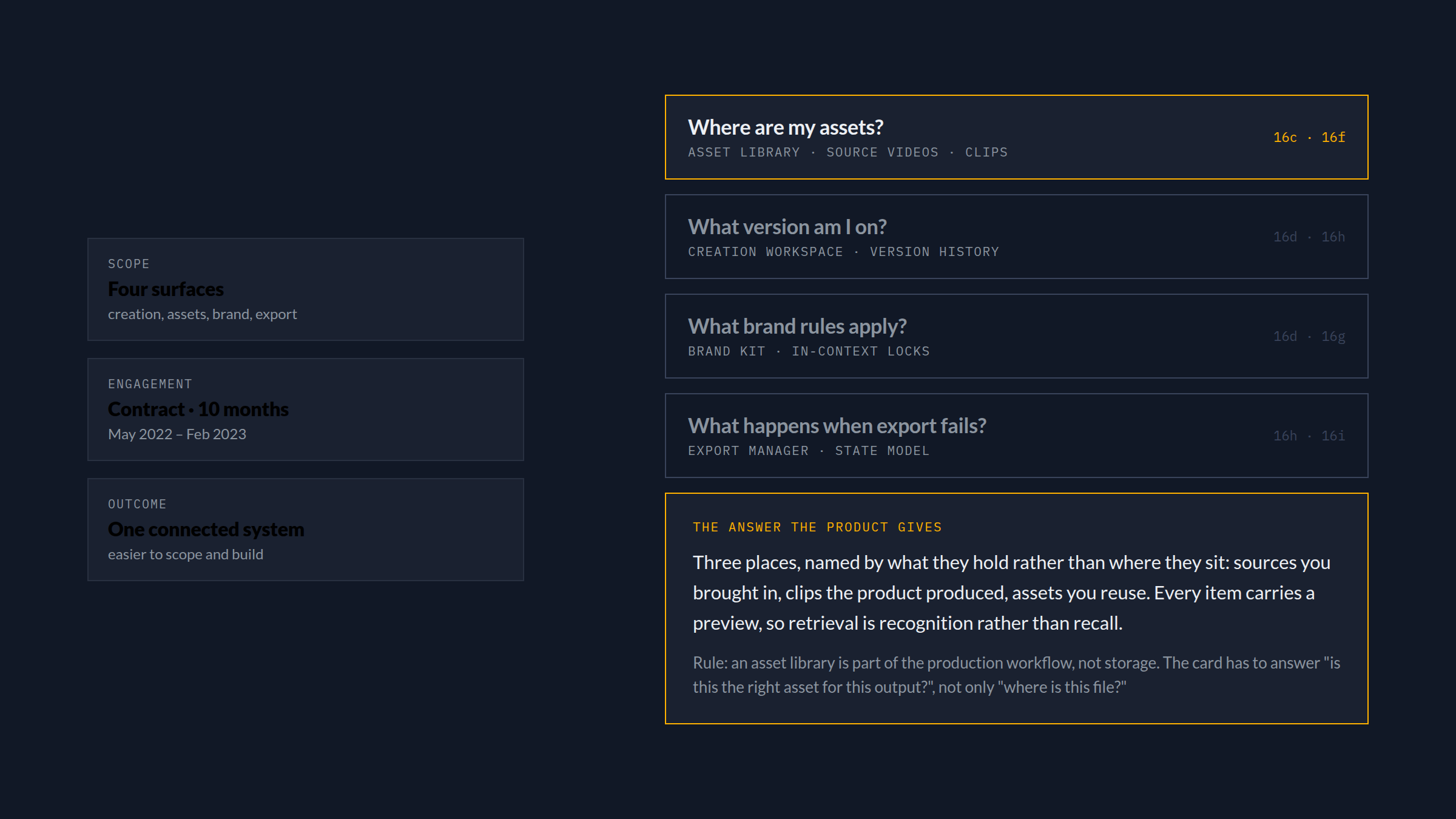
Not “how do we let people make videos?” but: how do we help teams create, adapt, manage and export branded video assets without depending on a service team for every variation? The interface had to answer practical questions quickly. Where are my assets? What version am I on? What brand rules apply? What happens when export fails?
Each of those is a different surface with a different tempo, and each has to answer in seconds rather than send someone to ask. Reading them as one list is what kept the product from becoming four loosely related tools.
Designing the creation workflow
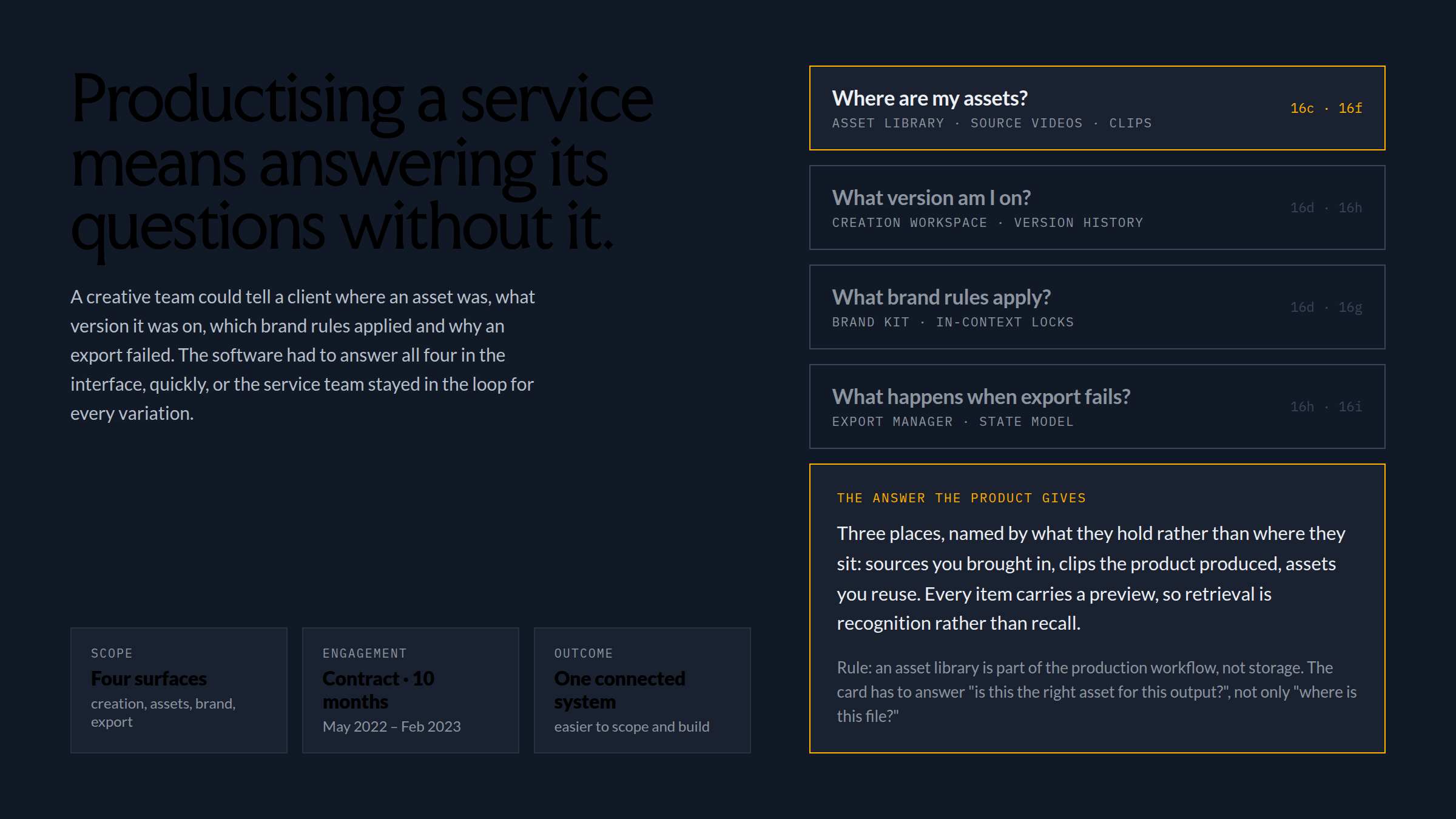
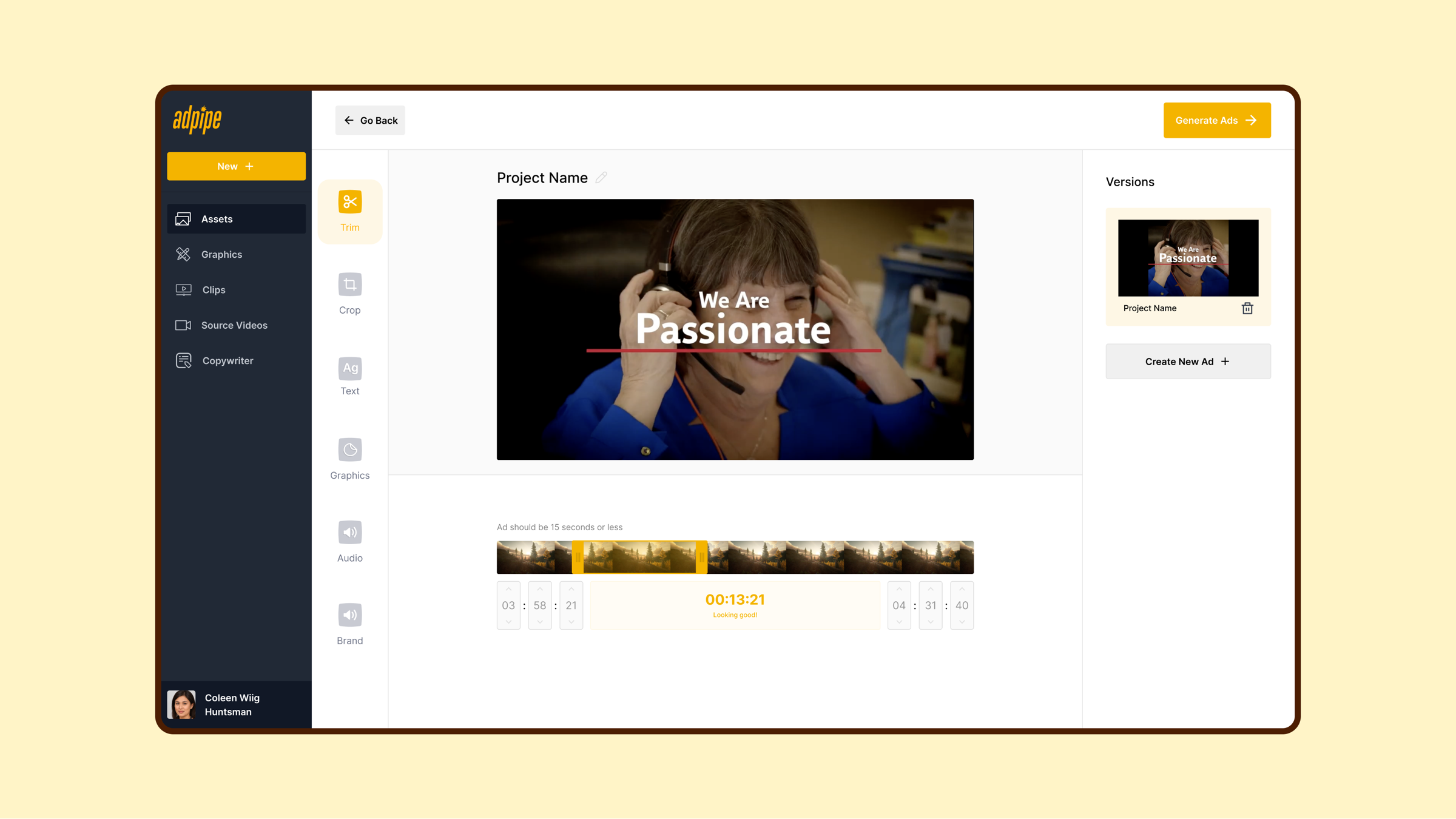
The creation flow had to avoid two extremes: a fully open editor with too much surface area, and a rigid template picker that felt limited. The middle path was guided creation: flows for social resizing, trimming, text, graphics, audio and reusable brand elements as one coherent, progressive system where users understood what was editable, what was locked by brand rules, and what output they were working toward.
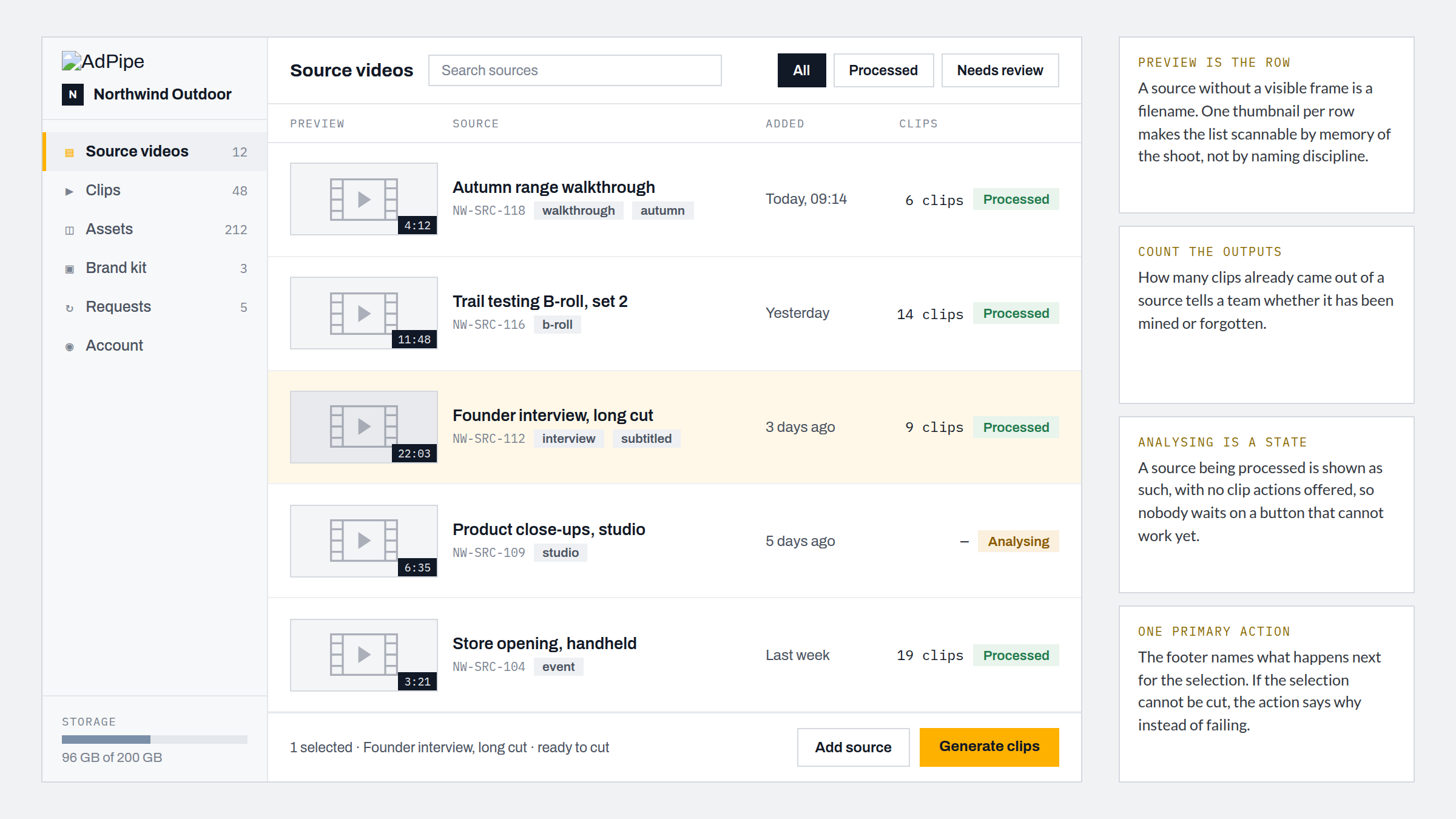
Source material is a queue, not a folder
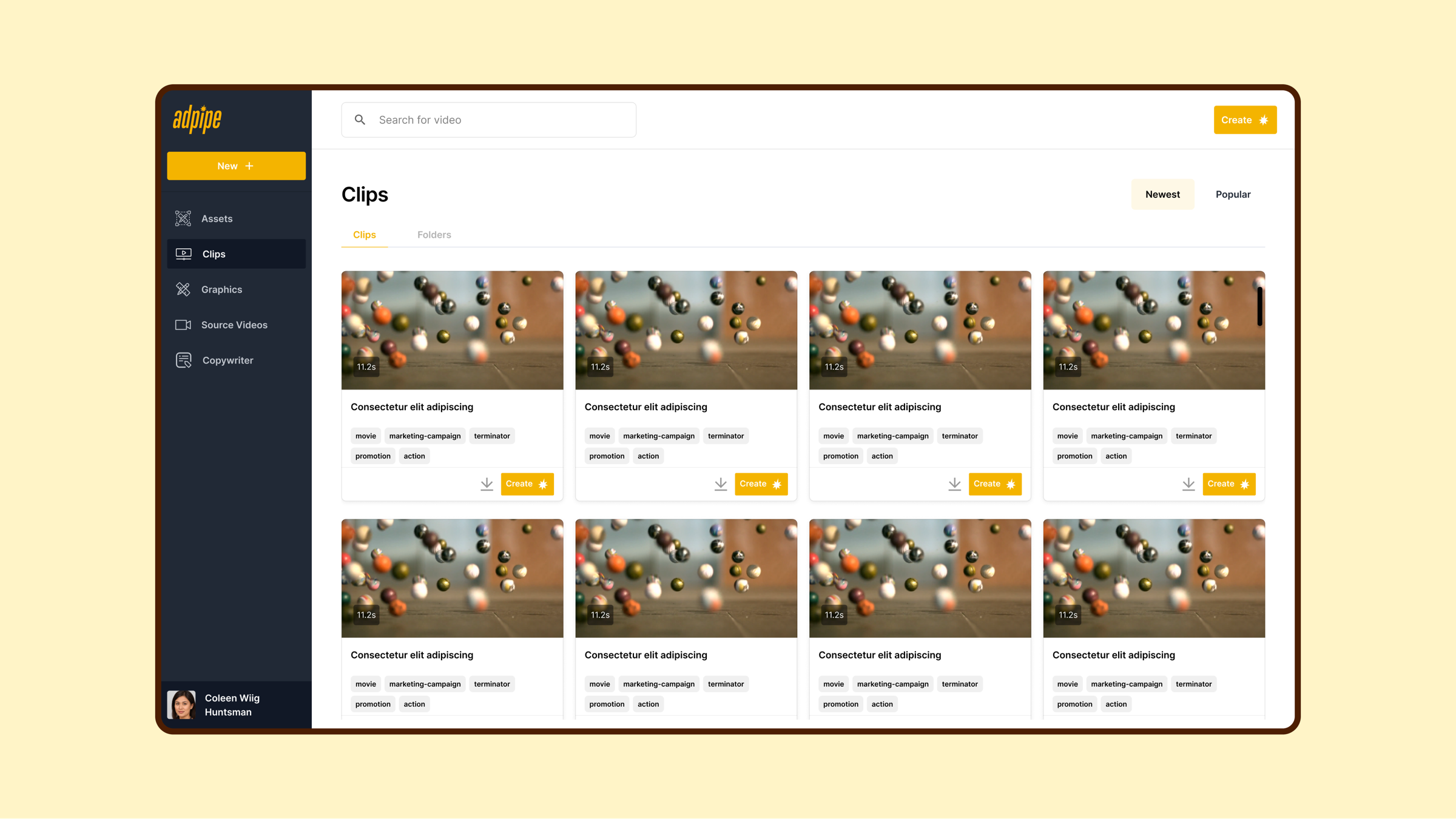
Before anything is edited, someone has to find the right raw footage and know what has already been done with it. Treating source video as a production queue rather than a file list is what makes that possible: one preview per row, the duration, how many clips already came out of it, and whether it has been processed at all.
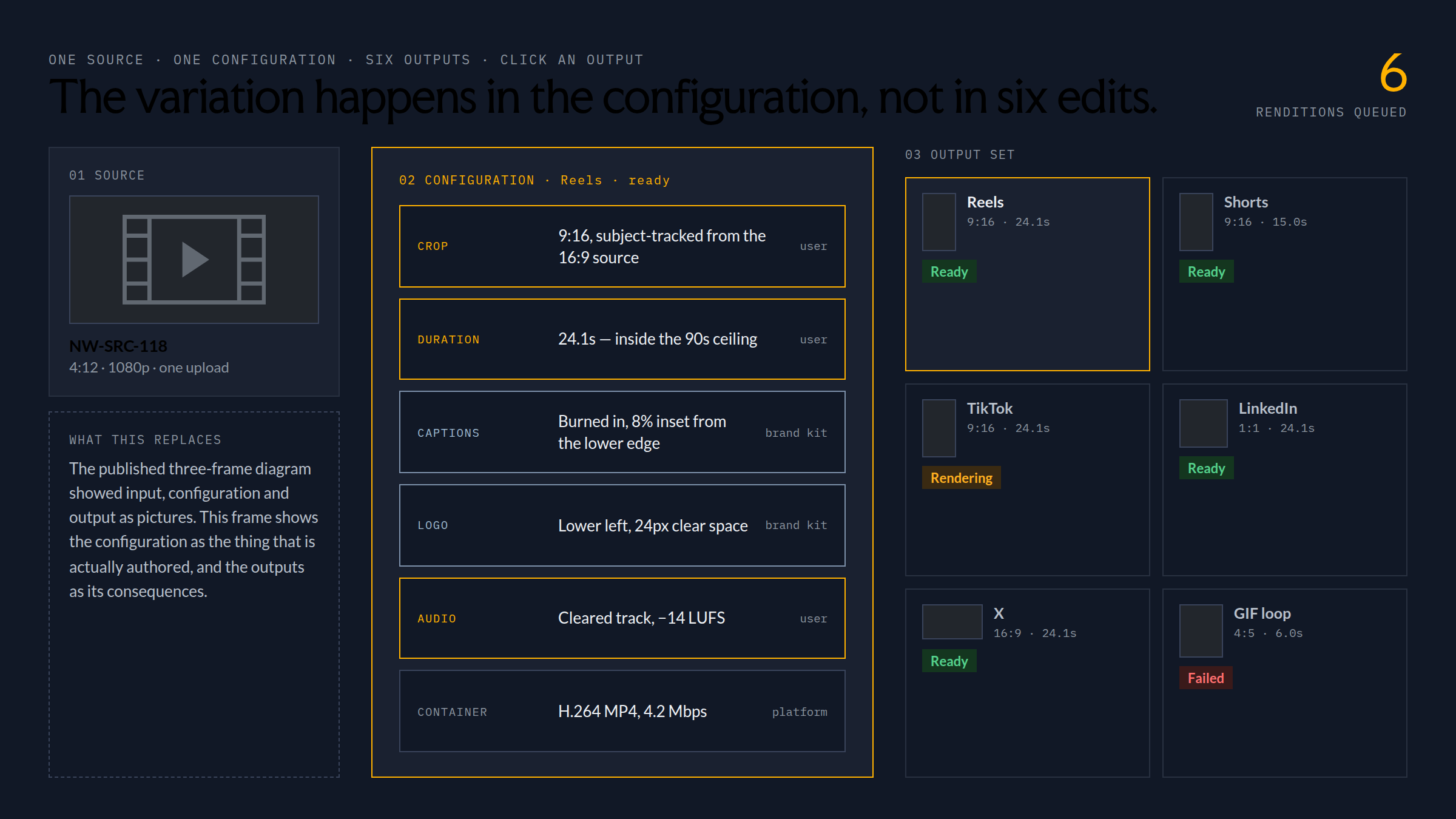
One source, one configuration, six outputs
The variation an enterprise team needs is not six separate edits. It is one upload, one authored configuration, and the platform renditions that fall out of it — so the thing a user maintains is the configuration, not the copies.
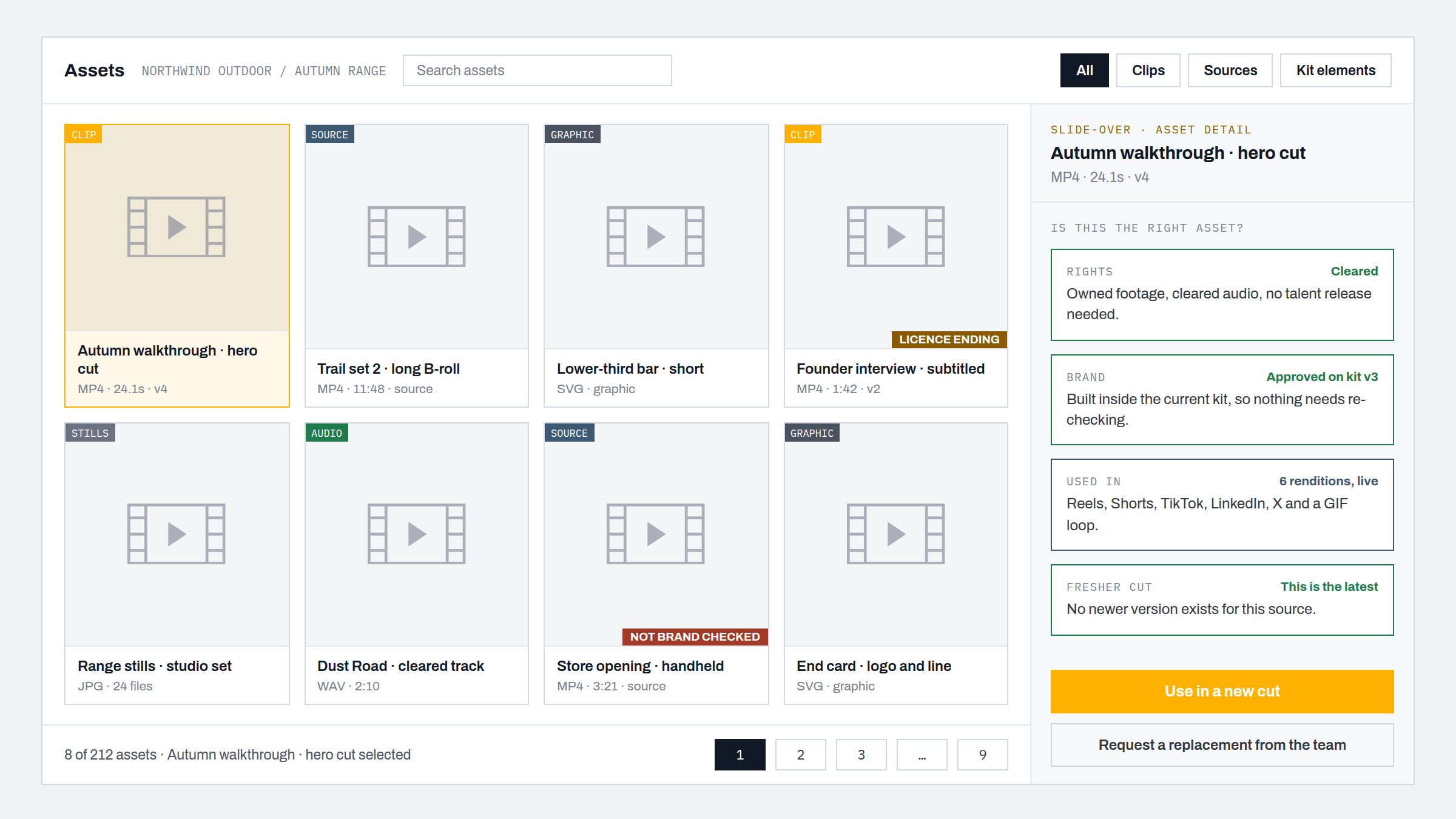
Asset and content management
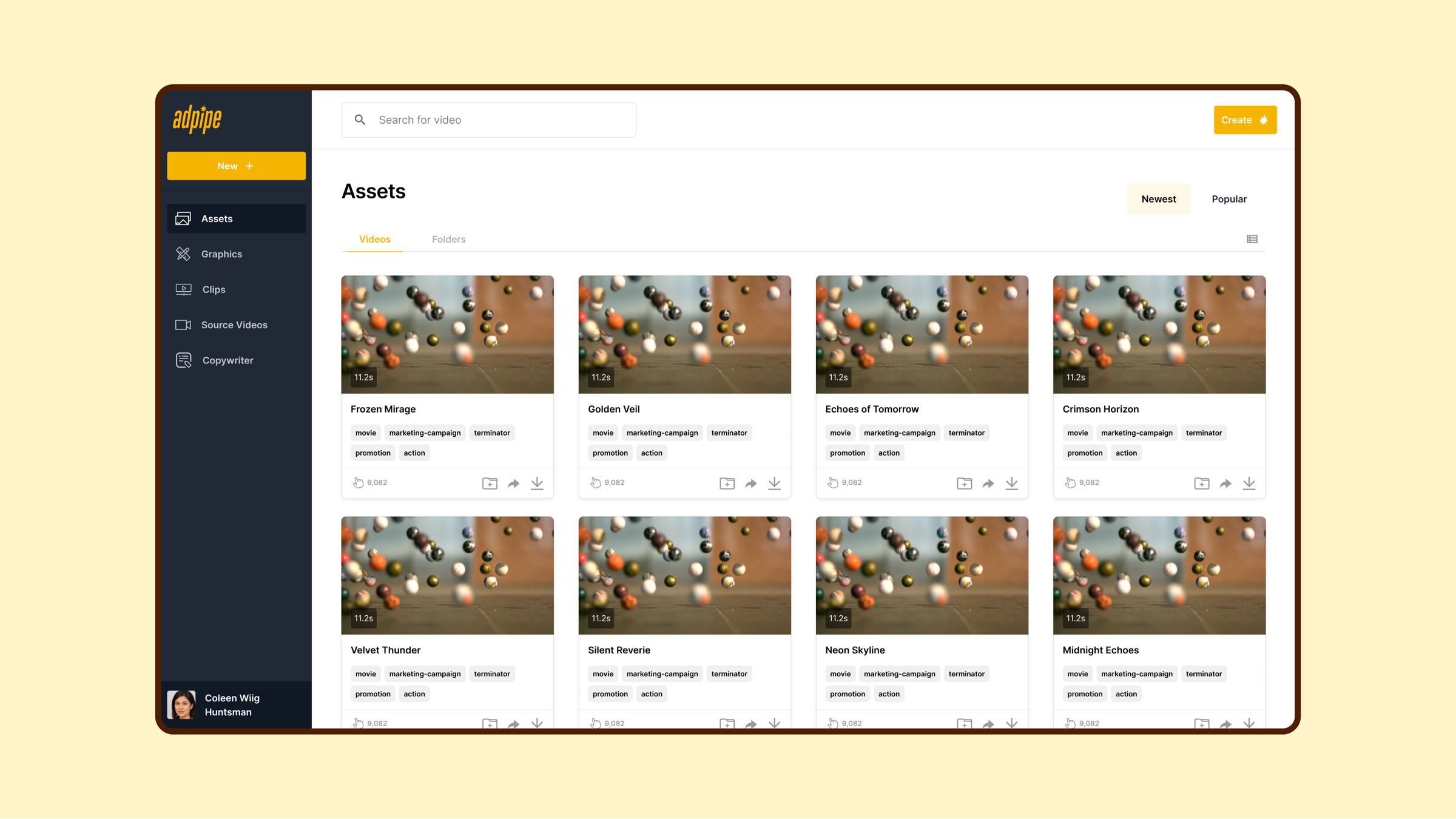
The asset library wasn’t storage; it was part of the production workflow. Clearer asset cards, preview states, folder logic, search, tags and content-request flows supported both retrieval and decision-making: not only “where is this file?” but “is this the right asset for this output?”
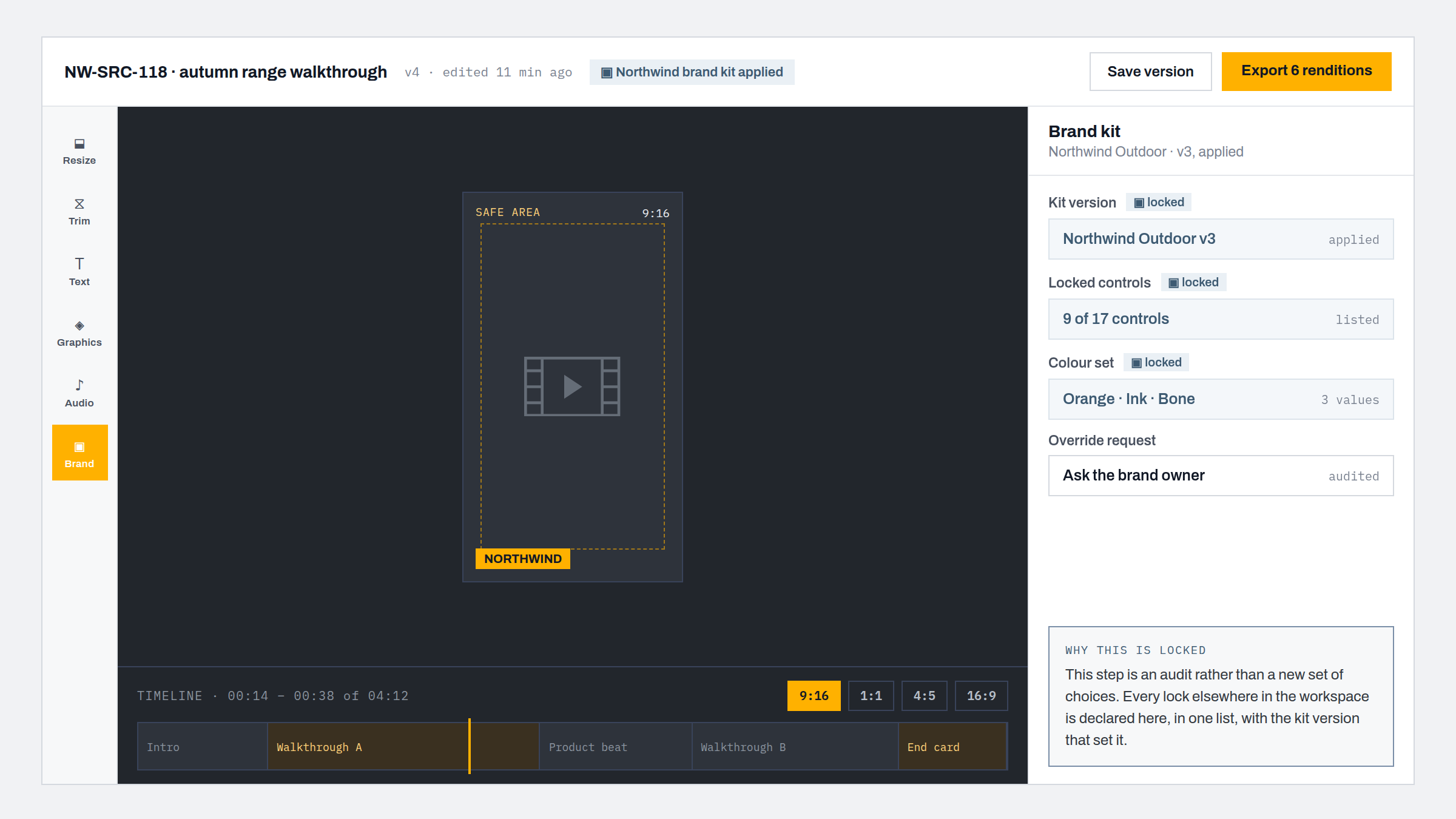
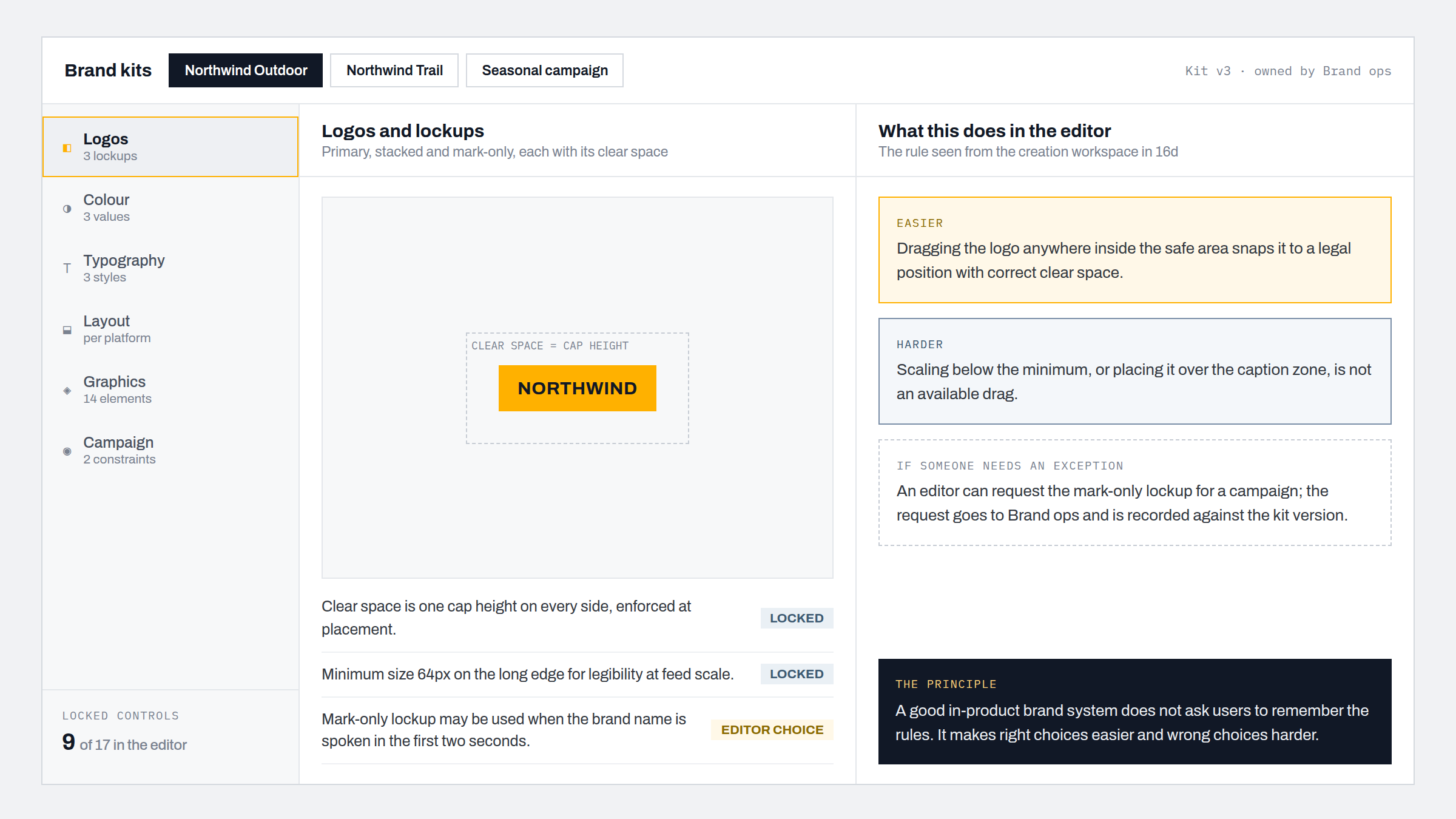
Brand-kit and reusable controls
For enterprise video, brand consistency is infrastructure, not decoration. The brand-kit work made reusable controls visible and usable: logos, colours, typography, layout rules, reusable graphics, campaign constraints. A good in-product brand system shouldn’t require users to remember the rules; it makes right choices easier and wrong choices harder.
Versioning, export and delivery states
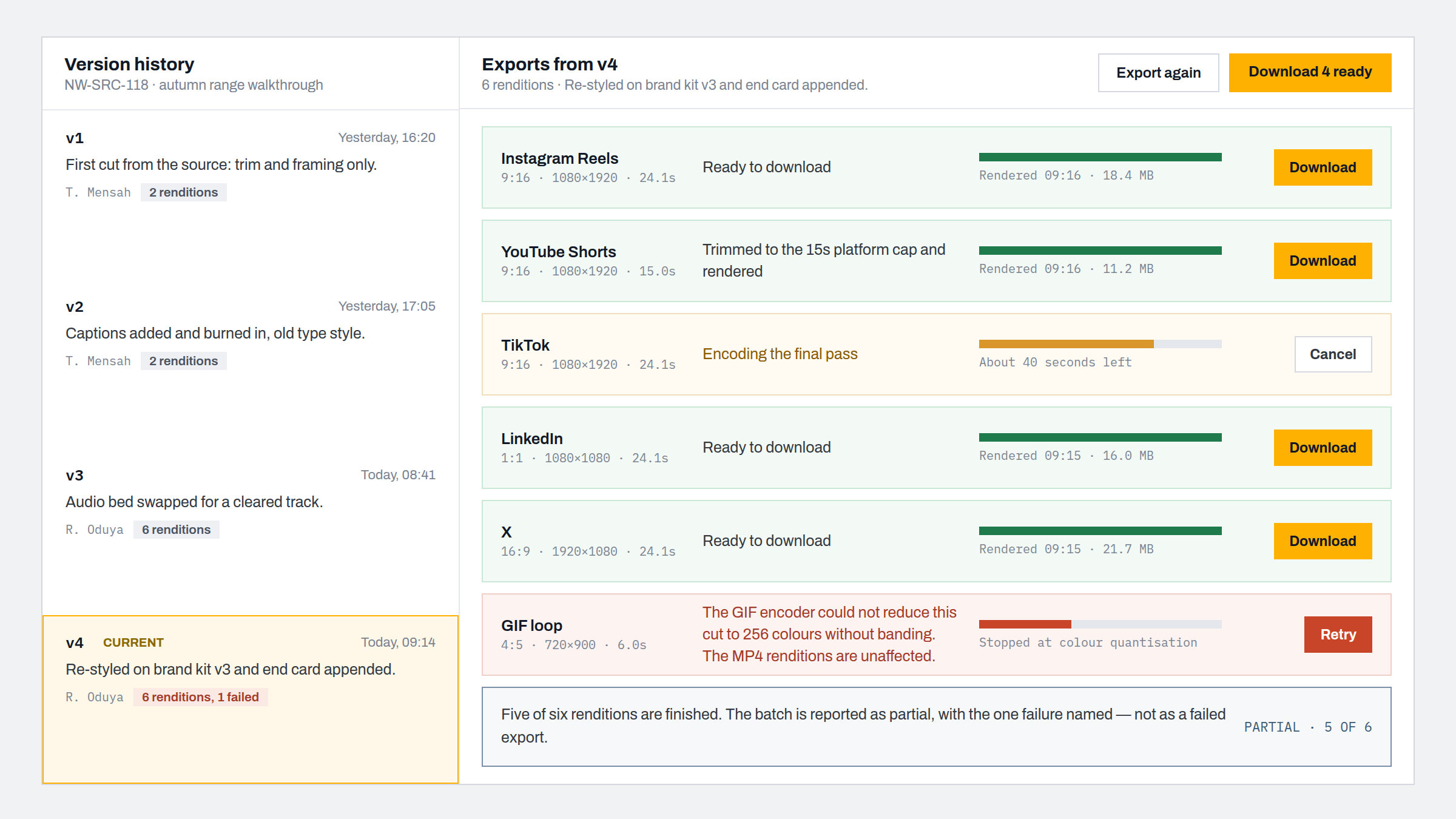
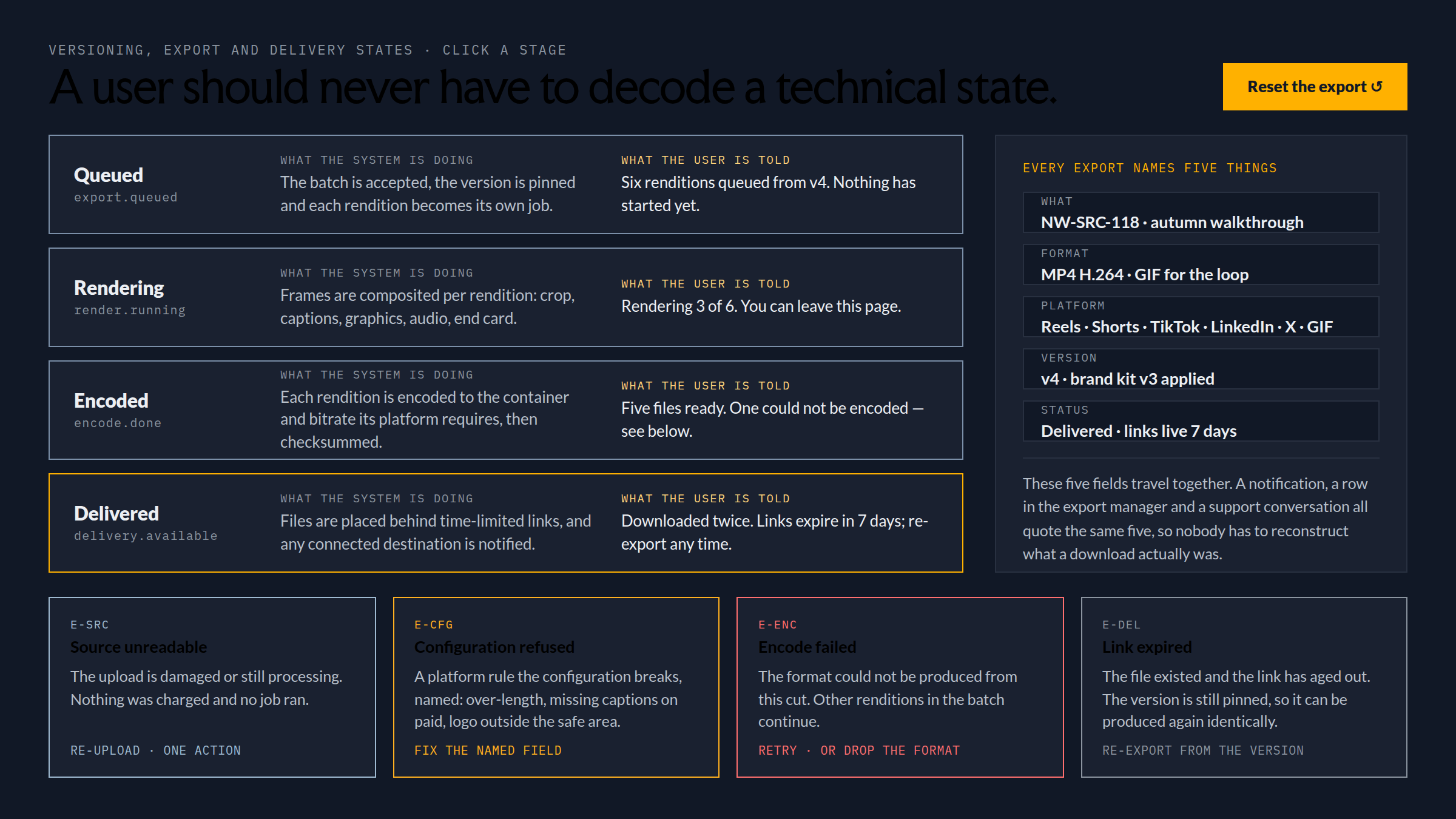
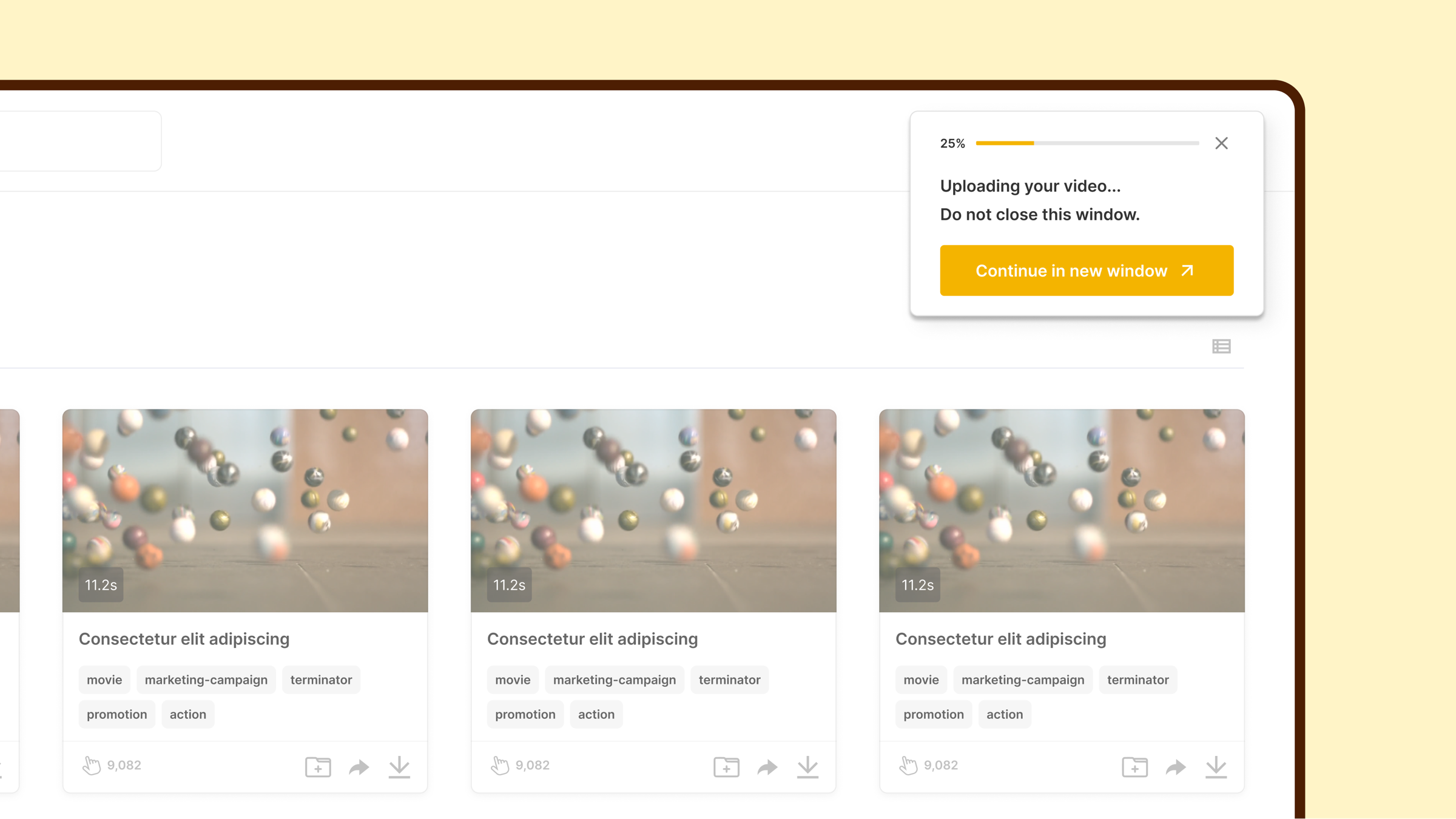
Export is where trust is confirmed or broken. Users needed to know what was being exported, in which format, for which platform, from which version, with what status. I designed clearer version-control patterns, export and download management, and success and error states so the product communicated progress and failure without forcing users to decode technical states.
Design system foundations
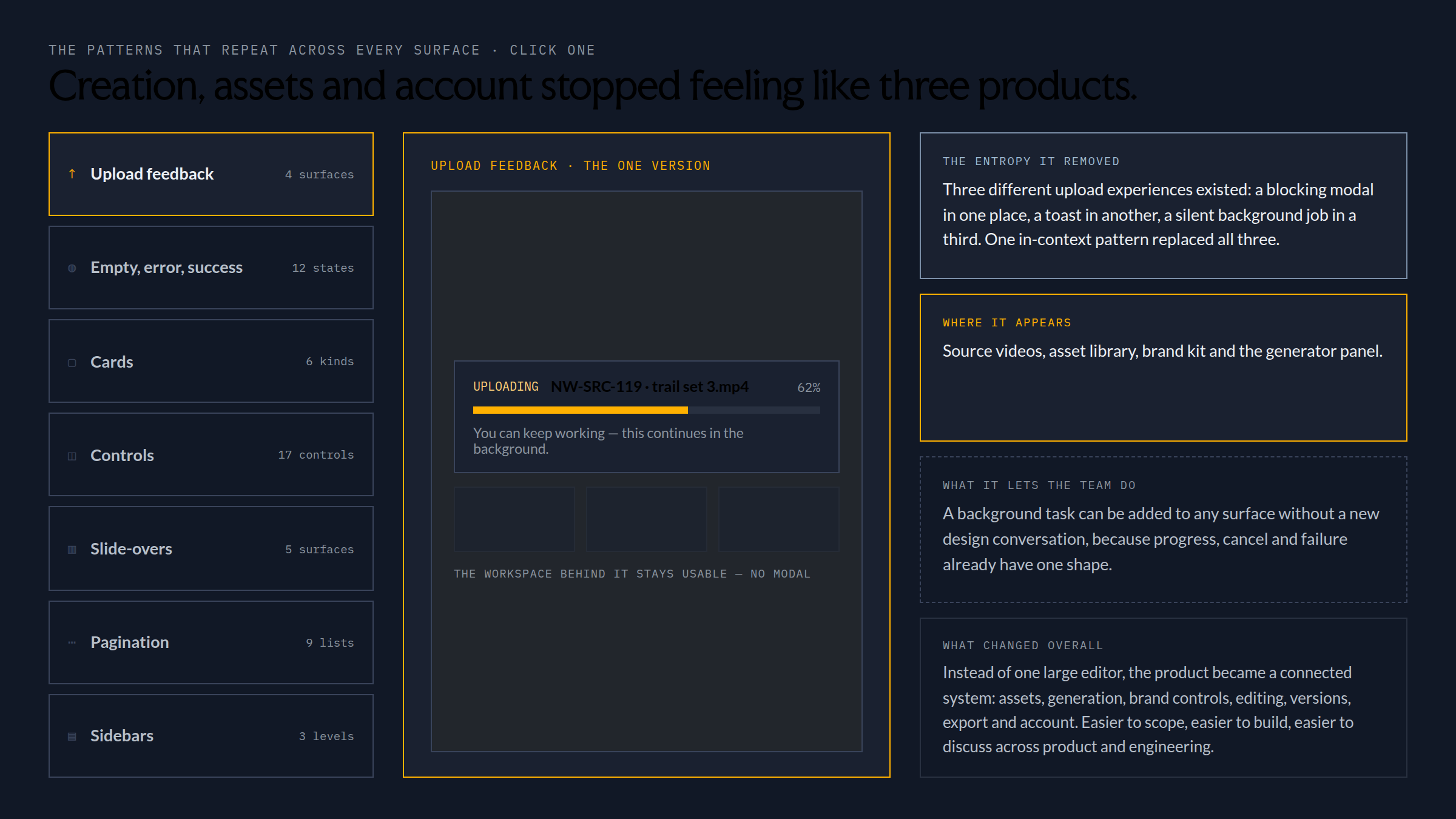
The same patterns repeat across many surfaces: cards, controls, slide-overs, pagination, upload flows, sidebars, empty/error/success states. The design-system work was about reducing product entropy, so creation, asset management and account workflows stopped feeling like separate products.
What changed
The work turned broad product and service themes into structured software workflows. Instead of one large editor, the product became a connected system: assets, generation, brand controls, editing, versions, export and account management. Easier to scope, easier to build, easier to discuss across product and engineering.
The decisions behind the workflow
I designed AI-assisted creation as a chain from source material through configuration to output that someone could review and approve. A source video needed to be reusable; a variation needed a visible history; a brand control had to constrain what could be exported. Those needs shaped the creation workspace, asset library and version states shown in the product images.
The period leading into AdPipe's first announced $3M seed is company context. The product-design evidence here is the interface model and the execution-ready workflow. No conversion lift or financing outcome is assigned to these screens without a measurement record.