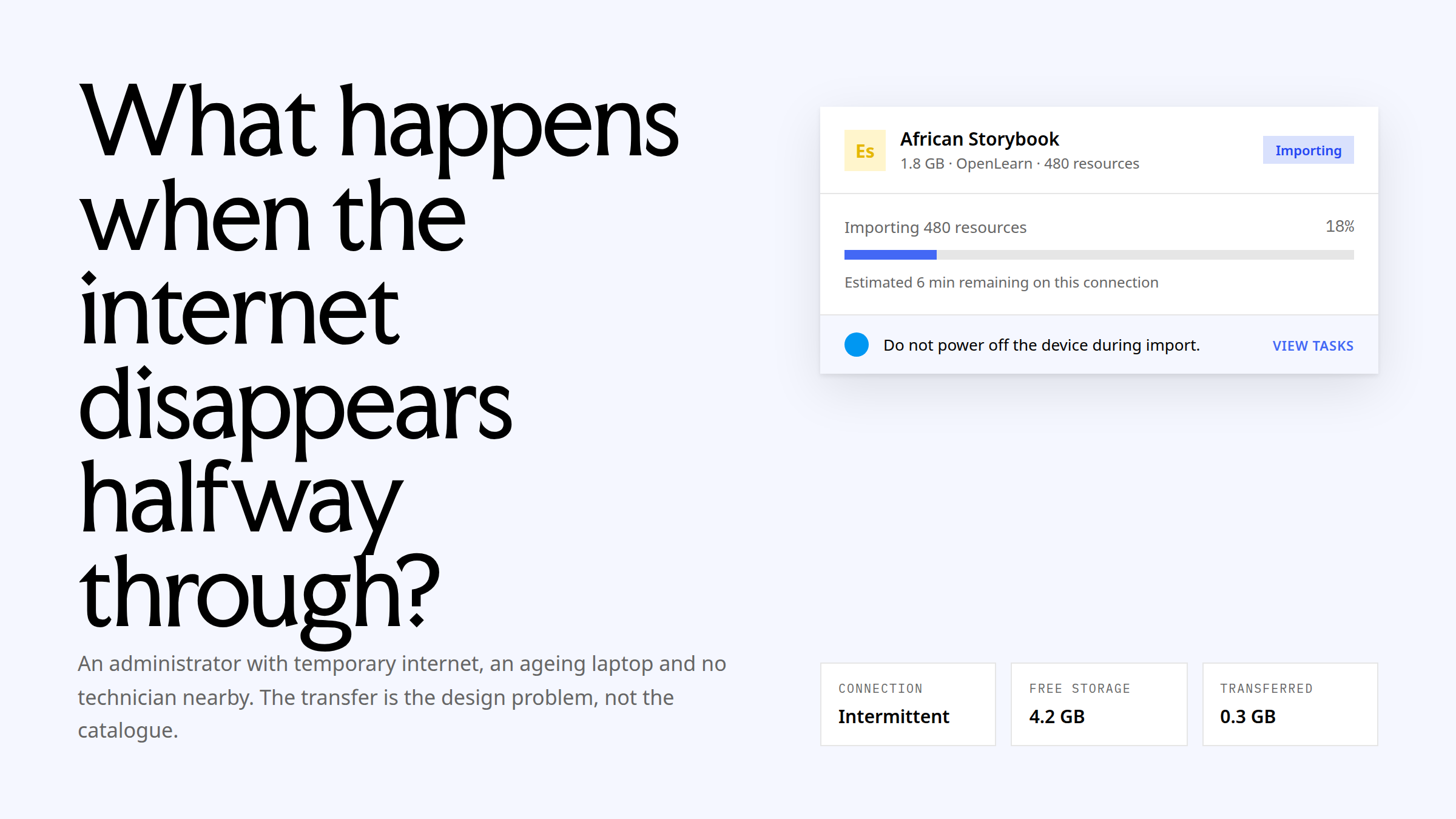
What happens when the internet disappears halfway through?
Across almost four years at Learning Equality, I designed how Kolibri administrators acquire and trust content, how schools manage people and classes, how assessments are authored and interpreted, how those systems work across accessibility, multilingual and Arabic RTL conditions, and how the design-system, Google Summer of Code and public-website work carried that practice beyond one team.

The operating environment
An administrator preparing a Kolibri deployment may have temporary internet access, an ageing laptop, limited storage and no technician nearby. They need to find the right learning material, understand what it contains, decide what can fit, move it to the correct device and know whether the transfer succeeded before the connection disappears.
A coach then needs to organise learners, create or activate assessments and interpret results. A learner may use a small screen, a keyboard, a screen reader or an Arabic interface. These are not edge cases around the product. They are the product’s normal operating conditions.
My scope across the platform
- Content acquisition and trust. Discovery, channel management, preview, partial selection, storage, versioning, updates, progress, failure, recovery and verification across online, local-network and removable-media sources.
- Assessment and learning intelligence. Quiz management, QTI authoring and learner rendering, pre/post tests, coach monitoring, learning-objective reporting and learner results.
- School operations. Bulk user management, class copying, attendance, notifications and dense administration tables for high-volume tasks.
- Interaction infrastructure. Reusable tables, cards, grids, statuses, loaders, sidepanels, modal patterns, accessibility behaviour, multilingual states and Arabic RTL.
- Design participation. Reviews, implementation specifications, recurring design-socialisation formats and product-design support for open-source contributors.
1. Designing content acquisition and trust
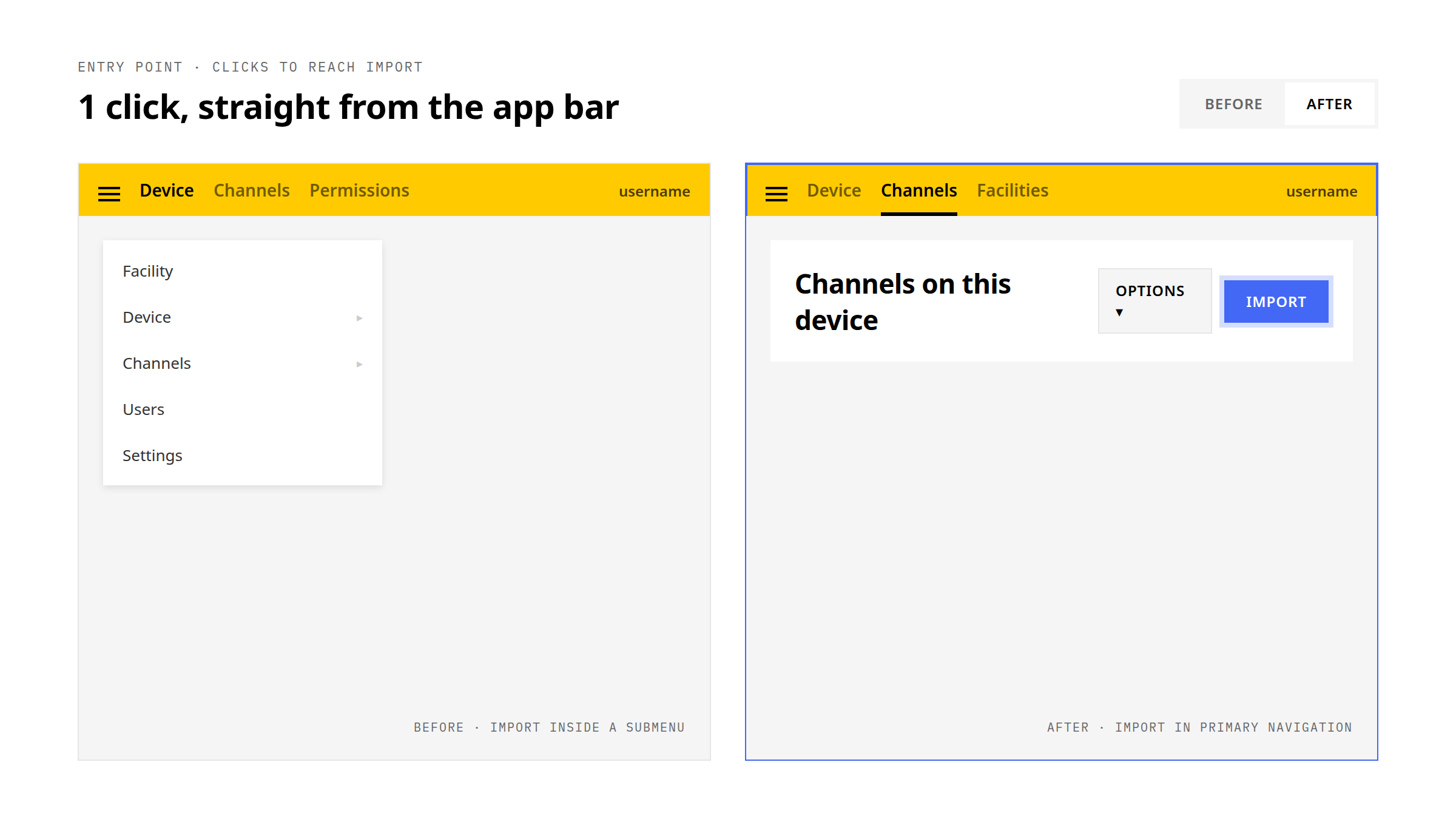
Research showed that administrators could lose confidence at several points: finding the import entry point, judging whether a channel suited their learners, understanding storage cost, distinguishing a new import from an update, and knowing what to do when a long-running task failed.
I re-architected the flow as one acquisition system rather than a sequence of disconnected screens. The model connected source selection, channel evaluation, folder-level choices, storage decisions, version history, progress, errors and recovery. Online libraries, local servers and USB drives used the same underlying logic while still exposing the constraints specific to each source.
- Unified the starting point for finding and adding content.
- Made channel, folder and resource information available before a costly download decision.
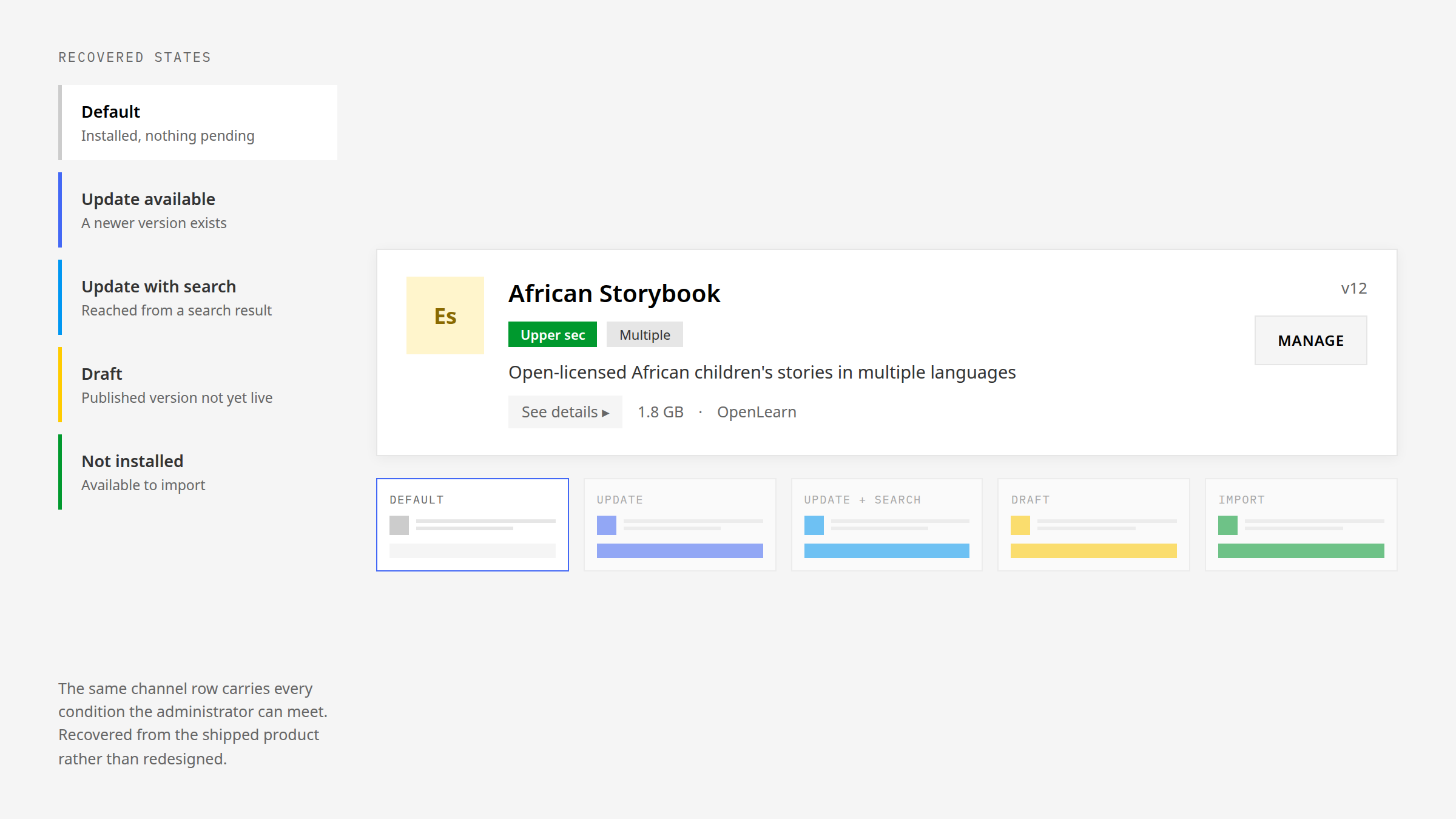
- Separated new content, installed content and available updates.
- Designed progress, failure and recovery states for long-running imports and updates.
- Carried the workflow through post-import verification rather than treating download completion as the end.
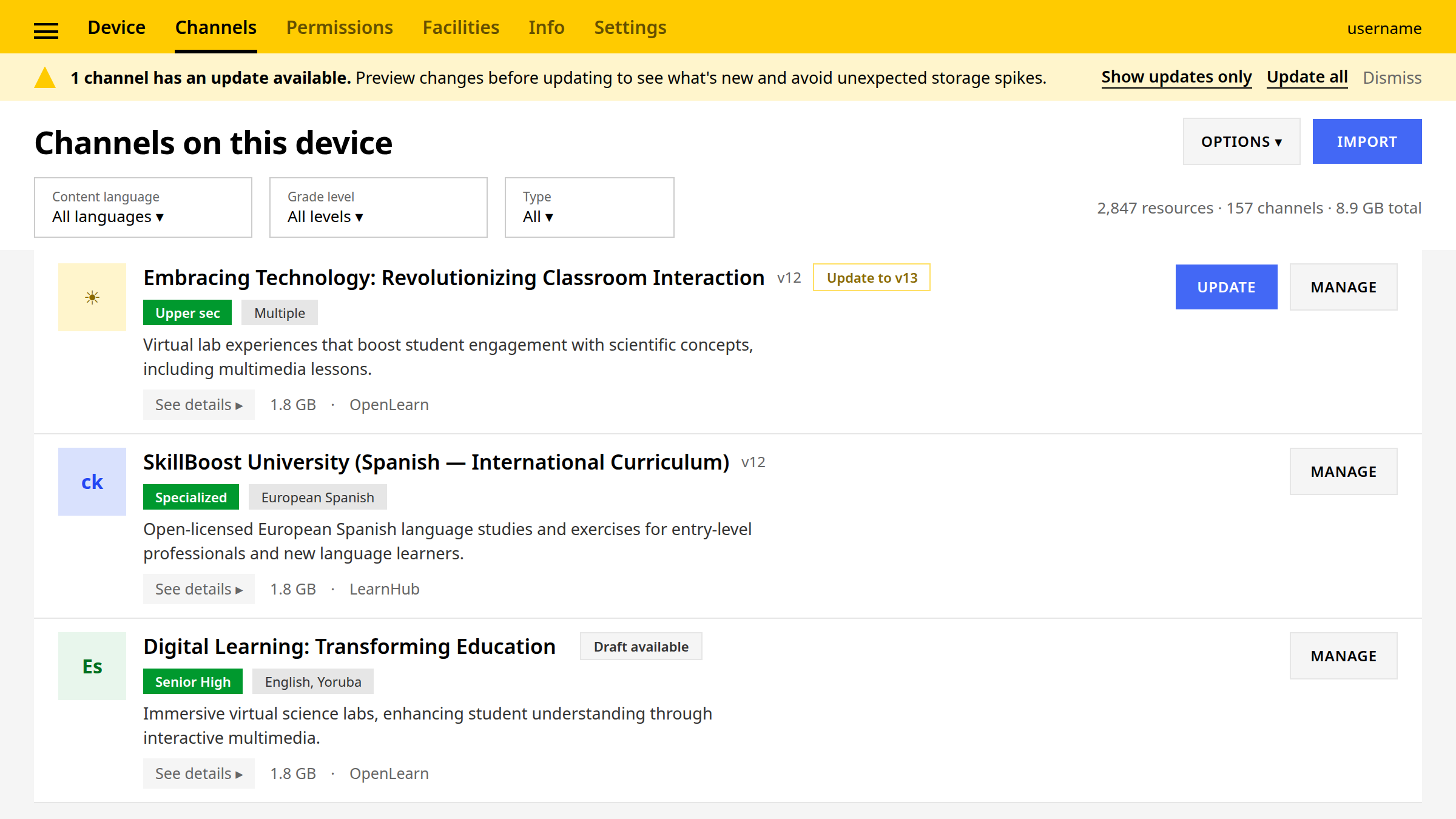
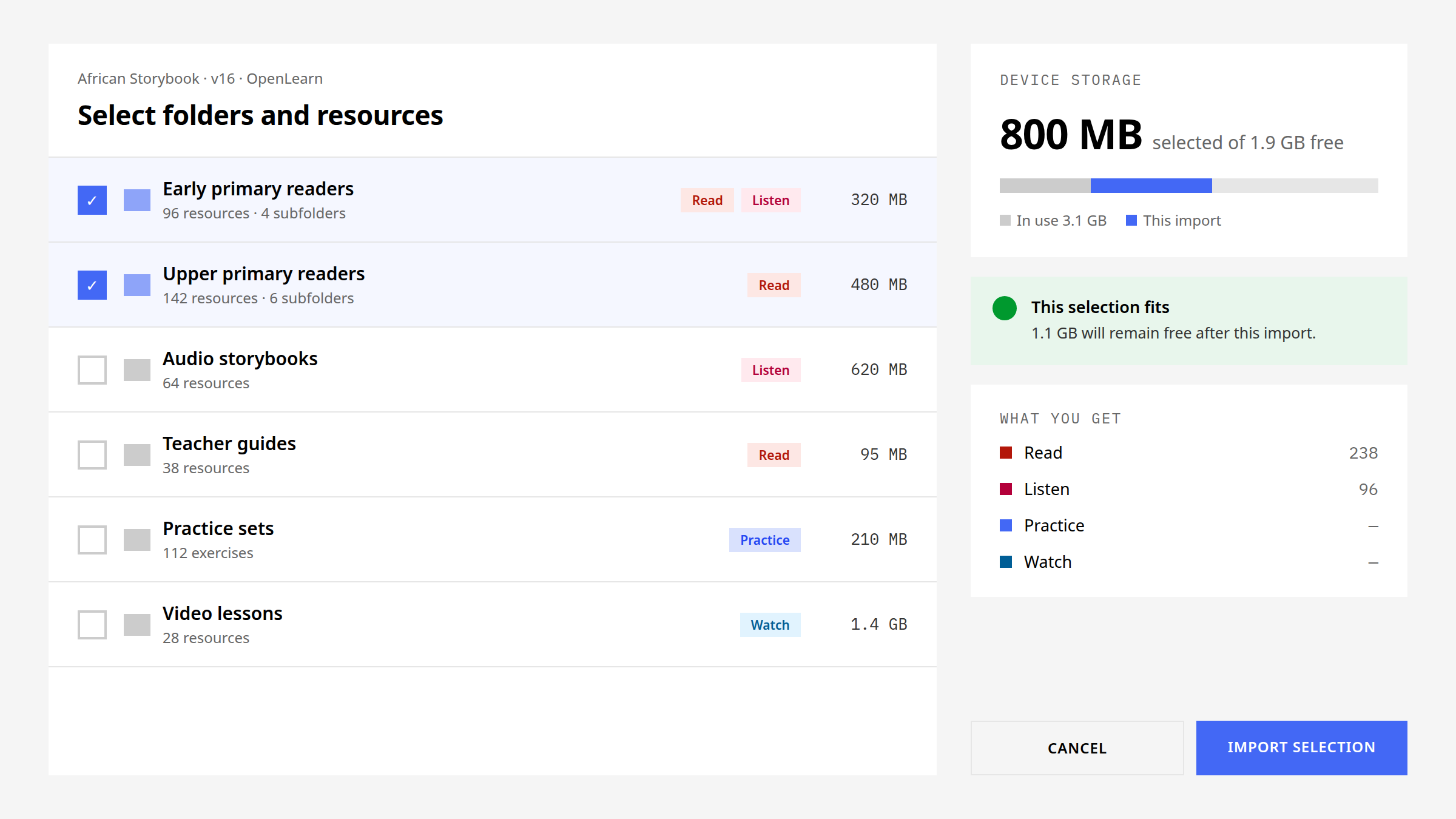
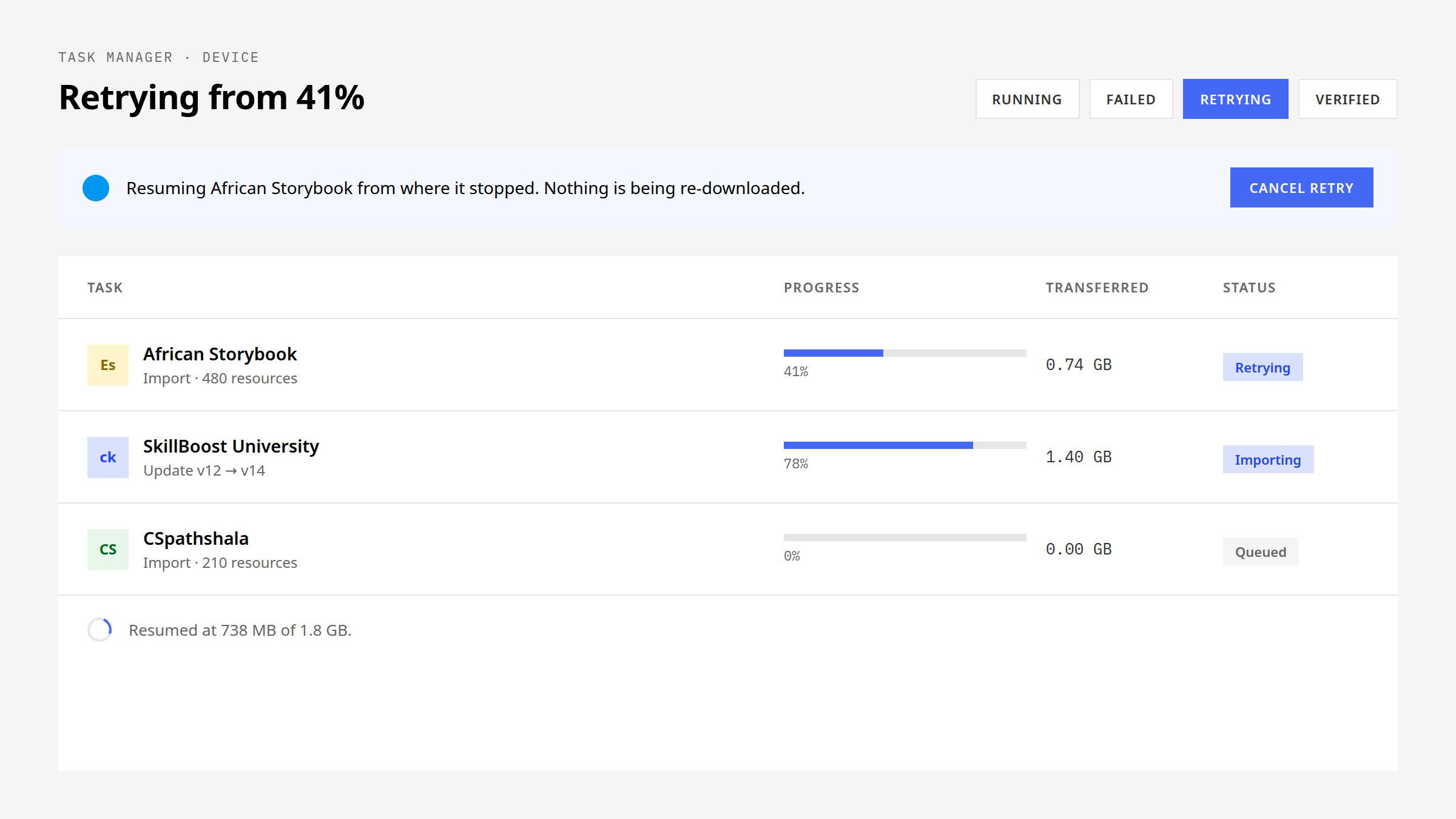
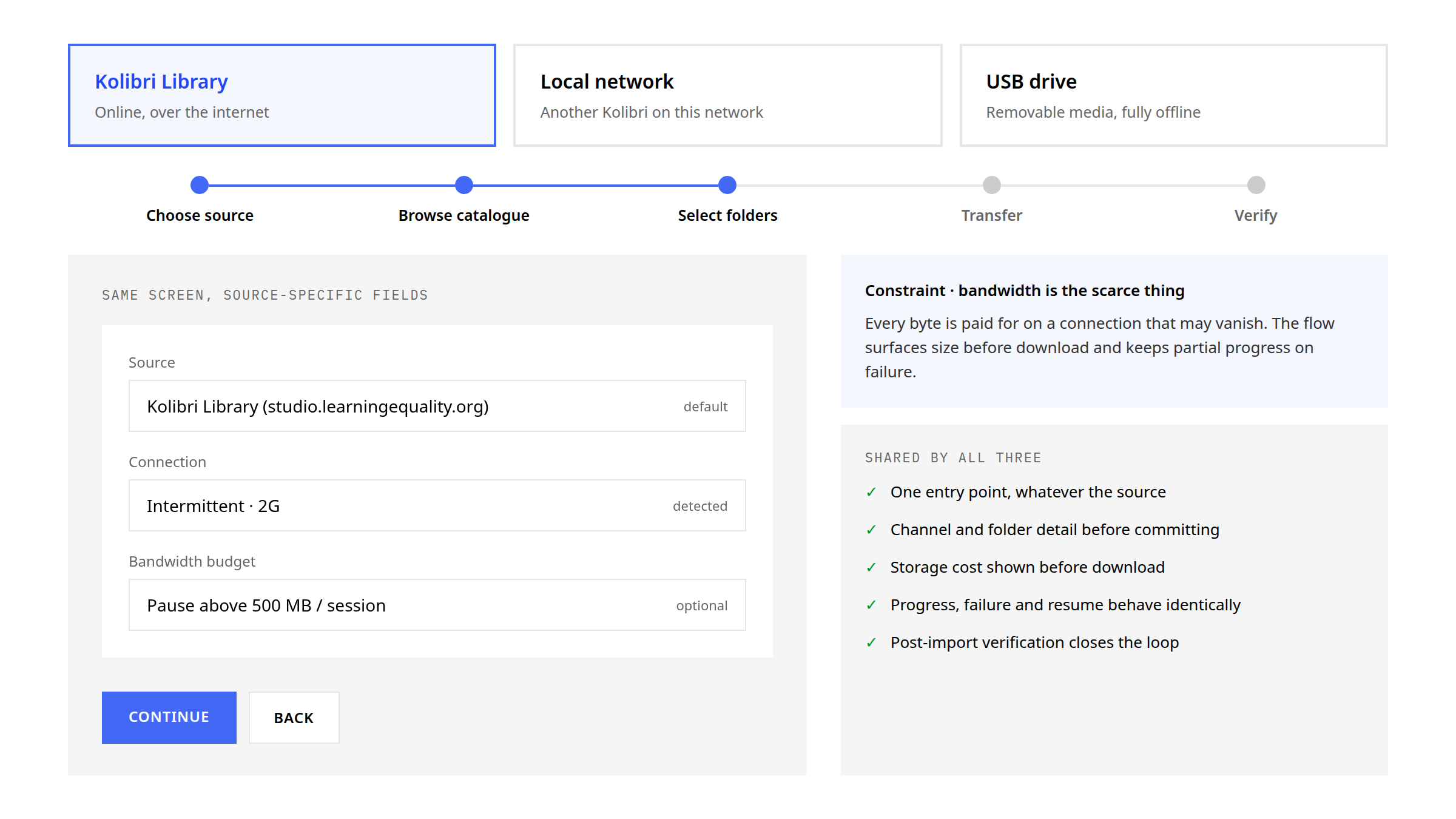
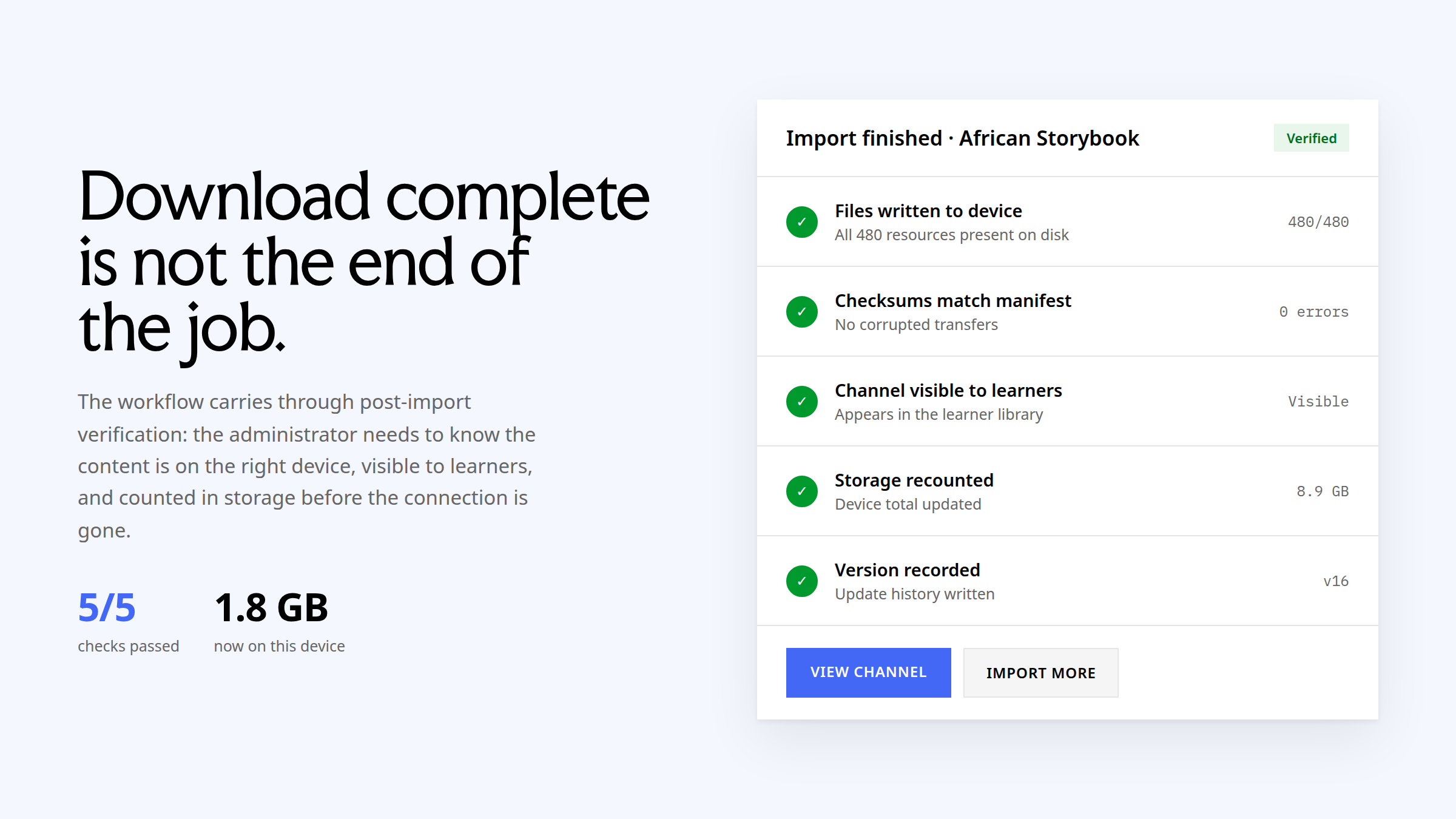
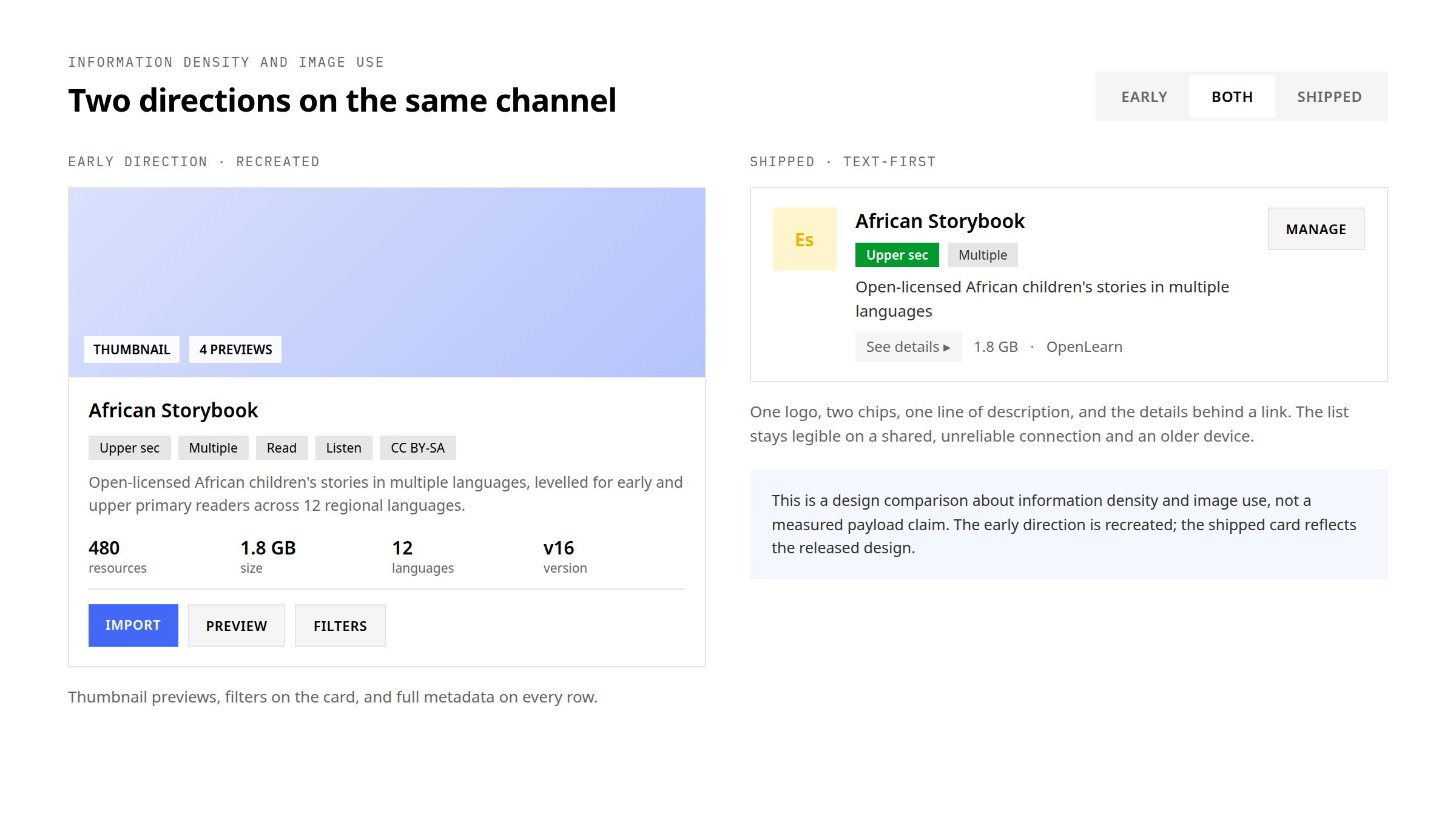
The channel card itself carried a deliberate reduction. The first design direction was richer: thumbnail previews, filters and detailed metadata on every card. The shipped card is text-first with minimal imagery, because the card list has to stay useful on shared, unreliable connections and older devices. That is a design comparison about information density and image use, not a measured payload claim.
These are usability-testing outcomes for the redesigned flow, not production telemetry. They support the content-acquisition work without standing in for the full scope of my Learning Equality contribution.


2. Designing the assessment lifecycle
Assessment work crossed three roles and several products: the educator who authors or selects questions, the learner who completes them, and the coach who monitors progress and interprets evidence. I designed across that lifecycle rather than optimising one view in isolation.
- Enhanced quiz creation and question management.
- QTI-standard authoring and learner-facing interaction patterns.
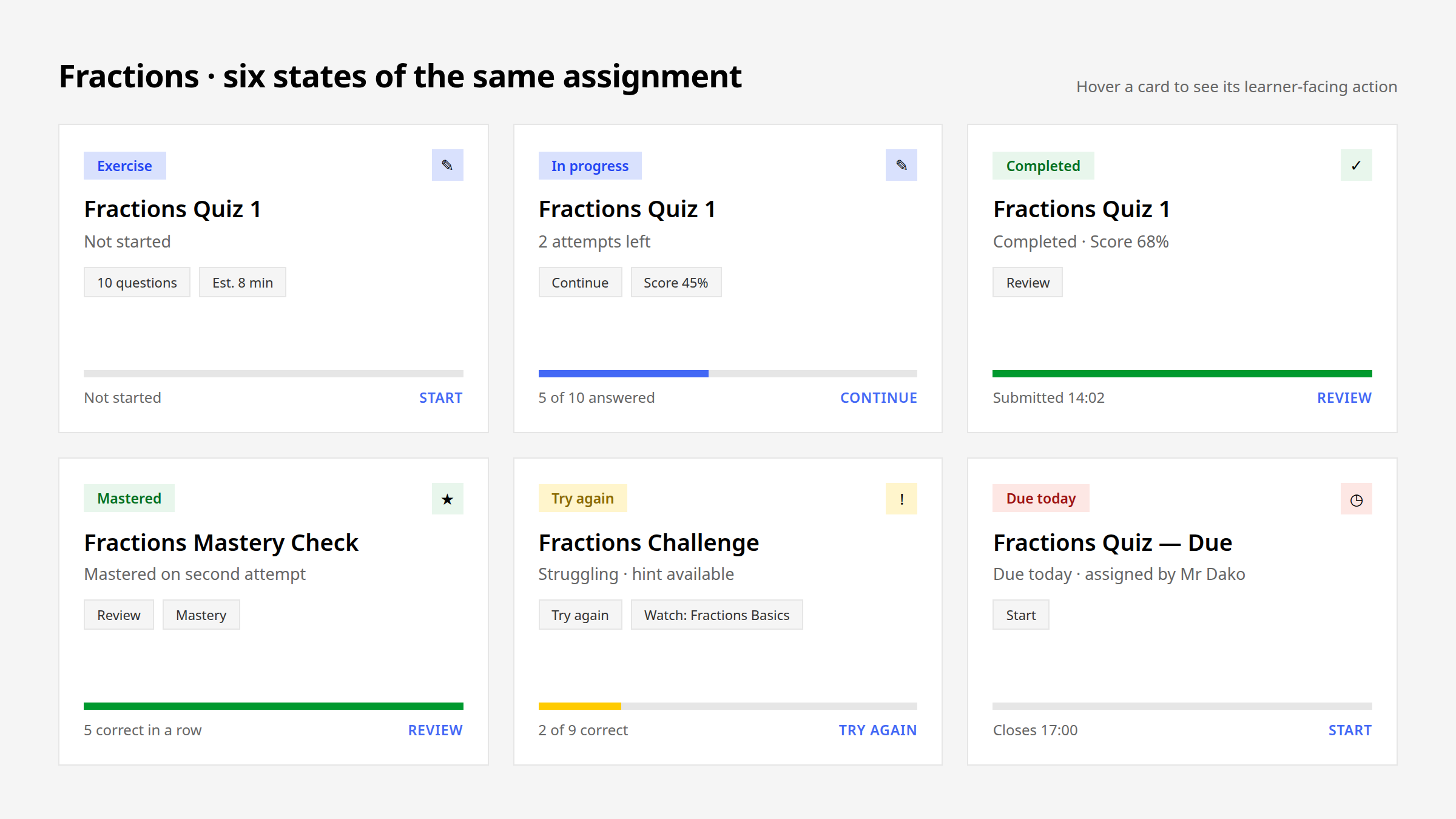
- Pre-test and post-test activation, completion and monitoring states.
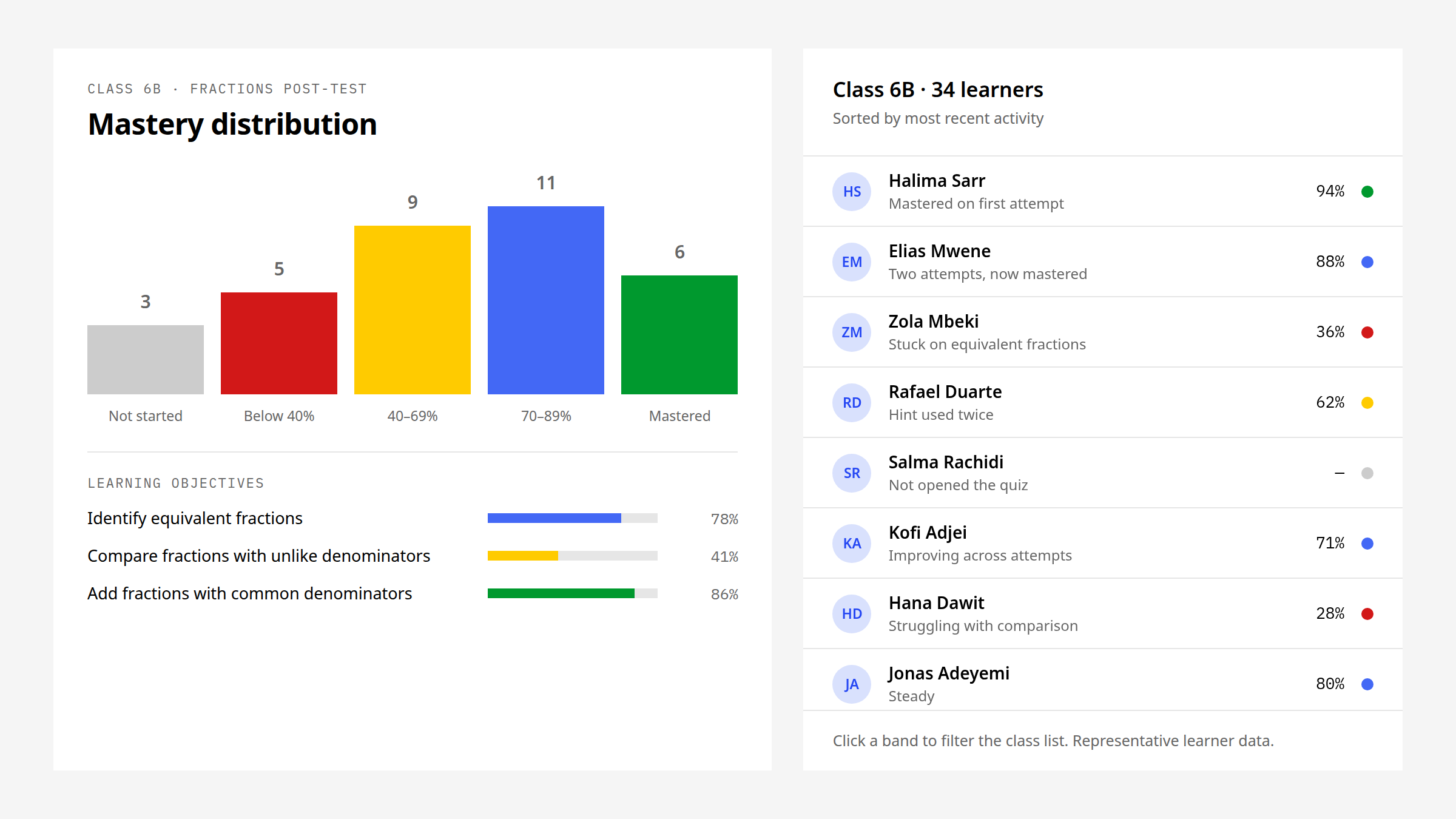
- Learning-objective, mastery-distribution and learner-level reporting.
- Mobile, keyboard, screen-reader, multilingual, mixed-language and Arabic RTL behaviour.
The QTI work ran on both sides of the standard: the editor an author uses to build a question, and the renderer a learner meets on a small screen, on a keyboard or through a screen reader. The same question has to work in both.
Pre-tests and post-tests added a lifecycle on top of a single quiz: activation, completion, and the monitoring a coach does between the two. Each of those is a state a learner and a coach can both see.
The coach side of this loop has its own study: Kolibri Coach Dashboard — one bar, one minute between lessons, and the drill-down from a class distribution to the learners inside it.
3. Making school administration manageable
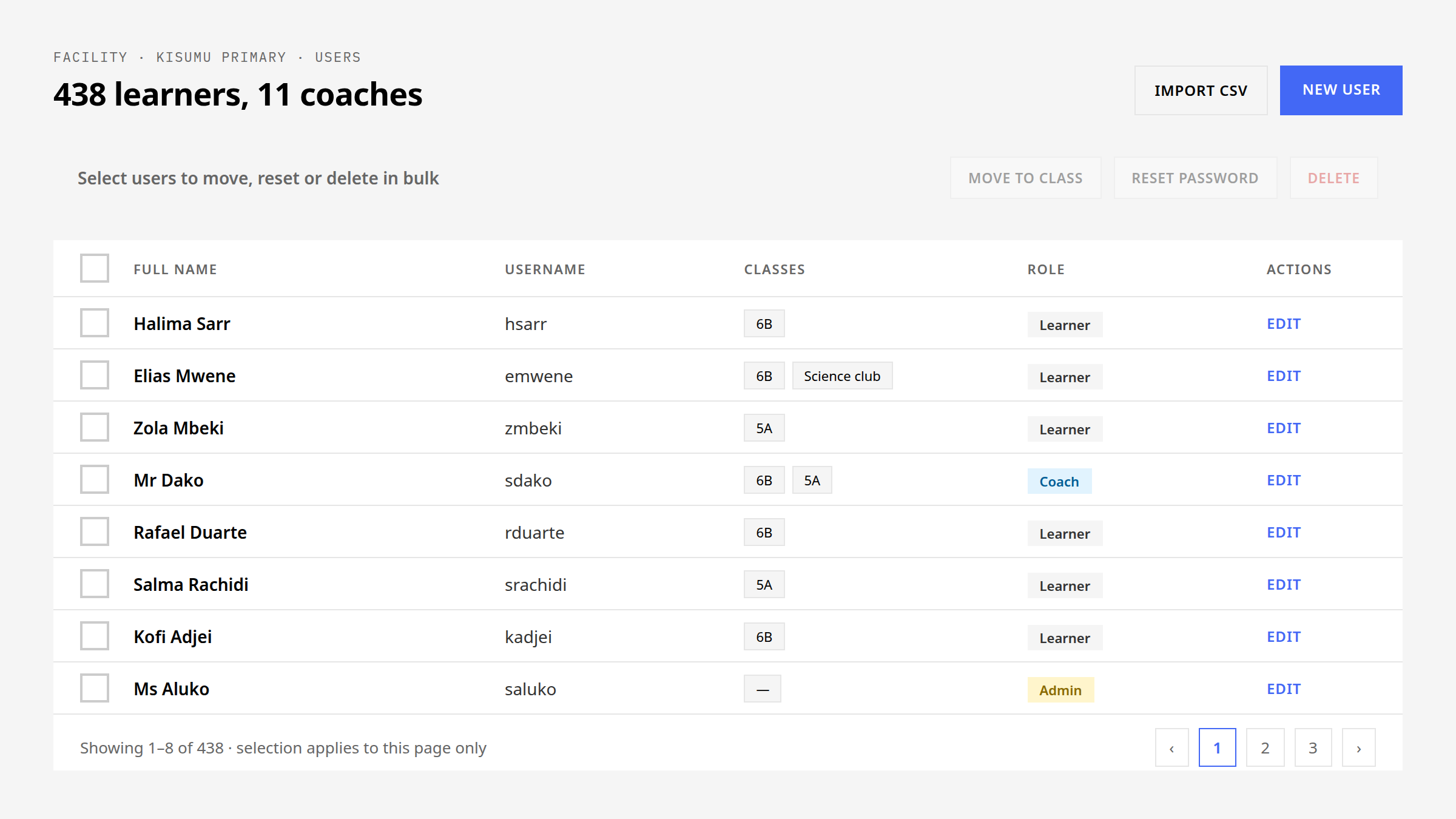
Bulk administration is where small interaction mistakes become operational problems. I designed user and class workflows around selection, permissions, pagination, confirmation, partial completion and recovery, then extended the same patterns into attendance and notifications.
- Bulk user management for high-volume learner administration.
- Class-copying and movement patterns that preserved context.
- Attendance, admin and editor notification workflows.
- Reusable table, inline-action and sidepanel behaviour.
Admin and editor notifications were designed as part of the same administration work, on the same status patterns the rest of the system uses: what happened, and what the person reading it can do next.
The bulk user-management work is visible in the public product. The Kolibri 0.19.0 release notes describe user-management changes made to reduce repetitive enrolment, unenrolment and account-management work, bulk actions on multiple users, and simpler programme setup and year-over-year management. That is the released product; the design work here sat inside it.
4. Extending the interaction infrastructure
The value of design-system work was not the number of components produced. It was reducing the number of product decisions each new feature had to reinvent. Tables, cards, grids, statuses, loaders, sidepanels and modal behaviour became shared answers to recurring interaction problems across Kolibri and Studio.
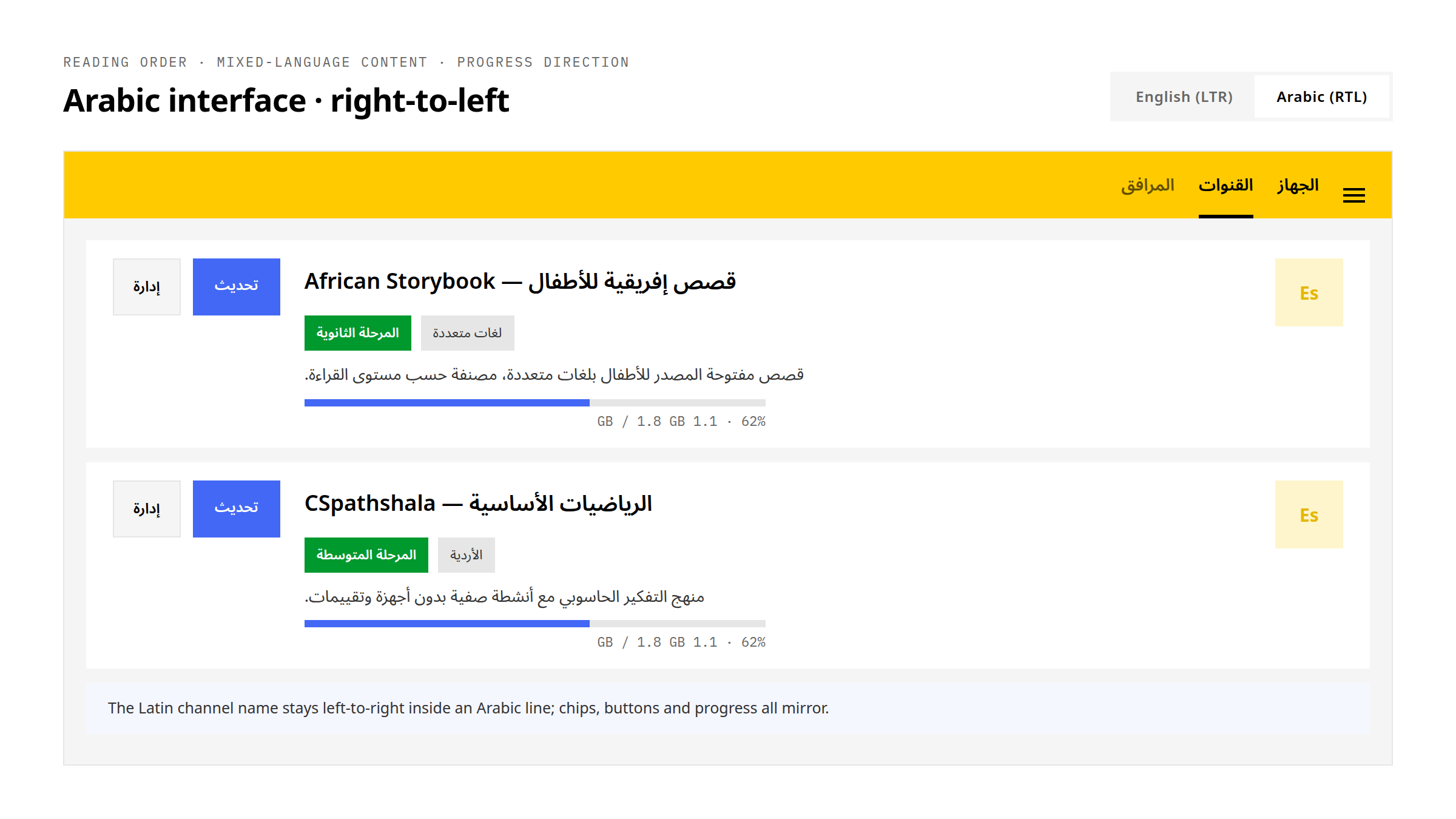
Accessibility, internationalisation and Arabic RTL were treated as system behaviour rather than final-pass corrections. Reading order, mixed-language content, keyboard interaction and responsive states had to remain coherent inside already-complex assessment and administration workflows.
The infrastructure I extended, rather than built from nothing, was the Kolibri Design System: type as named roles, tokens, status and loader patterns, the side panel and its modal behaviour, cards with their content structure, and tables at two densities. Each one is a decision a feature no longer has to make, and each one carries its RTL and accessibility behaviour with it.
That work is documented on its own: Kolibri Design System — decisions a feature no longer has to make.
5. Design leverage: shared practice, Google Summer of Code and the public website
In a distributed open-source organisation, a polished Figma file is not enough. I used design reviews, implementation-ready specifications, Design With Us sessions and Design in 60 Seconds updates to make the reasoning visible to product, engineering and non-design colleagues before it was lost in delivery.
From 2023 to 2026, I also provided product-design direction, review and implementation support across six Google Summer of Code projects spanning content rendering, assessment interactions, accessibility and design-system components. The formal mentors and contributors are credited separately on the official project pages.
Design direction for a contributor outside the core team rested on the same three things the shared practice above was built on: an implementation-ready specification, a review that says what is wrong and why, and a pointer to the pattern that already answers the problem.
The same system thinking carried into Learning Equality’s public expression: the public website design system, product identities, app icons, brand guidance and partner-facing materials.
Platform context
These figures describe the scale of the platform I designed within. They are not presented as users I personally acquired or as the result of one redesign.
What the work changed in my practice
Offline-first design makes hidden assumptions visible. Connectivity changes navigation, progress, error recovery and the cost of every decision. Multilingual and accessible design changes the structure of the interaction, not just its presentation. Complex systems become manageable when the team agrees on the states, rules and handoffs before arguing about the screen.
The detailed Figma history, design reviews and implementation notes remain available for private walkthroughs. This public case focuses on the product model, the decisions and the evidence that can be discussed responsibly.
Research, testing and work across the team
An administrator could meet content online, on another device or on removable media. The redesign needed one understandable process through all three, with clear entry points, selection, storage limits and recovery when a transfer failed. Usability testing showed 85% better discoverability and 60% fewer failed imports. Both figures describe tested tasks, not production-wide rates.
Learning Equality's product design team had two designers working with product and engineering colleagues. I carried research into specifications and design QA, helped explain design decisions through Design With Us and Design in 60 Seconds, and provided design direction and implementation support across six Google Summer of Code projects between 2023 and 2026. The formally named mentors and contributors are credited separately.